5
Contents
Important safety information .......................................................................................................................... 2
Home Charger-specific safety information ..............................................................................................3
Internal battery-specific safety information ............................................................................................3
Warning Notice to Drivers in the United States ......................................................................................3
Caring for your Mio .......................................................................................................................................4
Welcome..............................................................................................................................................................9
Important information for using the manual ...........................................................................................9
How do I install my Mio? ................................................................................................................................10
Moov M300-Series Installation................................................................................................................. 10
Moov M400-Series Installation .................................................................................................................11
Receiving TMC information ........................................................................................................................11
Getting to know your Mio .............................................................................................................................. 12
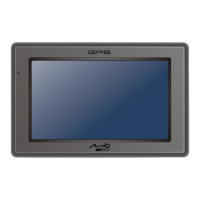
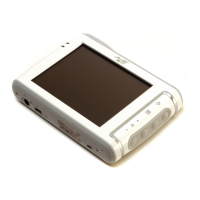
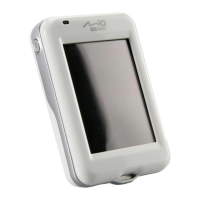
Moov M300-Series...................................................................................................................................... 12
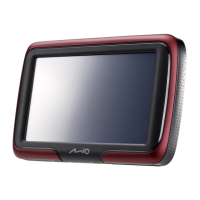
Moov M400-Series...................................................................................................................................... 13
Turning on and off .......................................................................................................................................14
Shutdown and hardware reset .................................................................................................................. 14
How do I monitor the battery status? ..................................................................................................... 14
How do I charge the battery?.................................................................................................................... 14
Charging the battery via the USB cable................................................................................................... 15
Navigating on the screen ........................................................................................................................... 16
How do I adjust the volume? .................................................................................................................... 16
How do I get started?...................................................................................................................................... 17
How do I turn my Mio on for the first time? .......................................................................................... 17
What are the main screens I will use? .......................................................................................................... 19
Main Menu screen ........................................................................................................................................ 19
Map screens .................................................................................................................................................. 19
How do I navigate with GPS?......................................................................................................................... 21
How does my Mio receive GPS signals? .................................................................................................. 21
How do I view my GPS status? ................................................................................................................. 21
How do I go from A to B? ...............................................................................................................................22
What if I miss a turn?..................................................................................................................................22
How do I search for an address?...............................................................................................................23
Case Study: How do I search for an address? ....................................................................................23
Using the Keyboard screen....................................................................................................................25
Using the Destination Search screen....................................................................................................25
How do I create a trip with multiple stops? ...........................................................................................27
Case Study: How do I navigate to multiple addresses? ...................................................................27
How do I skip a waypoint during a multi-stop trip? .........................................................................30
How do I search for a Point of Interest (POI)?....................................................................................... 31
Case Study: How do I search for a Point of Interest?....................................................................... 31
How do I save Favourites and My Home?....................................................................................................34
Can I save a NavPix
TM
to a Favourite?................................................................................................34
How do I save a Favourite or My Home? ................................................................................................34
How do I navigate to a Favourite?............................................................................................................35
How do I navigate to My Home?..............................................................................................................35


 To Next Page