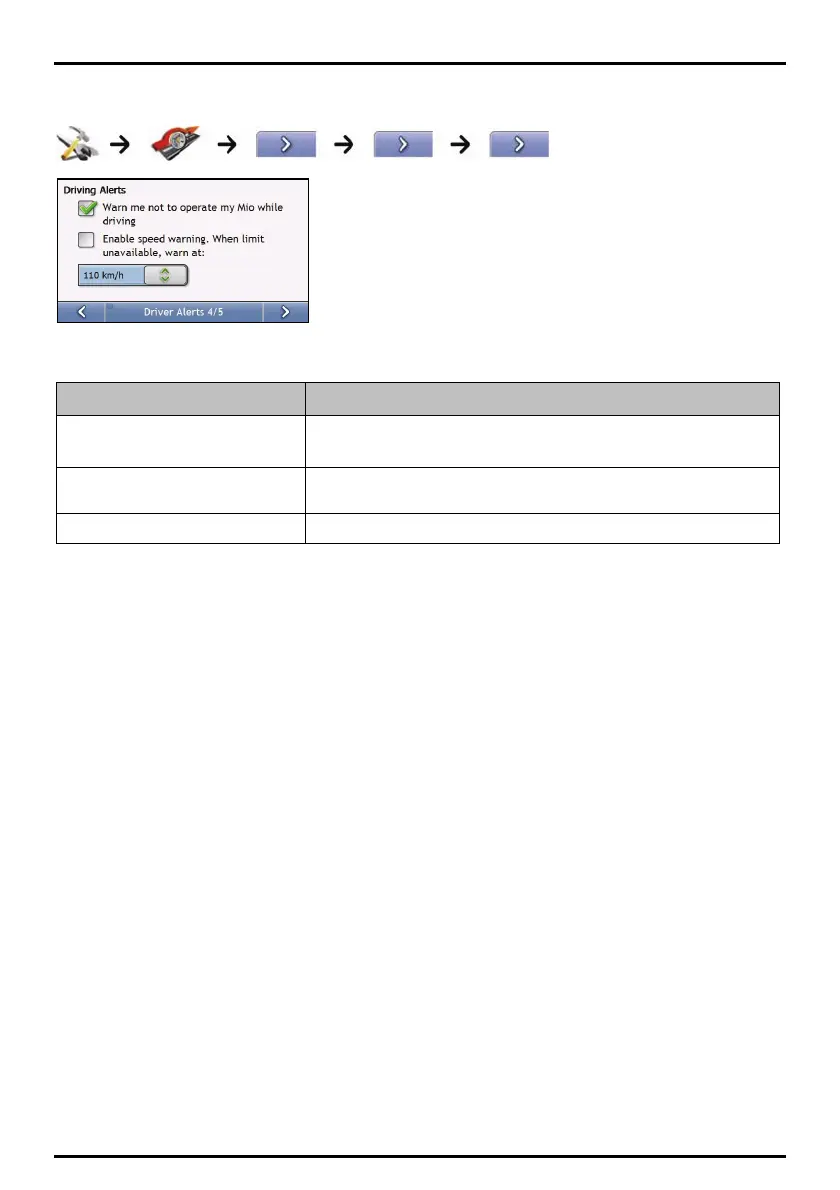
Driver Alerts 4/5
Complete the following:
If you want to ... Then...
enable a visual warning if the Main Menu select the Warn me not to operate my Mio while driving check box.
screen is accessed in a moving vehicle
enable a warning chime when travelling
at or above a designated speed
select the Enable speed warning….. check box.
select your preferred speed select your preferred speed from the Speed box.
Your preferences are automatically saved.
73


 To Next Page