Mio SLICE User Guide 7
TROUBLE WITH PAIRING MIO SLICE TO YOUR PHONE
Try the following tips if you have trouble pairing Mio SLICE to your smartphone:
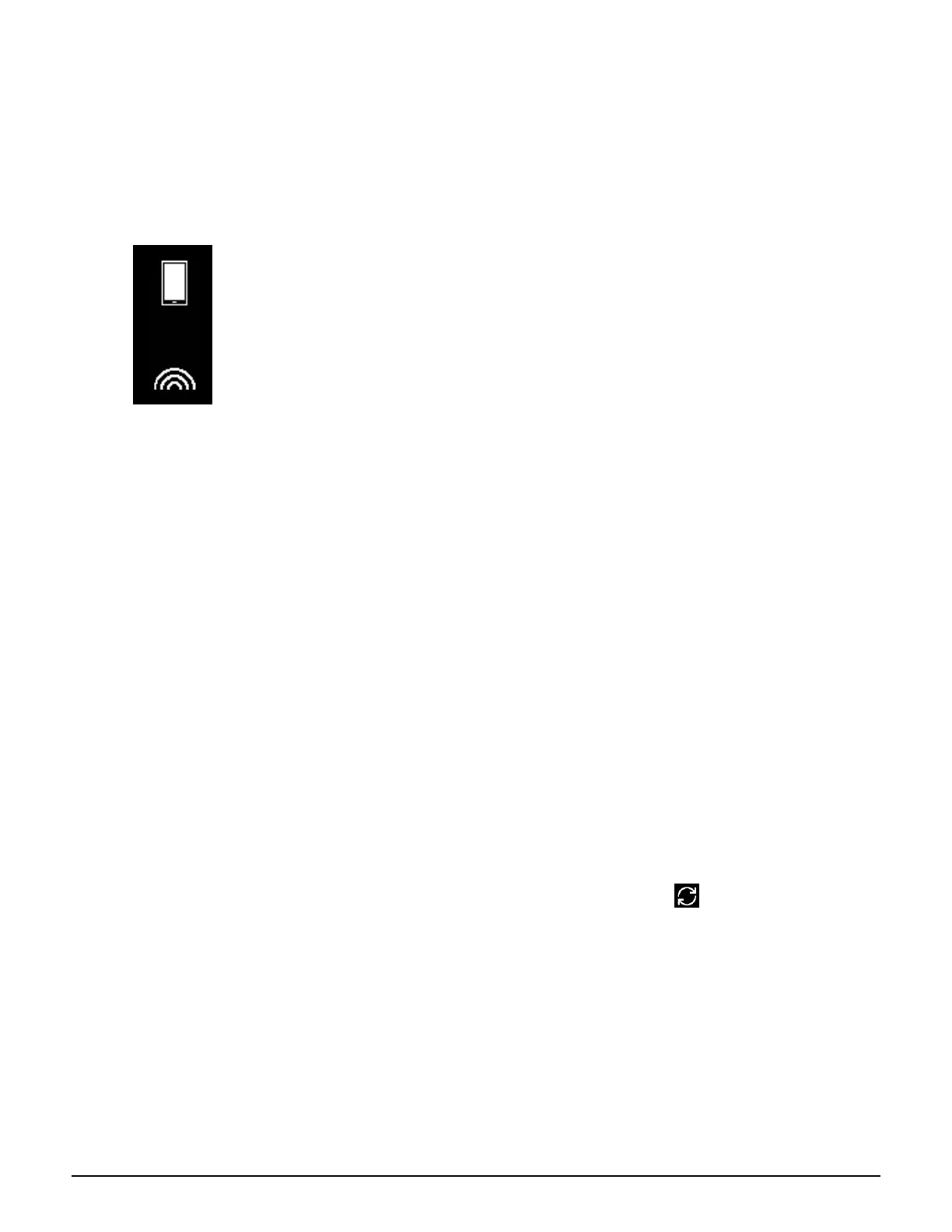
• Check that SLICE is in pairing mode by pressing the SLICE button.
This screen indicates SLICE is in pairing mode:
• Check that you are connecting to the correct SLICE device. Before pairing is complete, SLICE is listed with
a 4-digit code appended to the name. Match the 4-digit code to your device serial number, found on the
back of your SLICE strap as well as the bottom of the SLICE box. E.g. If your serial number is
“60P00014DCI”, SLICE will show up in the app as “SLICE-014D”.
• Ensure “Location Services (GPS)” is enabled on your phone. Bluetooth requires access to Location in order
to scan for nearby Bluetooth devices.
RESET AND RETRY
• In the More Section of the app, select Remove Device. Then close the app and navigate to your phone's bluetooth
settings page. Remove the Slice from your list of paired devices by selecting forget or unpair.
• Next, take your slice, and place it on the charger.
• While on the charger, press and hold the button on the slice for about 15 seconds. During this time the slice will display
RESET and begin counting down from 5. Once the slice says SLICE again, you can let go of the button.
• Try to pair to phone once more.
For additional
help, please visit Accurofit.com/support
UPDAT I NG M I O SL I CE
After pairing, the app will update SLICE if a newer firmware version is available. Select Yes, then wait for the Start
button to highlight. Select start and wait for the update to continue. Do not navigate away from this screen. Once the update
is complete, check for additional updates.
If your slice reads "Sync me". Close and open the app again, it should sync and restore the device.
Check for additional updates after the first as older units may require additional firmware.


 To Next Page