Mio SLICE User Guide 9
ALL-DAY MODE
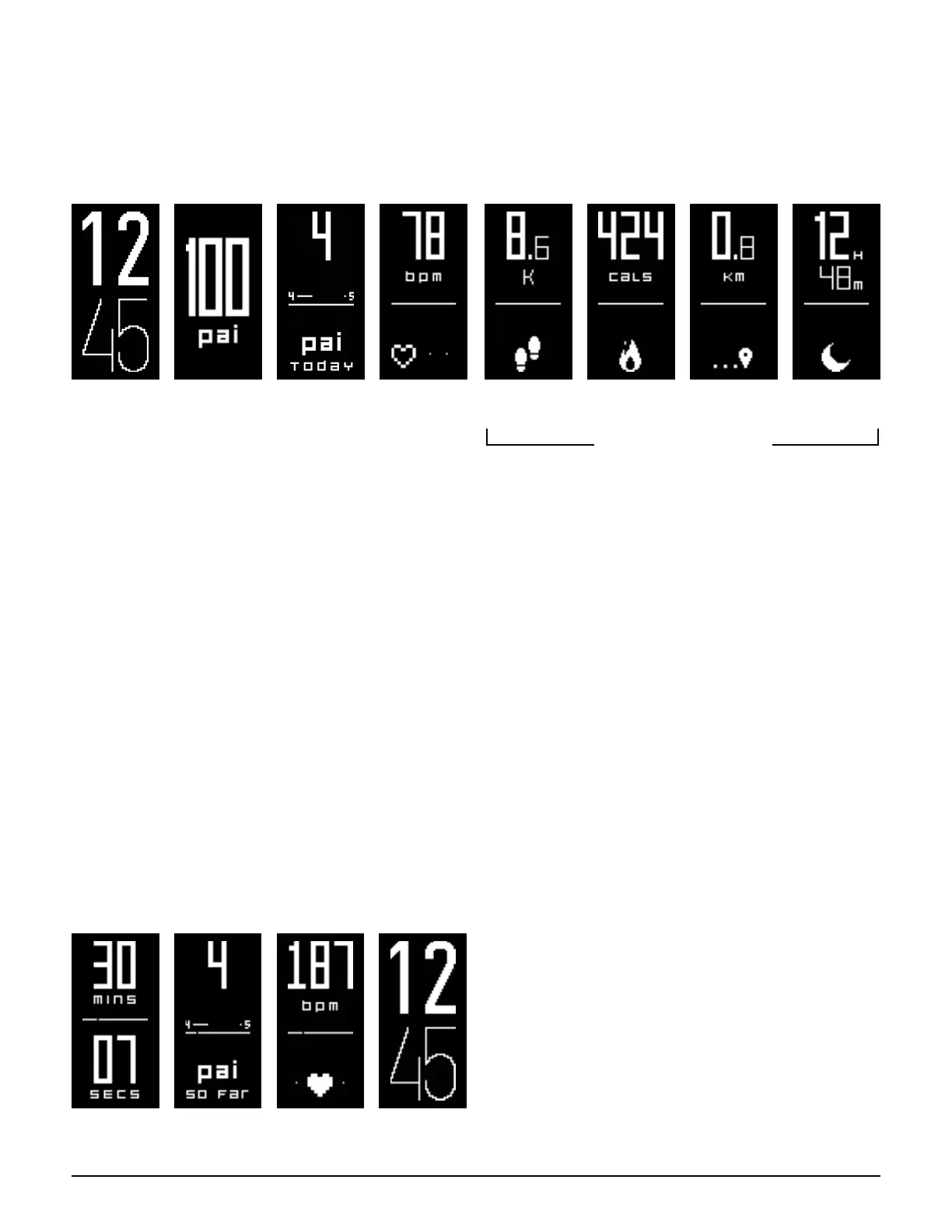
Mio SLICE automatically tracks your heart rate, PAI score, active calories, steps, distance, and sleep data in All-Day
Mode. These values reset to 0 at midnight each day, with the exception of your PAI score, which is based on your
total activity in the last 7 days.
Time PAI PAI Points
Earned Today
Heart Rate &
Intensity Zone
Steps Active Calories Distance Sleep
can be disabled via app
AUTOMATIC HEART RATE SAMPLING
Mio SLICE monitors your activity level 24/7 to automatically adjust its heart rate sampling rate. When your heart
rate rises, SLICE will increase its sampling rate to ensure all your activity is captured accurately.
SLICE has four heart rate sampling rates:
• Rest: SLICE captures your heart rate every ve minutes.
• Low Intensity: SLICE captures your heart rate every minute.
• Moderate to High Intensity: SLICE captures your heart rate every second, continuously
• Sleep: SLICE analyzes your sleep, captures your heart rate every ve minutes, and measures your resting heart rate.
In addition, SLICE will capture your heart rate each time you wake its display or open the Accurofit app.
WORKOU T MODE
To record an activity, put Mio SLICE into Workout Mode by pressing down the button for 2 seconds. SLICE will
display a menu. Select the
running man icon, the slice will say "Go" and then start the chronograph timer. In Workout Mode, SLICE
uses high intensity sampling rate, capturing your heart rate every second.
SLICE will display screens specic to the current activity session:
Chronograph
Timer
PAI Points
Earned In Activity
Heart Rate &
Intensity Zone
Time


 To Next Page