Mio VELO User Guide 06
HEART RATE ZONES
Your target heart rate (HR) zone consists of your upper HR limit and your lower HR limit. These
limits are usually a percentage of your maximal heart rate (MHR). If you do not know your
MHR or upper and lower HR limits, you can check with your doctor, or use this following MHR
calculation method as guidance:
MHR = 208 – ( 0.7 x Age )
Note: If Mio VELO is connected to a Bluetooth device, the LED light will do single ashes. If no
Bluetooth device is connected, the LED light will do double ashes.
Using Heart Rate Zone Alerts
Training Zone Mode (5-Zone) is the factory default on Mio VELO. To switch to Zone Alert Mode
(1-Zone), or to customize the upper and lower boundaries of each HR zone, please refer to
Set Up.
Training Zone Mode (5-Zone)
The LED light will blink slowly to indicate your current HR zone. You can customize the upper
and lower boundaries of each HR zone through the Mio GO app. Please see Set Up for more
details.
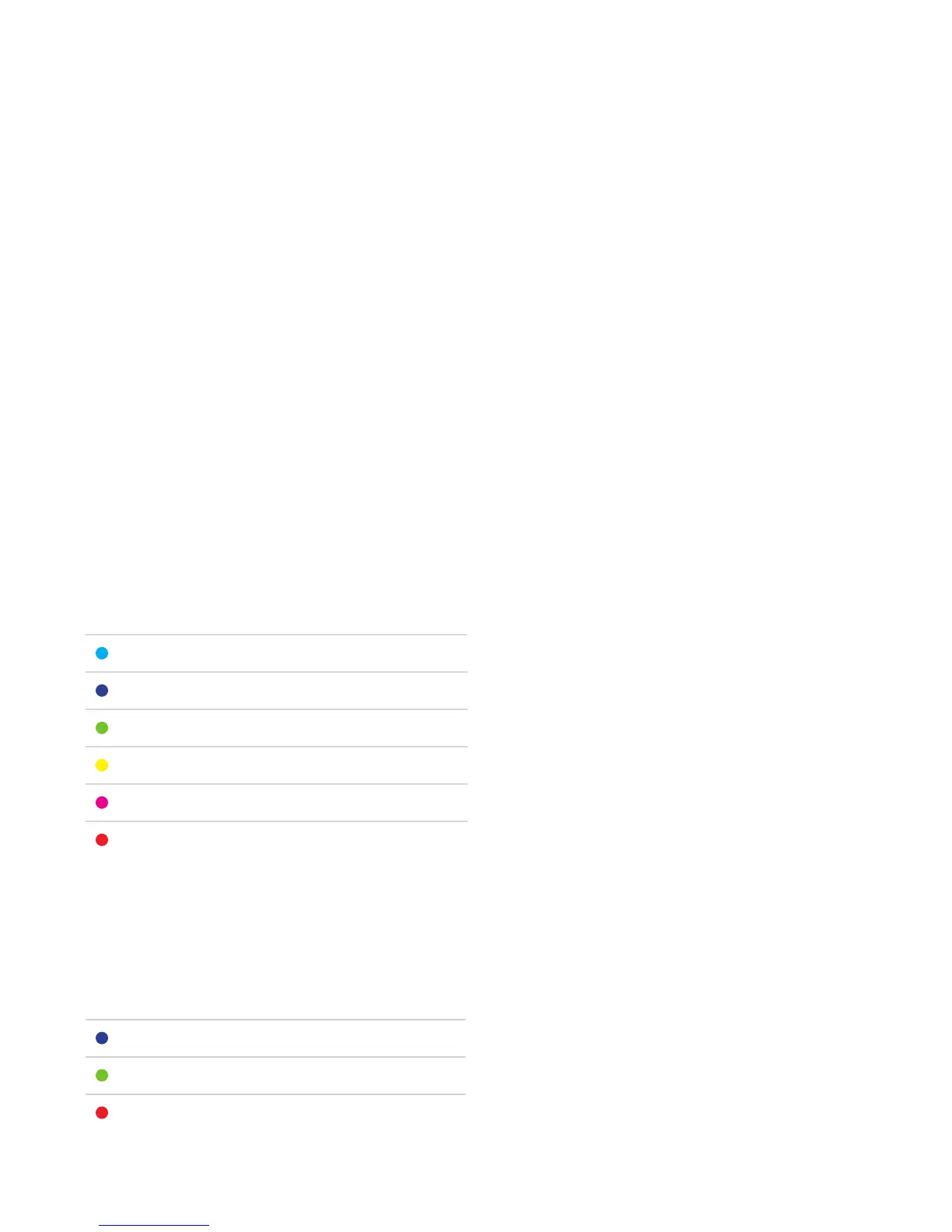
COLOR DESCRIPTION
Light Blue Rest
Blue Very Light
Green Light
Yellow Moderate
Pink Hard
Red Maximum
Zone Alert Mode (1-Zone)
In Zone Alert Mode, the LED will blink slowly to indicate whether you are below, within, or
above the target HR zone.
COLOR DESCRIPTION
Blue Below Target HR Zone
Green Within Target HR Zone
Red Above Target HR Zone



 To Next Page