5. Usage
MiRCharge48V Operating guide (en) 11/2019 - v.1.3 ©Copyright 2019: Mobile Industrial Robots A/S. 26
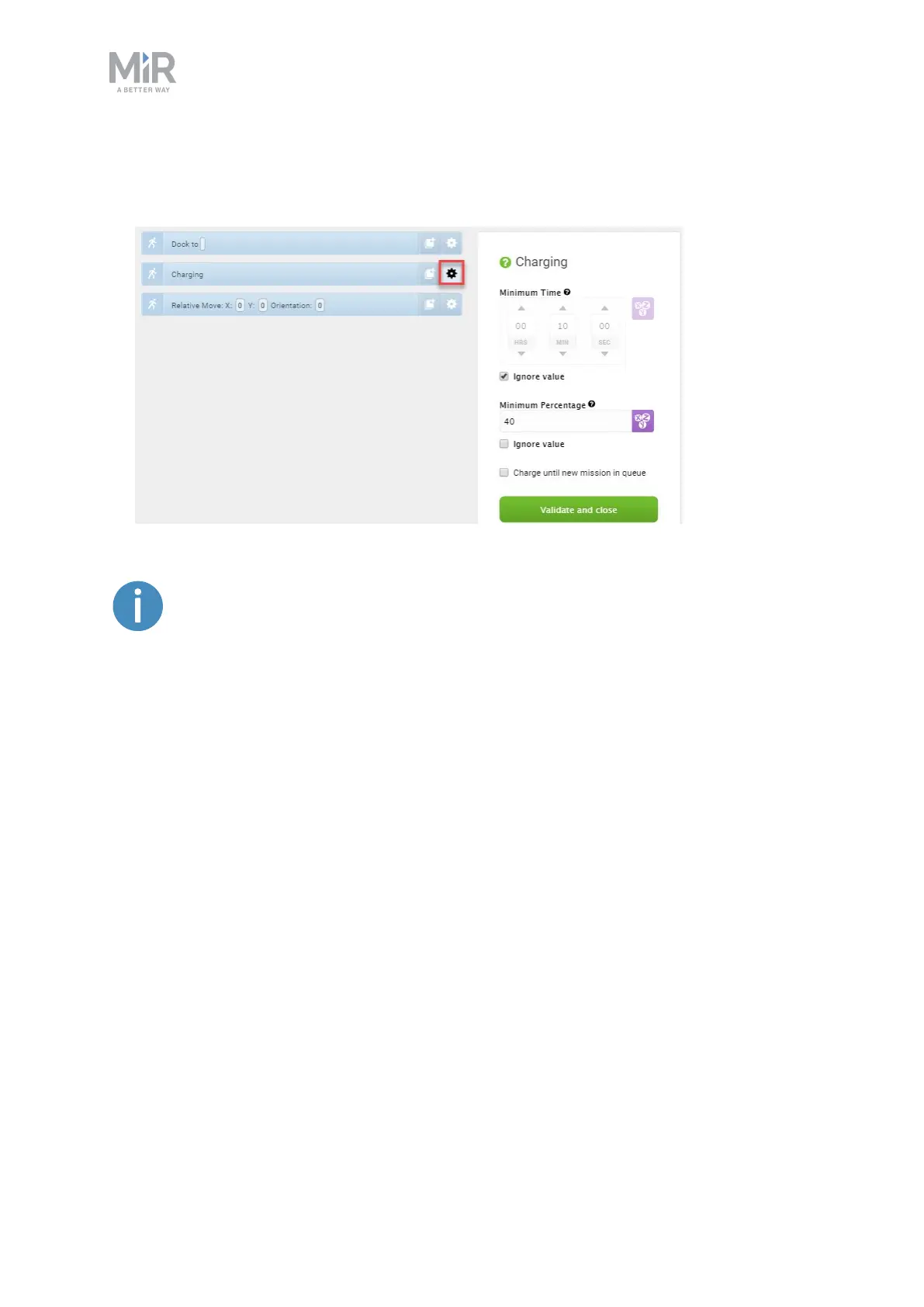
4. In the Charging action dialog, define how the charging should be completed. In our
example, there is no minimum time. When the battery reaches 40%, the charging is com-
pleted. Select Validate and close.
To read more about the different Charging action combinations, see Charging
action parameters explained on page33.
5. In the Relative move action dialog, define how far the robot should move away from the
charging station after charging is completed. This is done by defining an X-value and a Y-
value that will move the robot backwards and to the side. Select Validate and close.


 To Next Page