5. Usage
MiRCharge48V Operating guide (en) 11/2019 - v.1.3 ©Copyright 2019: Mobile Industrial Robots A/S. 27
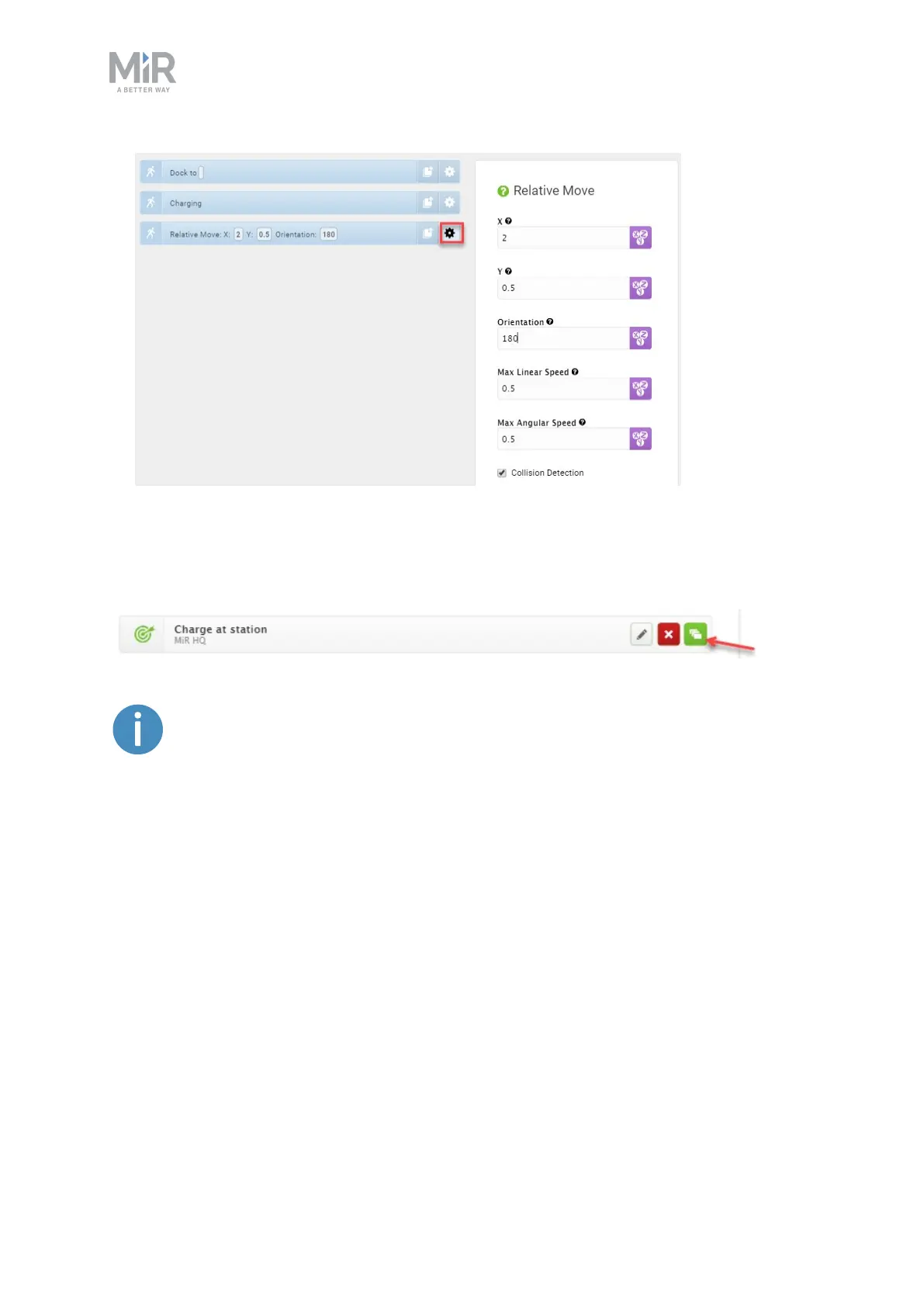
6. The mission is complete. Select Save to save the mission.
The mission is now visible in the missions list and ready to add to the missions queue.
The mission can also be inserted in other missions. In that case the Relative
move action is unnecessary.
5.3 Insert a charging action into a larger mission
Usually, charging actions are part of larger missions where the battery level is regularly
checked throughout the mission. The missions can be created in a number of ways, but must
include an If action that regularly checks the battery level and sends the robot to a charging
station when the battery level falls below a defined percentage.
In the following example, the whole mission is embedded in a Loop action that ensures that
the mission starts over every time the last action is carried out. Inside the Loop action, there
is an If action which checks the battery level every time the actions under True or False are
completed.


 To Next Page