5. Usage
MiRCharge48V Operating guide (en) 11/2019 - v.1.3 ©Copyright 2019: Mobile Industrial Robots A/S. 25
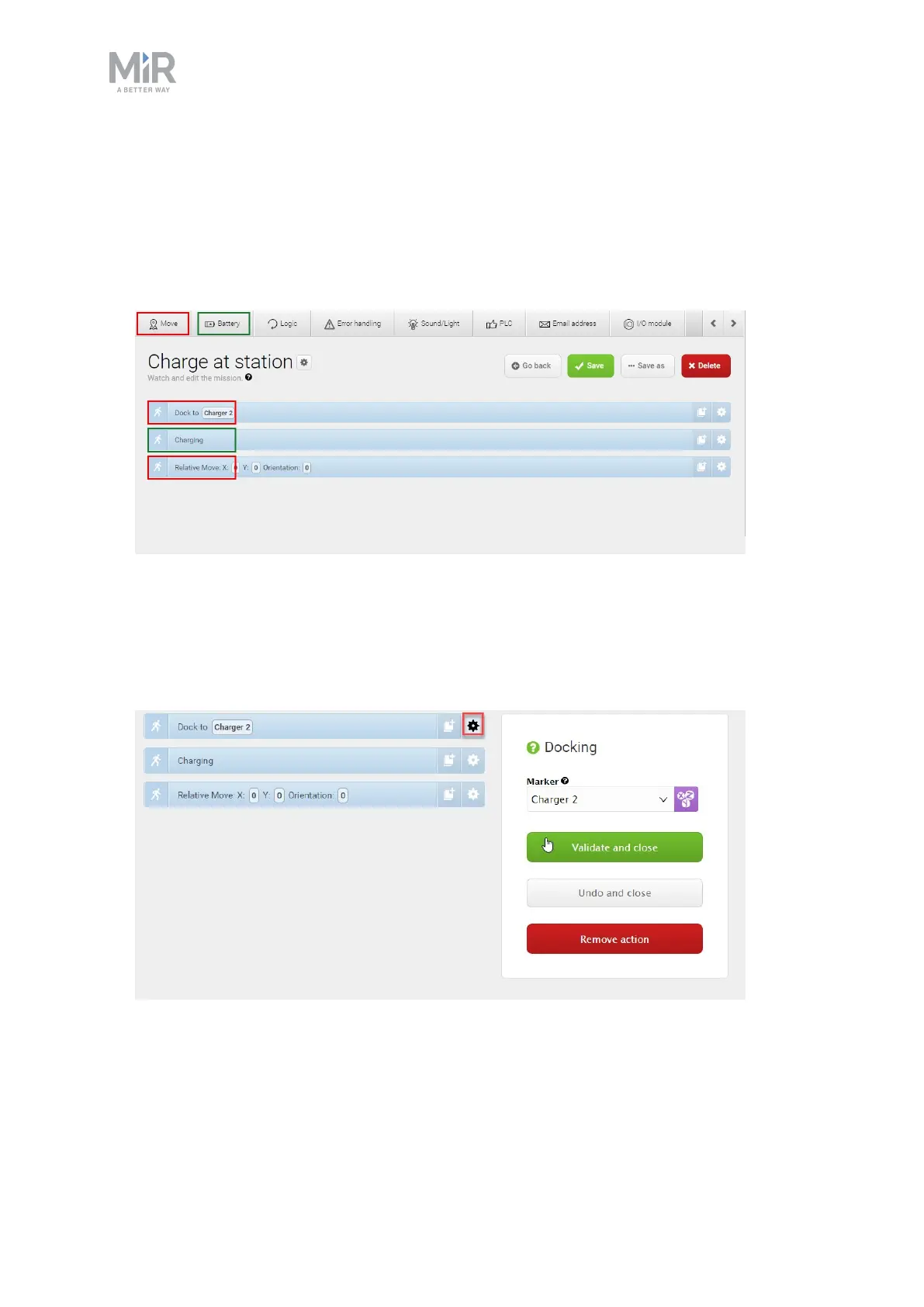
2. In the create mission window insert the following actions:
1. In the Move menu, select Docking.
2. In the Battery menu, select Charging.
3. In the Move menu, select Relative move.
The mission should look like this:
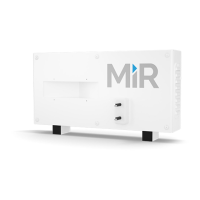
The next steps describe how to set the parameters of the chosen mission actions. To set
the parameters of each action, open the action dialog by selecting the gearwheel icon of
the action in question.
3. In the Dock to action dialog, select the marker position in front of the charging station
that you created on the map. Select Validate and close.


 To Next Page