5. Usage
MiRCharge48V Operating guide (en) 11/2019 - v.1.3 ©Copyright 2019: Mobile Industrial Robots A/S. 30
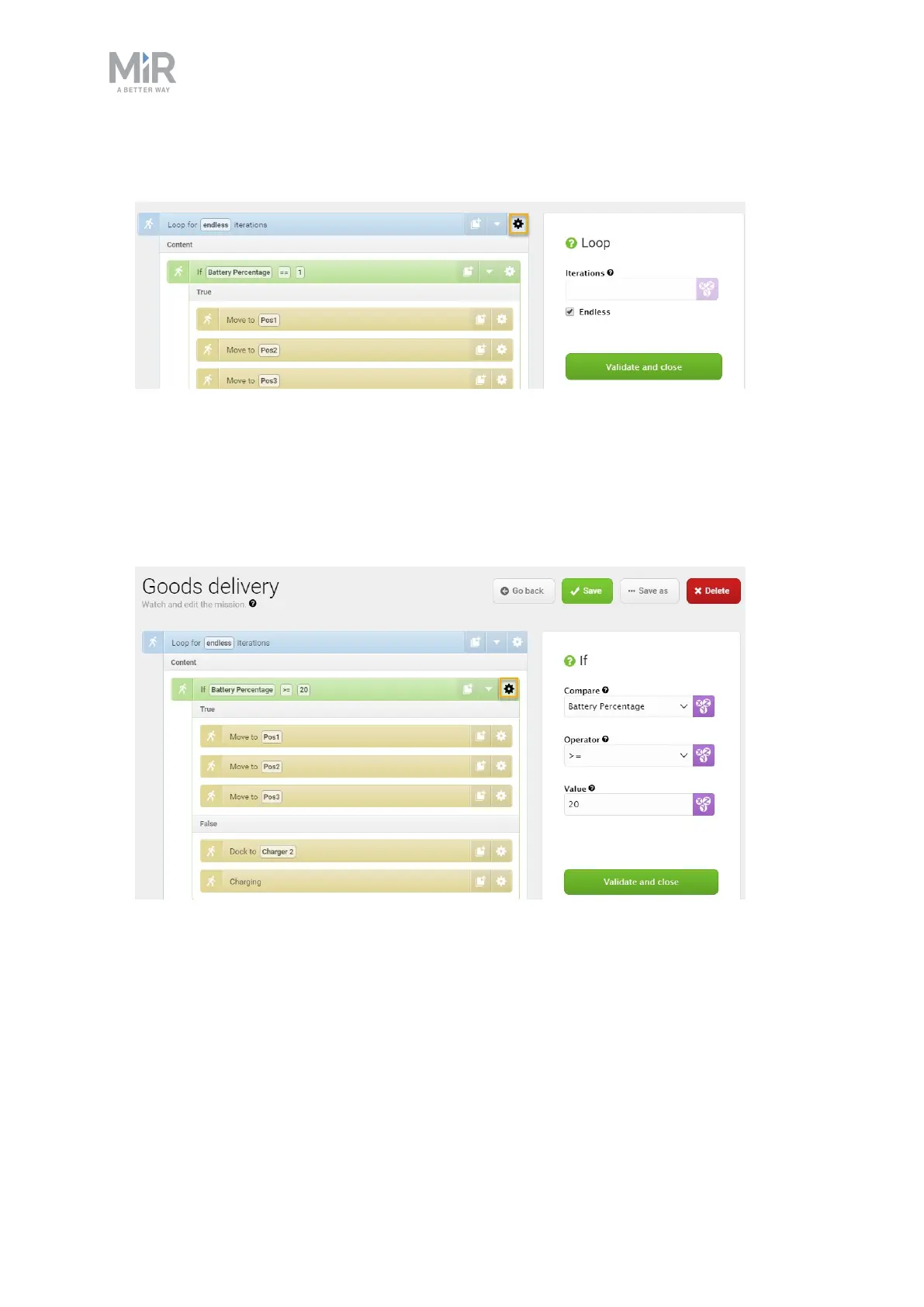
3. In the Loop action dialog, select the check box Endless under Iterations. Select Validate
and close.
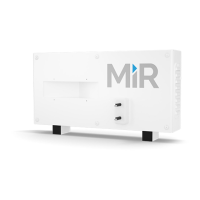
4. In the If action dialog, do the following:
• Select Battery Percentage under Compare.
• Select >= (greater than or equal to) under Operator.
• Type ‘20’ under Value.
• Select Validate and close.


 To Next Page