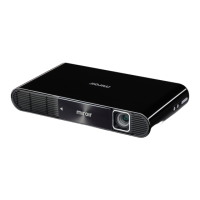
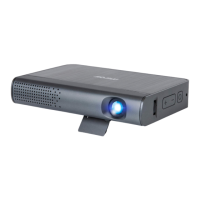
Your Miroir Micro Projector
AUDIO
HDMI
USB 5V OUT
Micro USB Power
Reset
B
A
C
AUDIO
HDMI
USB 5V OUT
Micro USB Power
Reset
D
E
F
G
H
I
J
K
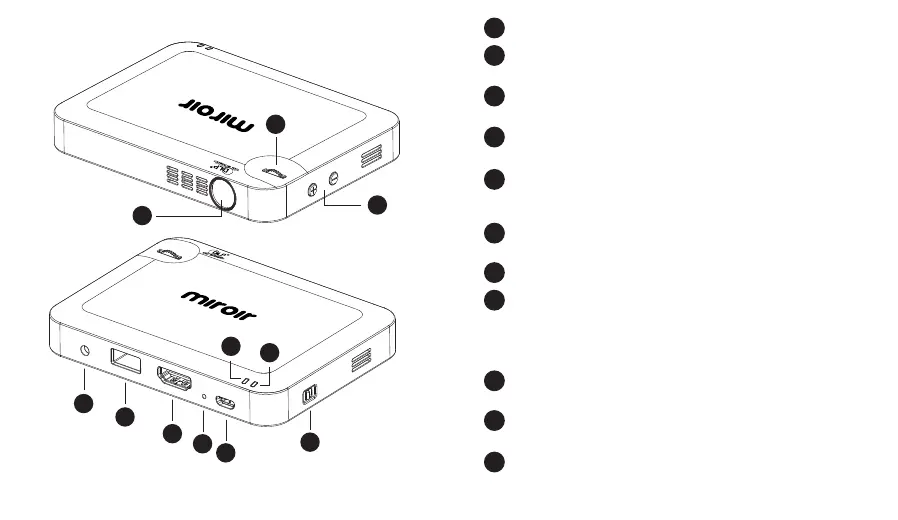
Projector Lens
Focus Wheel – Roll the focus wheel forward and backwards
to fine-tune the projected image.
Volume Controls – Increase (+) or decrease (-) the volume
output of the projector.
Audio Out (3.5mm) – Connect an external speaker or
headphones.
USB Power Output – Connect a USB power cable to
provide power to a HDMI streaming stick or to charge a
smartphone battery. Cannot be used for video input.
HDMI Video Input – Connect an HDMI cable to a device
that supports HDMI video output.
Reset Button – Press to reset projector.
Micro USB Charging Port – Connect the supplied Micro
USB to USB charging cable to a USB wall outlet or USB
port on a computer to charge the projector’s internal
battery. Fully charge battery before the first use (approx.
3-4 hours).
Power Indicator Light – Indicator light will illuminate red
when charging and illuminate green once fully charged.
System Indicator Light – Indicator light will illuminate blue
when the projector is starting up.
Power Switch – Connect the supplied Micro USB to USB
charging cable to a USB wall outlet or USB port on a
computer to charge the projector’s internal battery. Fully
charge battery before the first use (approx. 3-4 hours).
A
B
C
D
E
F
G
H
I
J
K
AUDIO
HDMI
USB 5V OUT
Micro USB Power
Reset


 To Next Page