Setting Up or Changing a Password
Setting Up Your Password the First Time
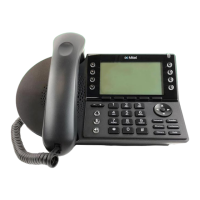
• Press the Voicemail button on your Mitel Phone
• Press the softkey to choose Call VM (options shown on the phone screen).
• You will hear an audio prompt asking you to enter your password followed by the # key.
• Your default password is 12345.
o You must change your password the first time you log on. Your new password must be a minimum of
five (5) digits.
o Enter your new password followed by #.
o Enter your new password again, followed by #.
o Note: If you have forgotten your password, please open a ticket in SherpaDesk to reset it to the
default.
o Note: You can press the ✱ key to skip listening to your voicemail system summary and messages.
Changing Your Password
• Press the Voicemail button on your Mitel Phone
• Press the softkey to choose Call VM (options shown on the phone screen).
• Enter your password followed by the # key.
o If you have forgotten your password, try 12345. If that doesn’t work, please open a ticket in
SherpaDesk to reset it to the default.
• Press 7 for Mailbox options.
• Press 4 to set the password.
• Enter the password twice in response to the prompts.
• If you change your mind and decide against changing your password, press ✱ to cancel.
Back to Top


 To Next Page