Record a Personal Greeting
When you record a personal greeting, it saves for the current Availability State.
So, if you wanted to record a message for when you are In a Meeting, you’ll set the Availability State to In a
Meeting and then create the greeting. The default state is Available. If you only want to record one personal
greeting, make sure you record it while your Availability State is set to Available.
To record a personal greeting for the current Availability State –
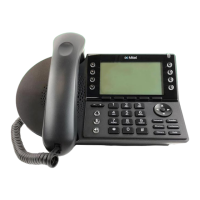
Using the Desktop Phone
• Press the Voicemail button on your Mitel Phone
• Press the softkey to choose Call VM (options shown on the phone screen).
• Enter your password followed by the # key.
o If you have forgotten your password, try 12345. If that doesn’t work, please open a ticket in
SherpaDesk to reset it to the default.
• Press 7 for Mailbox options.
• Press 1 to Record a personal greeting.
• Record your greeting at the tone.
• When finished, press # and select from the following options:
o Press # – accept
o Press 1 – review
o Press 2 – re-record
o Press 3 – delete
o Press ✱ – cancel
Remotely by Phone
• Call Voicemail directly by dialing 469-219-2118.
• Enter your five-digit extension.
• Enter your password followed by the # key.
o If you have forgotten your password, try 12345. If that doesn’t work, please open a ticket in
SherpaDesk to reset it to the default.
• Press 7 for Mailbox options.
• Press 1 to Record a personal greeting.
• Record your greeting at the tone.
• When finished, press # and select from the following options:
o Press # – accept
o Press 1 – review
o Press 2 – re-record
o Press 3 – delete
o Press ✱ – cancel
Back to Top


 To Next Page