Using the Mitel Connect App on your laptop
If you need help setting up your Mitel Connect App so you can use access your phone from home, click here.
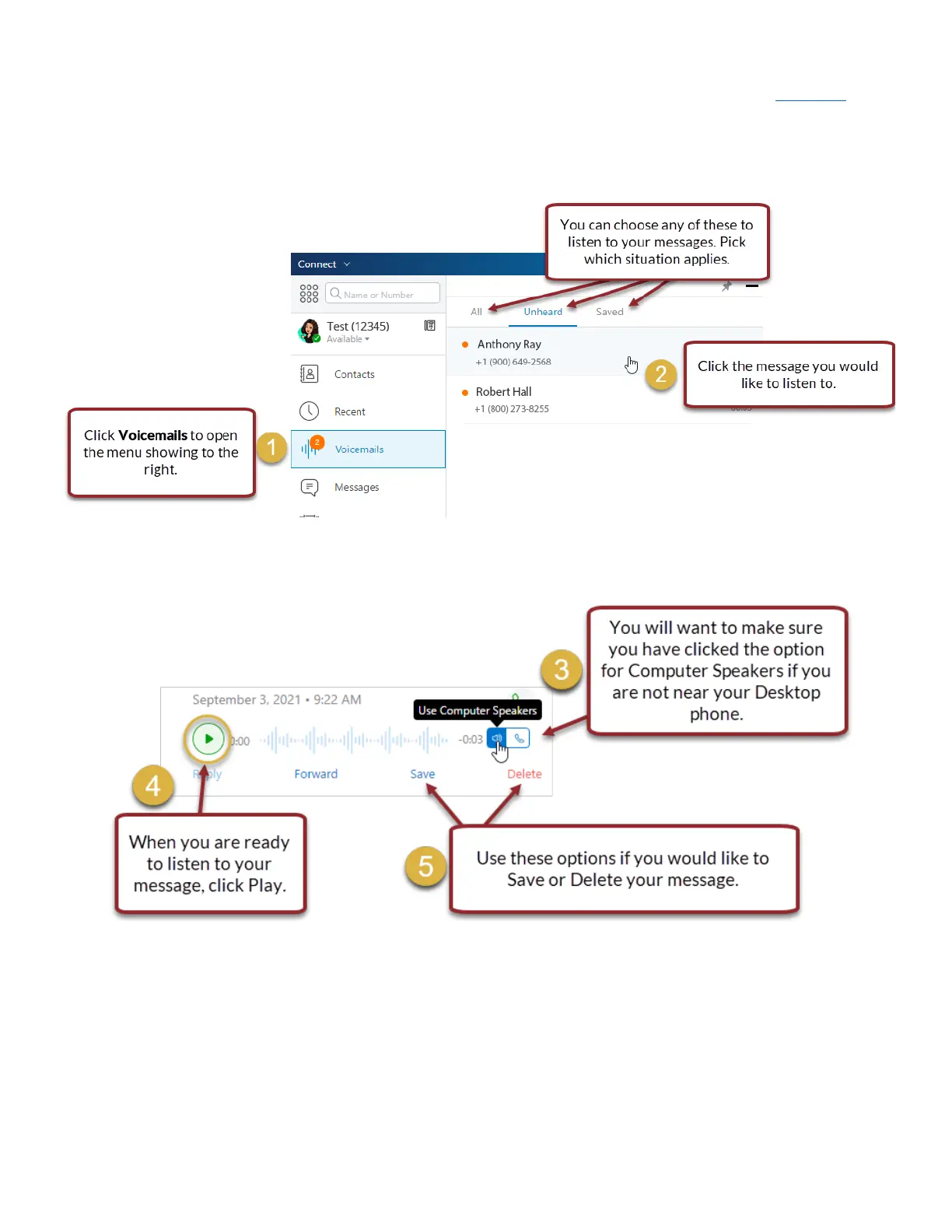
• Open the Mitel Connect on your laptop.
• Click Voicemails to open the menu to the right.
• Click the voicemail you would like to listen to.
• The message is automatically set to play on your phone, requiring you to be near your desktop phone.
Make sure the option is set to Use Computer Speakers before you click Play.
• When you have your option set correctly, click Play.
• You may choose to Save or Delete your message.


 To Next Page