SX-200 General Information Guide
74 Revision A 50003510
SUPERSET 4000 Series Telephones
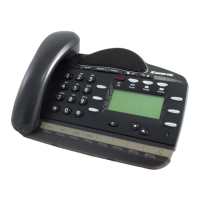
There are five SUPERSET 4000 series telephone sets:
• SUPERSET 4001 single-line telephone set
• SUPERSET 4015 multi-line telephone set with a LCD display
• SUPERSET 4025 multi-line telephone set with an enhanced LCD display
• SUPERSET 4090 two line, cordless telephone set with a LCD display
• SUPERSET 4125 multi-line telephone set with a backlit,enhanced LCD display and a
built-in RS-232 interface
• SUPERSET 4150 multi-line telephone set with a backlit, touch-sensitive LCD display and
a built-in RS-232 interface.
The SUPERSET 4000 Series telephone set features are described below.
Line Keys
During Customer Data Entry, a line key may be programmed as a line appearance key, Speed
Call key, direct trunk access key, multicall key, personal outgoing trunk key, or feature key.
Speed Call Keys
Program a Speed Call key on the SUPERSET 4001 telephone set to automatically dial a
telephone number.
SuperKey
Use the Superkey to program line keys as feature keys or Speed Call keys. Program Name,
reminder, messaging, call forwarding, calculator, ringer adjust, clean LCD, select a display
language, and display programmed keys from SuperKey.
Program Key
On the SUPERSET 4001 telephone set only, use the Program key to assign a telephone number
to a Speed Call key.
Flash Key
Use the Flash key on the SUPERSET 4001 telephone for feature access.
Hold Key
Press the Hold key to place your call on Hold.
Note: The SUPERSET 400 series telephones have been discontinued, however they
are still supported by the SX-200 system.
Note: The SUPERSET 4090 does not have the following keys but has many of the
functions described below.


 To Next Page