GETTING STARTED:
MITO RED ORIGINAL 2.0 SERIES
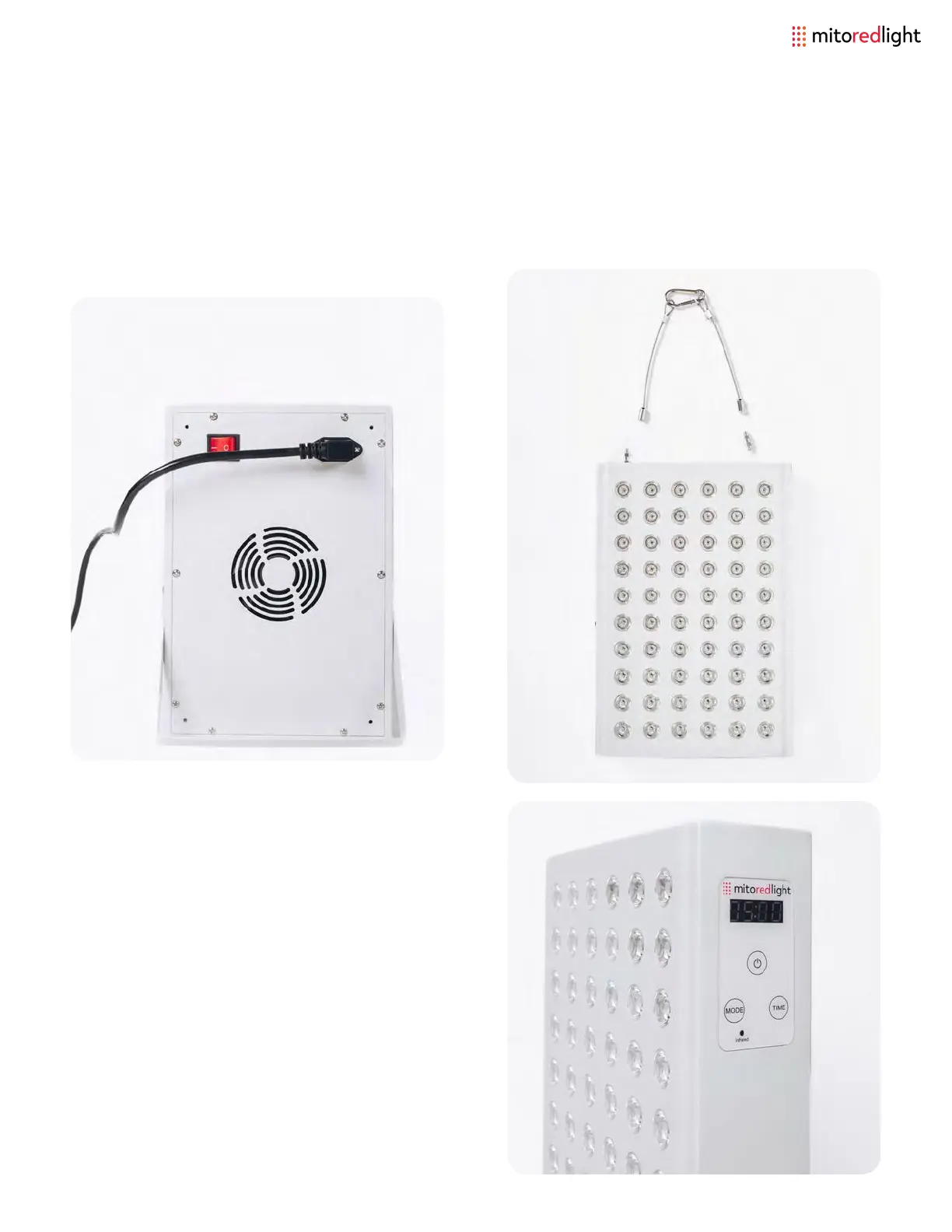
Step 3: Select the mode and time, and
press OK to start/stop your session.
Mode - choose between Red only (A),
Near Infrared only (I), or both (A I).
Time - choose up to a 20 minute session.
To select a lower time keep pressing TIME
and the count will reset after 20 minutes.
Step 1: Start by unboxing your panel and
connecting the power cable into the
plug located on the top of the unit.
Step 2: Attach steel cables and hang
(optional vinyl straps included to hang
at different heights).
www.mitoredlight.com 11



 To Next Page