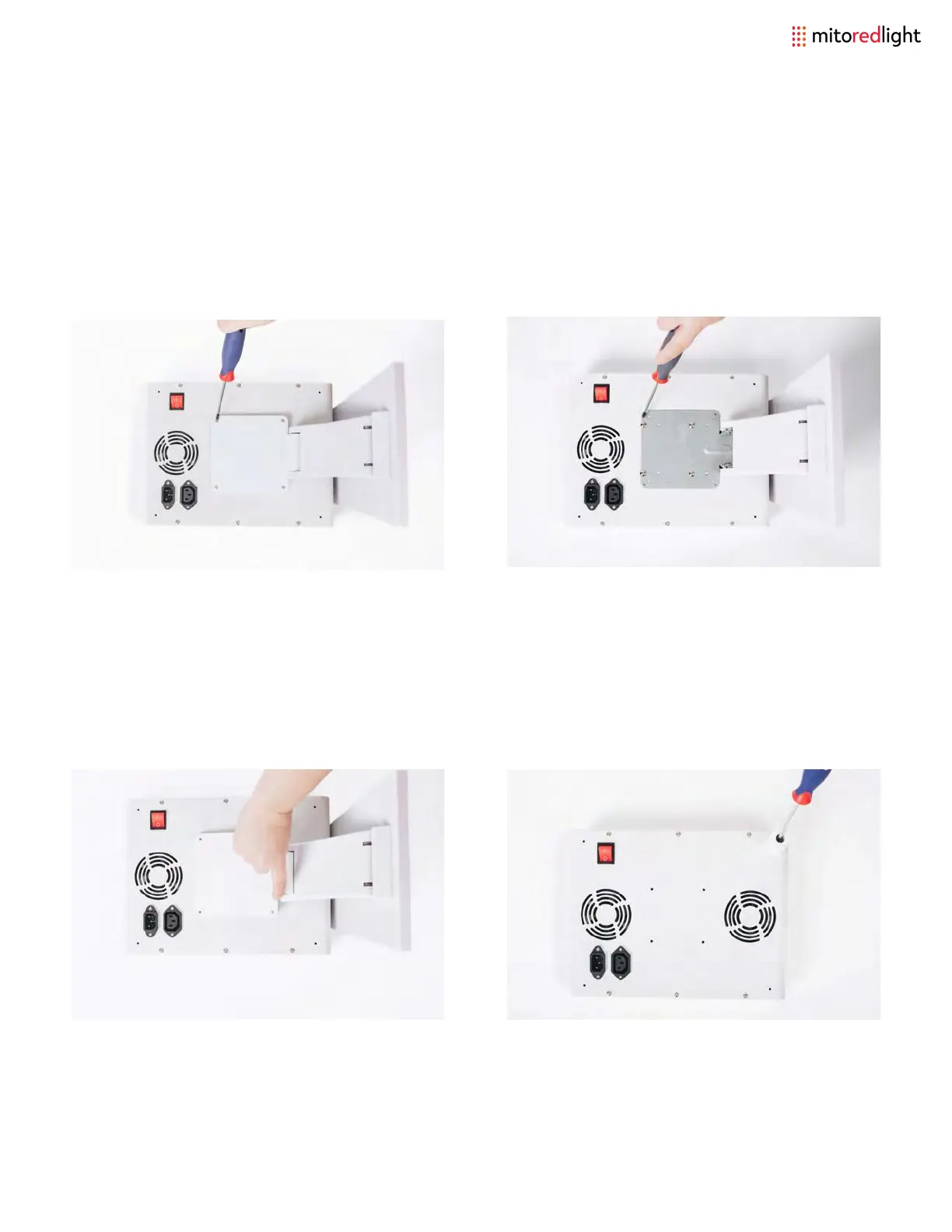
Remove four screws on outer part of stand
with screwdriver.
After removing screws grasp stand cover
and lift straight up.
If hanging the light on its own, screw the
legs to the back of the light.
Remove four screws from the inner plate.
Stand can now be removed from the
light.
MITOPRO 300+ STAND REMOVAL
www.mitoredlight.com 19



 To Next Page