GETTING STARTED:
MitoPRO+ Series
(CONTINUED)
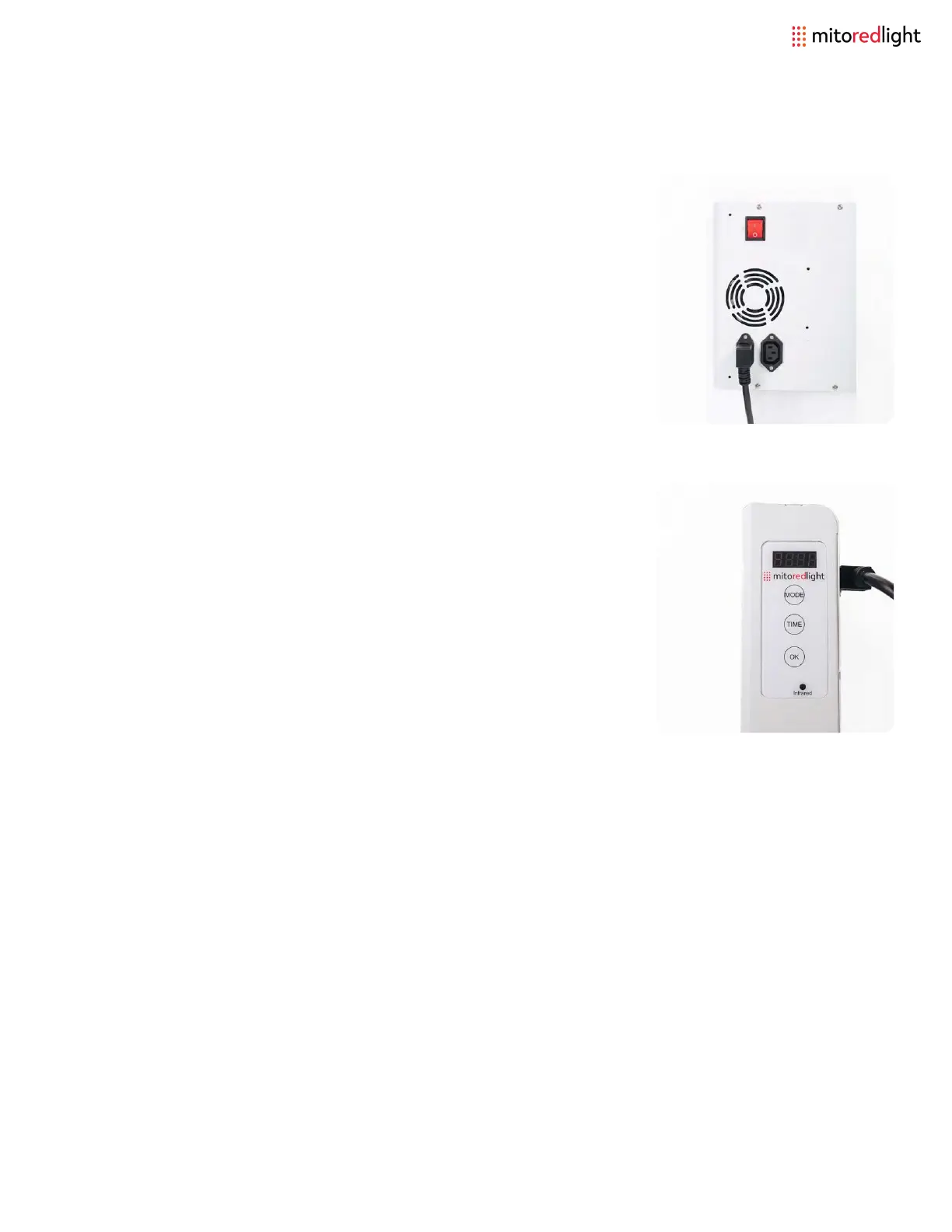
Step 4: Hit the ‘Mode’ button to program the session.
A = Red Light only
I = Near Infrared Light only
A I = Red and Near Infrared Light
Step 5: Press the ‘Time’ button to select the desired session time.
When powered on the timer defaults to 10 minutes.
When pressing the ‘time’ button the timer will count up to 20
minutes then start over at 1 minute.
Step 6: To start your session Hit the ‘OK’ and the timer will
automatically start counting down until the session ends.
Step 3: To operate your new MitoPRO+
device.
Plug in device and turn the power switch
on (orange switch).
www.mitoredlight.com 13



 To Next Page