EasyManua.ls Logo

Mitsubishi Electric Q26UDVCPU - User Manual

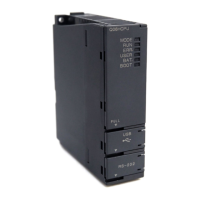
Mitsubishi Electric Q26UDVCPU
720 pages
Print Icon
To Next Page IconTo Next Page
Loading...
QCPU User's Manual
(Hardware Design, Maintenance and Inspection)
-Q00(J)CPU -Q26UD(E)HCPU
-Q01CPU -Q26UDVCPU
-Q02(H)CPU -Q50UDEHCPU
-Q06HCPU -Q100UDEHCPU
-Q12HCPU
-Q25HCPU
-Q02PHCPU
-Q06PHCPU
-Q12PHCPU
-Q25PHCPU
-Q12PRHCPU
-Q25PRHCPU
-Q00U(J)CPU
-Q01UCPU
-Q02UCPU
-Q03UD(E)CPU
-Q03UDVCPU
-Q04UD(E)HCPU
-Q04UDVCPU
-Q06UD(E)HCPU
-Q06UDVCPU
-Q10UD(E)HCPU
-Q13UD(E)HCPU
-Q13UDVCPU
-Q20UD(E)HCPU

Table of Contents

Questions and Answers

  • J
    Jennifer CruzAug 17, 2025
    What to do if Mitsubishi Electric Q26UDVCPU Controller error code 1128H or 112EH is output?
    • J
      Joseph SullivanAug 17, 2025
      If you're getting error code 1128H or 112EH when connecting your Mitsubishi Electric Controller with the MELSEC iQ-R series, here's what you should do: * First, double-check the "External Device Configuration" settings for the connection number, as there might be an error there. * Second, verify the network camera wiring, ensuring the correct Ethernet port is used when connecting the network camera to the RJ71EN71 or RnENCPU. * Finally, review the program to ensure multiple FBs aren't simultaneously executed to a single network camera.
  • R
    Ronald MyersAug 19, 2025
    What to do if Mitsubishi Electric Controller error code 41B9H or 41A6H is output?
    • W
      walkerreginaAug 20, 2025
      If you encounter error code 41B9H or 41A6H while connecting your Mitsubishi Electric Controller with the MELSEC-Q series, take these steps: First, check the "Open Setting" to ensure the connection number settings are correct. Second, review the program to confirm that multiple FBs aren't being executed simultaneously to a single network camera.
  • B
    brownalecAug 22, 2025
    What to do if no video file can be saved in the Mitsubishi Electric Controller network storage?
    • S
      Scott Morrow MDAug 22, 2025
      If your Mitsubishi Electric Controller isn't saving video files to the network storage, consider the following: If the same port number is set to the programmable controllers in "External Device Configuration", the simultaneous socket communications cannot be performed, so set different port numbers to each programmable controller and execute the FB again. Also, the open processing may have failed to complete at the specified connection number, so try restarting the programmable controller and the network camera, then execute the FB again.
  • A
    amber05Aug 25, 2025
    Why is Mitsubishi Electric Q26UDVCPU Controller time not setting to the network camera?
    • A
      Alejandro WebbAug 26, 2025
      If the time of your programmable controller isn't being reflected on the network camera, it may be that the time of the programmable controller is not reflected on the network camera side. Try closing the configuration tool of the network camera and then execute the FB again.
  • D
    Dr. Sabrina PerezAug 28, 2025
    What to do if Mitsubishi Electric Q26UDVCPU FB ends with error C1B1H?
    • R
      rrodriguezAug 28, 2025
      If the Mitsubishi Electric Controller FB ends with error C1B1H, set the constant scan time to 500ms or lower, or leave it blank, and then execute the FB again.
  • C
    calderonamberAug 30, 2025
    What to do if the POWER LED does not turn on for Mitsubishi Electric Controller?
    • J
      Jacob BrowningAug 30, 2025
      If the MODE LED of the CPU module is on, it indicates that the power supply module has failed and needs replacement. Ensure the power supply voltage is within the specified range. If the internal current consumption exceeds the rated output current, reexamine the system configuration. If the POWER LED turns on after removing all modules except the power supply module, repeatedly supply power, adding modules back one by one to identify the failed module.
  • C
    Carrie EdwardsSep 2, 2025
    Why is the Ethernet communication not possible through direct connection with my Mitsubishi Electric Q26UDVCPU Controller?
    • S
      Sergio HernandezSep 2, 2025
      Ensure the CPU module is directly connected to the programming tool with a single cable. Verify that the settings on the connected device (personal computer) are correct. Also, check that 'Ethernet Port Direct Connection' is selected for the PLC side I/F PLC Module in the Transfer Setup setting of the programming tool.
  • J
    Jordan SchultzSep 5, 2025
    What should I do if communication is slow or unstable on my Mitsubishi Electric Q26UDVCPU Controller?
    • A
      Alexander MacdonaldSep 5, 2025
      First, ensure that there are no duplicate IP addresses and correct any that are found. Next, verify that the number of UDP connections does not exceed the limit set in the open setting for MELSOFT connection and the MC protocol. Finally, if the issue persists, take noise reduction measures, as the communication of other devices besides the CPU module might be unstable.
  • K
    Kenneth WrightSep 8, 2025
    What to do if the output load does not turn on in Mitsubishi Electric Q26UDVCPU Controller?
    • D
      Dr. Elizabeth Brown DVMSep 8, 2025
      Check the power supply load wiring and recover the power supply if voltage for the power supply load is not added. If the inrush current has exceeded the specified value when the maximum number of outputs turns on simultaneously, change the output relay number and keep the load maximum simultaneous on current within the specified value.
  • N
    Nicholas MorrisonSep 12, 2025
    Why MODE LED does not turn on in Mitsubishi Electric Controller?
    • W
      William WyattSep 12, 2025
      The MODE LED might not turn on because the forced ON/OFF is set; cancel the forced ON/OFF. Another reason could be an improper connection direction of the extension cable (OUT-OUT); connect the extension cable properly. Finally, ensure AC power is supplied to the power supply module.

Mitsubishi Electric Q26UDVCPU Specifications

General IconGeneral
SeriesQ Series
ModelQ26UDVCPU
Number of I/O Points4096 points
Program Capacity260k steps
Number of connectable extension modulesUp to 64 modules
CommunicationEthernet, USB, RS-232
Built-in Ethernet PortYes
Built-in USB PortYes
Built-in RS-232 PortYes
Operating Temperature0 to 55°C
Storage Temperature-25 to 75°C
Humidity5 to 95% RH (non-condensing)
CPU TypeUniversal model QCPU
Vibration ResistanceJIS B 3502, IEC 61131-2 compliant
Shock Resistance147 m/s²

Related product manuals