
 Need help?
Do you have a question about the Mitsubishi VS-60609 and is the answer not in the manual?
Detailed technical specifications for VZ9/VZ9+ models, including power, frequency, and dimensions.
Instructions for removing front cabinet parts, including speaker grille and front board.
Instructions for removing rear cabinet parts, including back board and light box assembly.
Procedure for removing the screen assembly components, including cautions for handling.
Procedure for installing screen assembly components using specified tape and pads.
Steps to separate the VS-70709 model's cabinet for delivery and setup.
Steps to remove the DiamondShield™ molding clips and shield, with model variations.
Steps to install the DiamondShield™ molding clips and shield, reversing removal.
Guide to removing the chassis and identifying PCB locations on the main unit.
Diagram showing the placement of key components on the main PCB.
Step-by-step guide for safely removing the Cathode Ray Tube, including discharge precautions.
Step-by-step guide for safely installing a new Cathode Ray Tube, including handling care.
List of required tools for performing electrical adjustments and alignments.
Types of test signals, such as Monoscope and Color Bar, needed for adjustments.
Procedures for initial setup, including option menu and default settings.
Interpreting LED flashes for error codes and system status.
How to enter and navigate the circuit adjustment mode using the remote control.
Procedures for raster geometry and convergence adjustments using specific modes.
Comprehensive list of adjustable items for VCJ, Audio, and PIP functions.
Detailed list of items for CONV MISC, CONV GREEN, RED, BLUE, and DF adjustments.
Essential cautions for replacing surface-mount components like resistors, capacitors, and diodes.
How to specify and order replacement parts, including model and part numbers.
Understanding component tolerance markings for resistors and capacitors.
Common replacement parts for CRT assemblies and remote controls.
Common replacement parts for high voltage and deflection systems.
Other common replacement parts like lenses, mirrors, and screws.
Diagram illustrating the power supply circuit, including main and signal boards.
Diagram showing the flow of video and color signals through the TV.
Block diagram of the audio processing circuit.
Block diagram for deflection and high voltage systems.
Block diagram of the protection circuitry.
Block diagram illustrating convergence signal processing.
Block diagram of the television's control system.
Introduction to the service manual's scope, contents, and models covered.
Critical safety information regarding electrical and mechanical parts and component replacement.
Safety warnings for high voltage, picture tubes, and X-radiation during servicing.
Procedures for performing hot and cold leakage current tests before returning to customer.
Step-by-step instructions for front cabinet disassembly, referencing figures.
Step-by-step instructions for rear cabinet disassembly, referencing figures.
Procedure for removing the screen assembly components, including cautions for handling.
Procedure for installing screen assembly components using specified tape and pads.
Steps to separate the VS-70709 model's cabinet for delivery and setup.
Steps to remove the DiamondShield™ molding clips and shield, with model variations.
Steps to install the DiamondShield™ molding clips and shield, reversing removal.
Guide to removing the chassis and identifying PCB locations on the main unit.
Diagram showing the placement of key components on the main PCB.
Step-by-step guide for safely removing the Cathode Ray Tube, including discharge precautions.
Step-by-step guide for safely installing a new Cathode Ray Tube, including handling care.
List of required tools for performing electrical adjustments and alignments.
Types of test signals, such as Monoscope and Color Bar, needed for adjustments.
Procedures for initial setup, including option menu and default settings.
Table of factory default settings for various TV functions.
Interpreting LED flashes for error codes and system status.
How to enter and navigate the circuit adjustment mode using the remote control.
Procedures for raster geometry and convergence adjustments using specific modes.
List of adjustable items for Video, Color, and Geometry functions.
List of adjustable items for audio input level and separation.
List of adjustable items for the Picture-In-Picture feature.
Miscellaneous convergence adjustments including HV control.
Adjustments for green convergence and raster geometry.
Adjustments for red and blue convergence and raster geometry.
Adjustments for dynamic focus (horizontal and vertical).
Diagrams showing test points and component locations on PCBs.
Setting the input signal level for the MCS circuit.
Adjusting for optimal stereo separation.
Setting the CRT anode voltages for proper picture brightness.
Improving edge focus by adjusting dynamic focus.
Setting the focus to the optimum point using VR controls.
Adjusting lens position for optimal focus with monochrome pictures.
Setting the cutoff point for all three CRTs.
Adjusting white balance for high color temperature.
Adjusting white balance for low color temperature.
Setting the black level for optimal contrast.
Setting the beam current to its optimum level.
Matching main and sub picture colors for PIP.
Matching gray scales between color and monochrome pictures.
Positioning the on-screen display elements correctly.
Presetting convergence circuit geometry adjustments.
Setting the vertical height and linearity of the picture.
Converging red, green, and blue at the screen center.
Setting convergence circuit geometry for raster distortion correction.
Converging red and blue signals onto the green signal.
Fine-tuning convergence for red and blue signals onto the green.
Essential cautions for replacing surface-mount components like resistors, capacitors, and diodes.
How to specify and order replacement parts, including model and part numbers.
Understanding component tolerance markings for resistors and capacitors.
Common replacement parts for CRT assemblies and remote controls.
Common replacement parts for high voltage and deflection systems.
Other common replacement parts like lenses, mirrors, and screws.
Diagram illustrating the power supply circuit, including main and signal boards.
Diagram showing the flow of video and color signals through the TV.
Block diagram of the audio processing circuit.
Block diagram for deflection and high voltage systems.
Block diagram of the protection circuitry.
Block diagram illustrating convergence signal processing.
Block diagram of the television's control system.
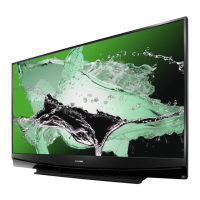
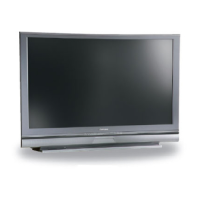
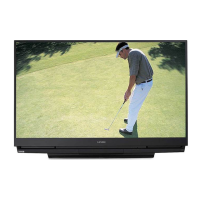
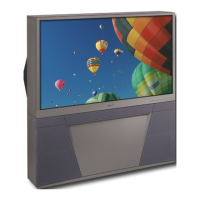
 General
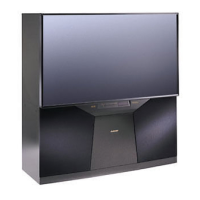
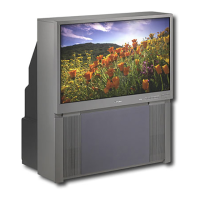
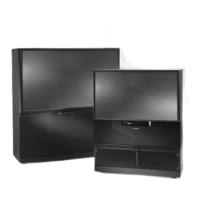
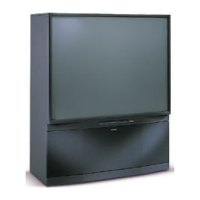
| Display Technology | CRT |
|---|---|
| Resolution | HDTV |
| Aspect Ratio | 16:9 |
| Weight | 225 lb |
| Dimensions | 56.3" x 52.4" x 26.2" |
| Screen Size | 60 inches |
| Inputs | Composite, S-Video |



 To Next Page