User’s Guide
25
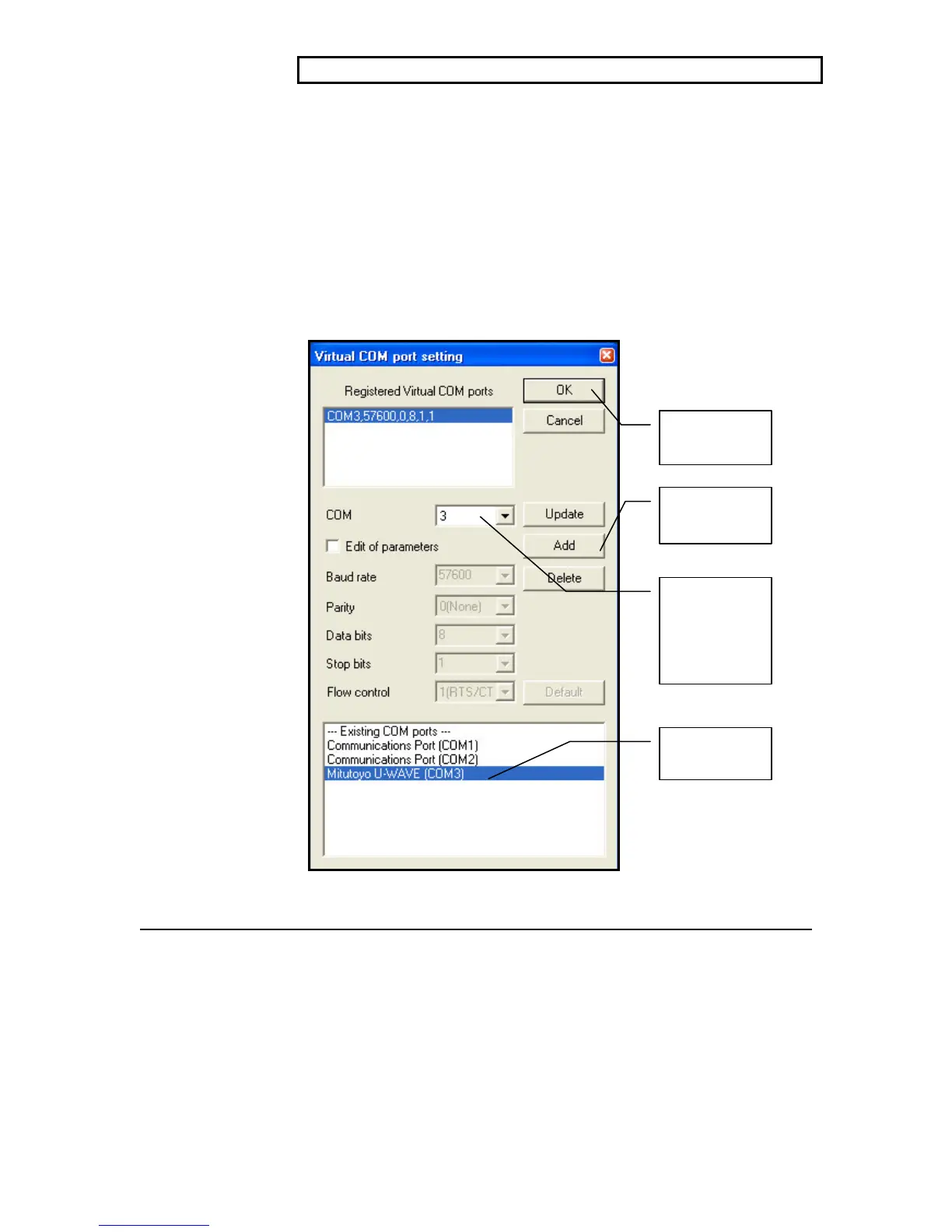
NOTE: Complete the Virtual Com Port settings in order shown below.
1. During the installation, Mitutoyo U-WAVE was assigned a com
port, select the Mitutoyo U-WAVE (COM_) line.
2. Set the Com port to match the one the installer selected.
3. Click the Add button – The com port parameters are always set
to Baud 57600, 0 (no parity), 8 data bits, 1 stop bit. To view the
wireless data using the Windows program Hyper Terminal, these
settings are required. MeasurLink 6.1 has a built-in device set
for these parameters.
4. Click OK.
This process will generally only be required once.
First, select
this line
Second, set
the com port
to match the
one from
below.
Third, click
Add
Fourth, Click
OK



 To Next Page