MeasurLink
and U-WAVE
®
28
U-WAVE –T (Transmitter) Setup
To Setup U-WAVE-T (Transmitter)
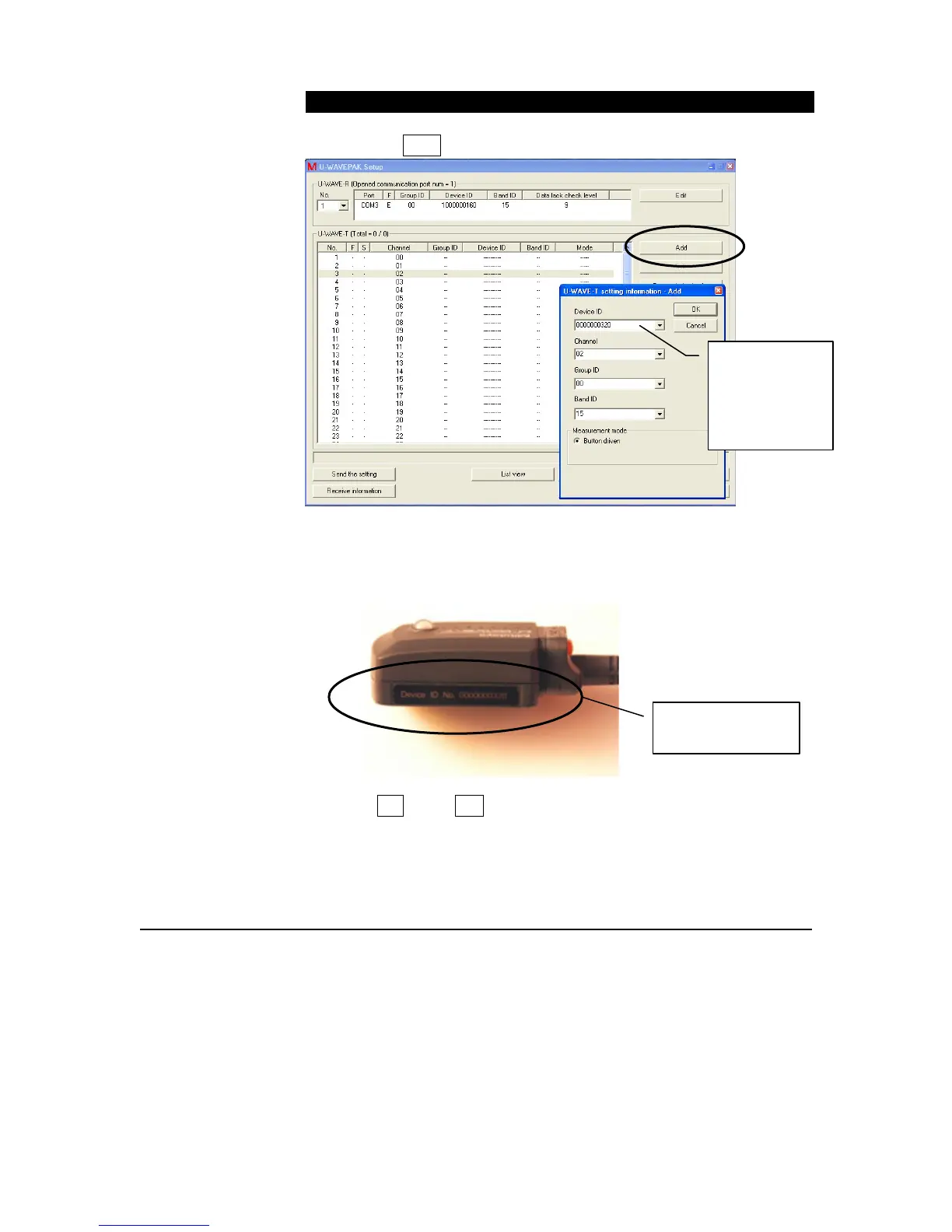
1. Click the ADD button near the top right.
2. In the U-WAVE-T setting Information – Add dialog, type in the
Device ID found on the U-WAVE-T device. Change the Channel
number as needed, but leave all other defaults.
3. Click OK &then Yes to confirm processing.
Factory
assigned
U-WAVE-T
Device ID
(shown below)
Factory assigned
U-WAVE-T ID



 To Next Page