MeasurLink
and U-WAVE
®
24
Setup for U-WAVE
®
with MeasurLink
®
MeasurLink setup requires some additional steps after installing the U-
WAVE software and drivers.
U-WAVEPAK Setup
To Setup U-WAVEPAK
1. Start U-WAVEPAK program using the icon on the desktop if
requested (or use Start > All Programs > U-WAVEpak).
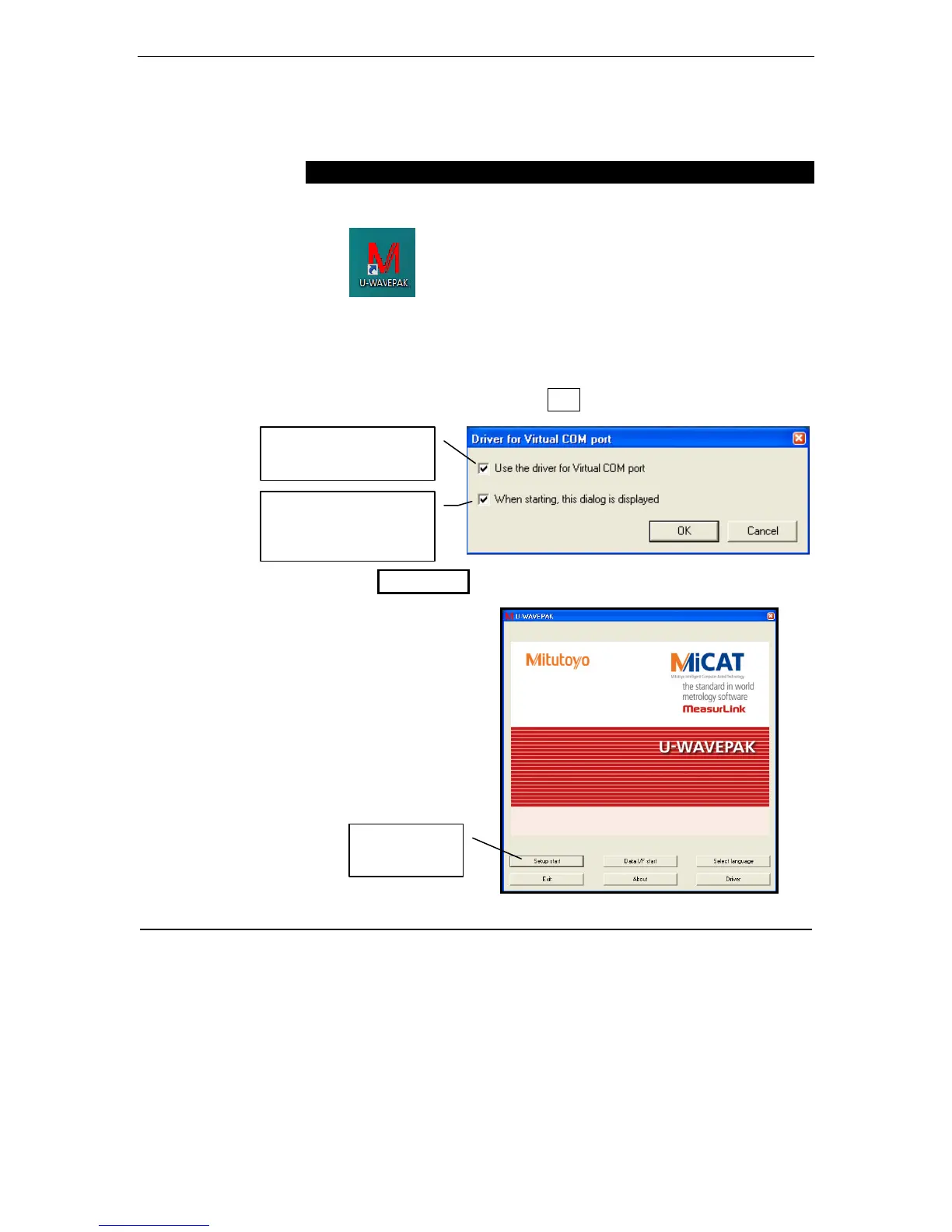
2. The first time this program is started, the following screen will be
displayed:
• Add check to Use the driver for Virtual Com Port
• Leave the check for When starting, this dialog is displayed
(later removal ok) & click OK.
3. Click Setup Start.
4. Complete the Virtual Com Port settings.
Add check to use the
driver
Leave check to display
at start (at least until
setup is complete)
Click Setup
Start



 To Next Page