MeasurLink
and U-WAVE
®
8
Support Center – Workstation Center
(MeasurLink)
Workstation Center setup (In Support Center)
IMPORTANT: MeasurLink 6.1 (or higher) must be installed before
using U-WAVE. If the U-WAVE device is not available in the Device
Inventory, check the Help menu in Support Center then select About to
see the MeasurLink version installed.
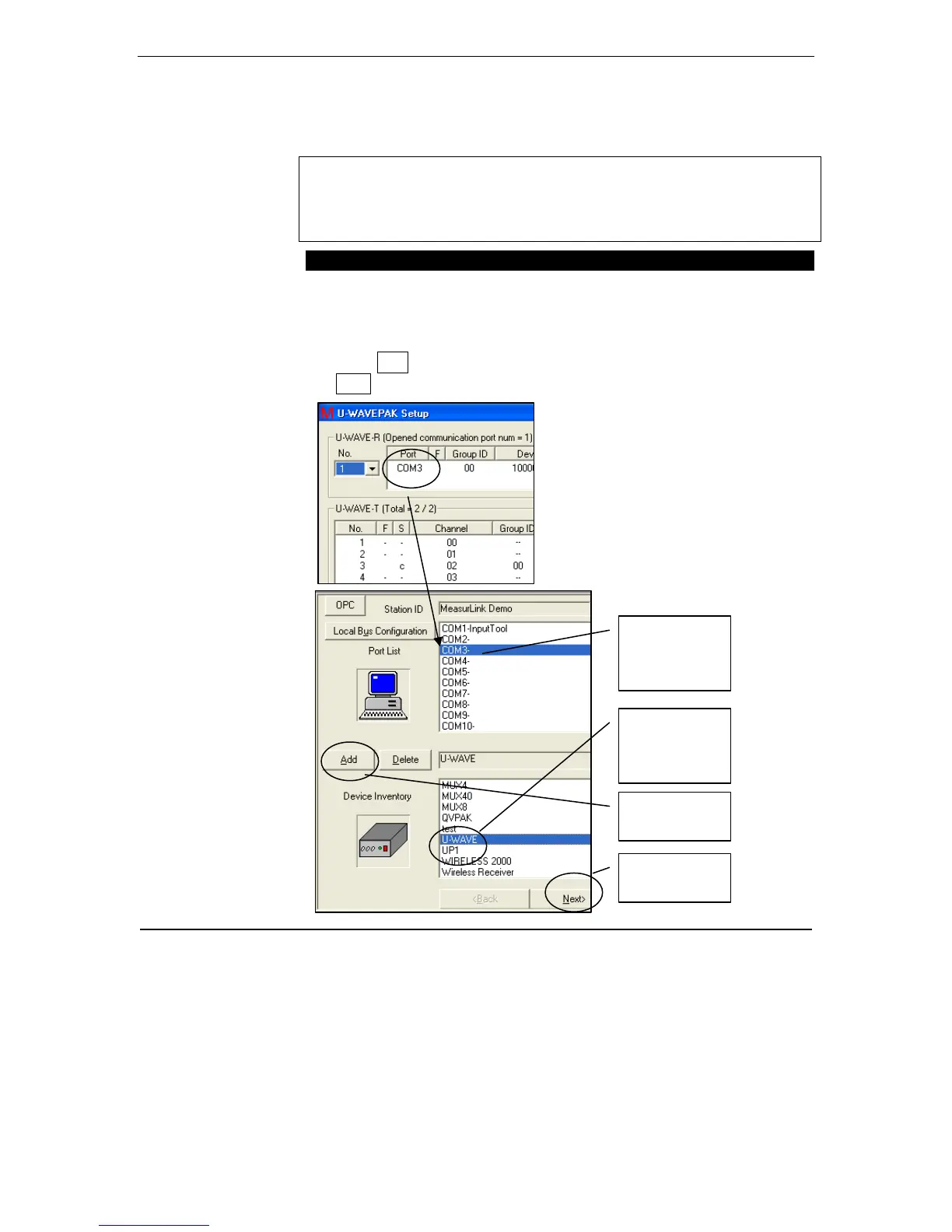
To Assign U-WAVE COM Port and Channels
1. Open Support Center, Workstation Center. Select the Com Port
created by U-WAVEPAK.
2. Select the U-WAVE device and Click add so the top box becomes
COM3 – U-WAVE in this example.
3. Click Add
4. Next
First,
Select the
COM Port
Second,
Select
U-WAVE
Third,
Click Add
Fourth,
Click Next



 To Next Page