User’s Guide
9
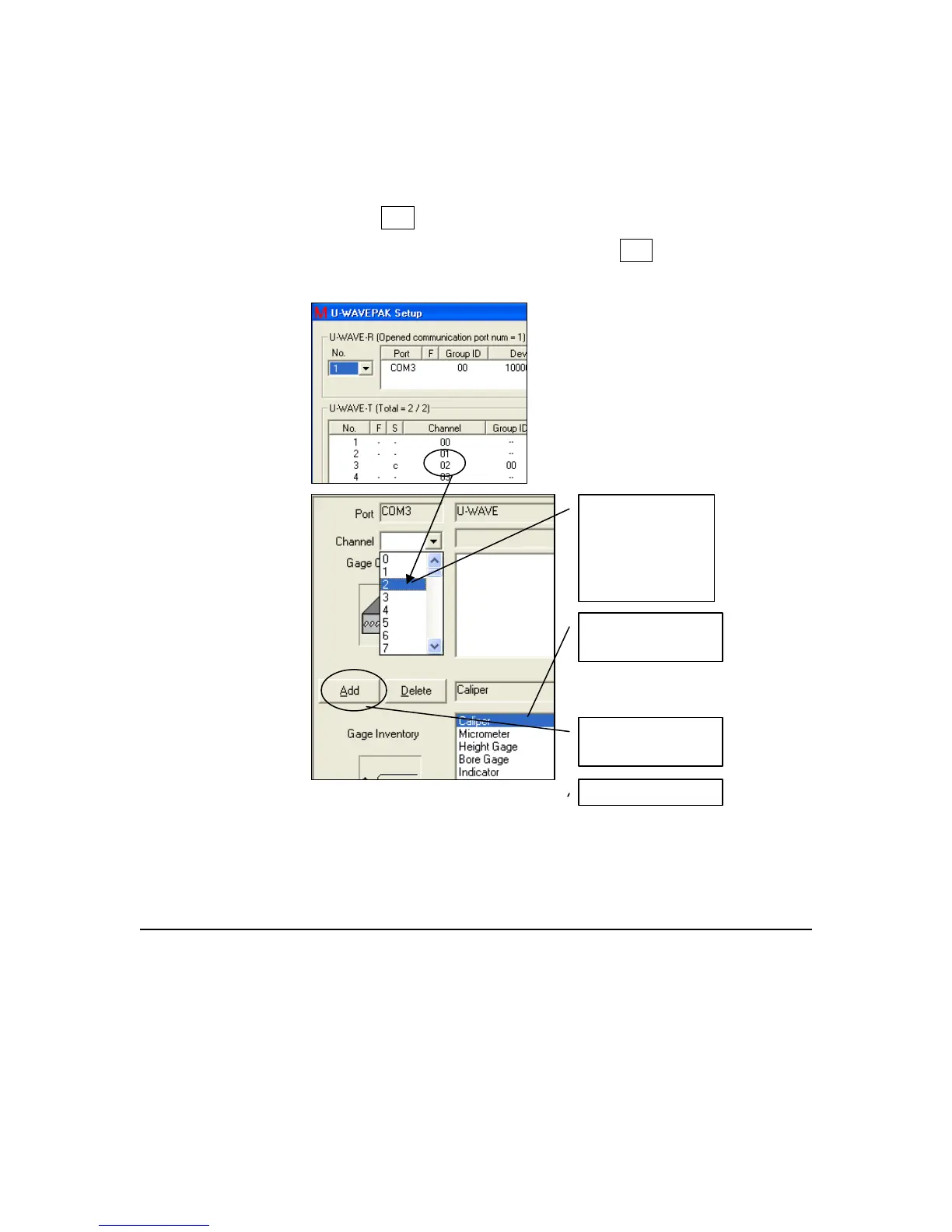
5. Select Channel that matches the channel number assigned to
the gage in U-WAVEPAK.
6. Pick the gage that matches the gage sending the data. (Note:
MeasurLink will not restrict your use of any gage, but a good
reminder here prevents improper assignment of the channels in
the mapping step.)
7. Click Add
8. When all channels are assigned, click Exit.
Fifth,
Select Channel
(Note: Channel is
in Column 4 of
U-WAVEPAK)
Sixth,
Select Gage
Seventh,



 To Next Page