EasyManua.ls Logo

MIXVIBES Cross Pack - Mac OS X Installation; Launching and Licensing CROSS

MIXVIBES Cross Pack
21 pages
Print Icon
To Next Page IconTo Next Page
To Previous Page IconTo Previous Page
Loading...
C
M
J
CM
MJ
CJ
CMJ
N
vibe-watermark-bright.pdf 03/04/2009 16:07:52vibe-watermark-bright.pdf 03/04/2009 16:07:52
3 Installation
3.2 Mac OS X
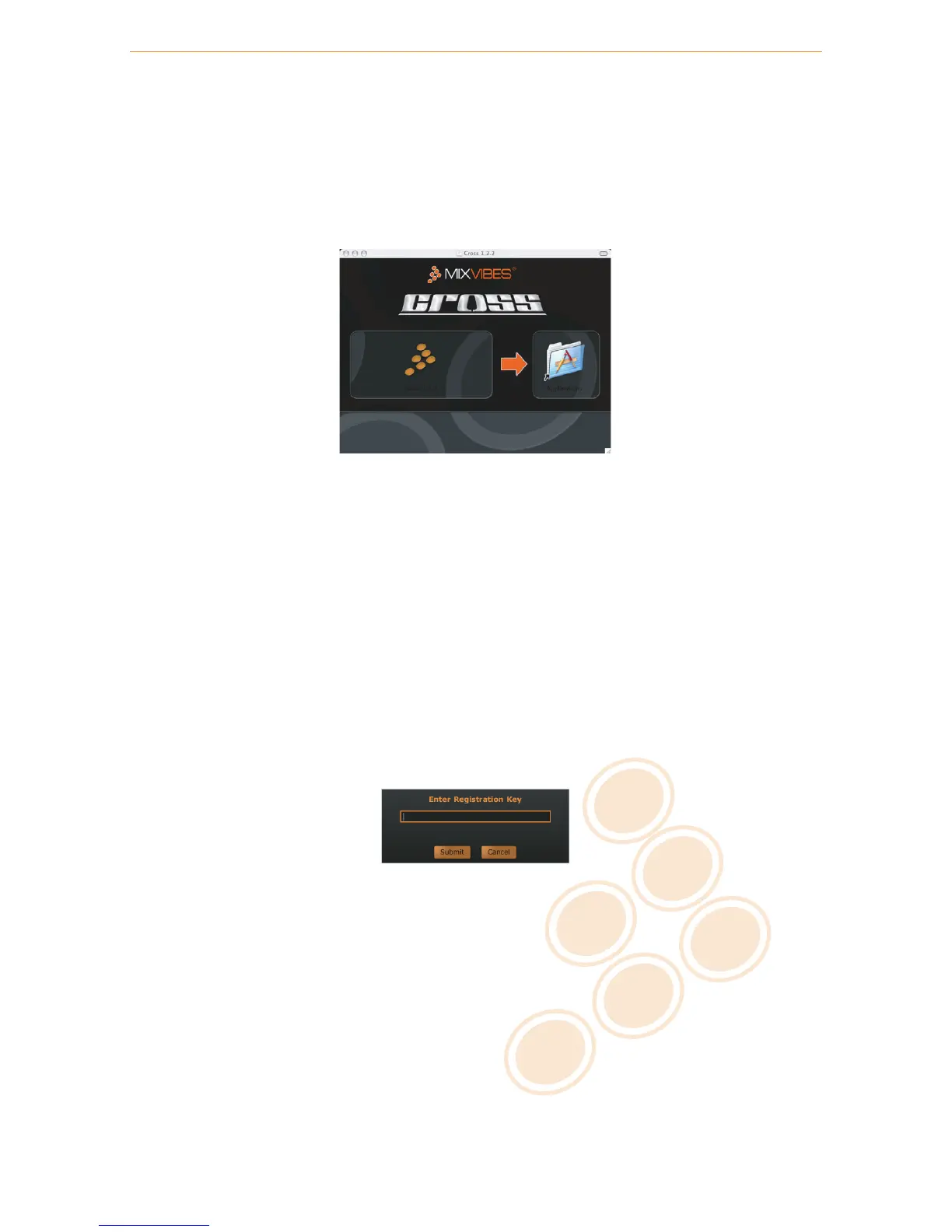
1 Insert the CROSS installation disc into your computer’s CD-ROM drive.
2 Double-click the CROSS icon on your desktop.
3 Drag and drop CROSS into your Applications folder.
C
M
J
CM
MJ
CJ
CMJ
N
install_mac_application.pdf 22/04/2009 12:24:37install_mac_application.pdf 22/04/2009 12:24:37
Installing CROSS
3.3 Launching CROSS
Windows Go to [Start > All Programs > MixVibes > Cross ] and click on the CROSS icon.
Mac OS X Go to [Applications > Cross ] and double-click on CROSS .
3.4 License Key
Enter the License Key found on the sleeve of your installation disc and click Submit.
C
M
J
CM
MJ
CJ
CMJ
N
serial_number.pdf 26/02/2009 16:52:22serial_number.pdf 26/02/2009 16:52:22
License key
9 / 21

Related product manuals