10
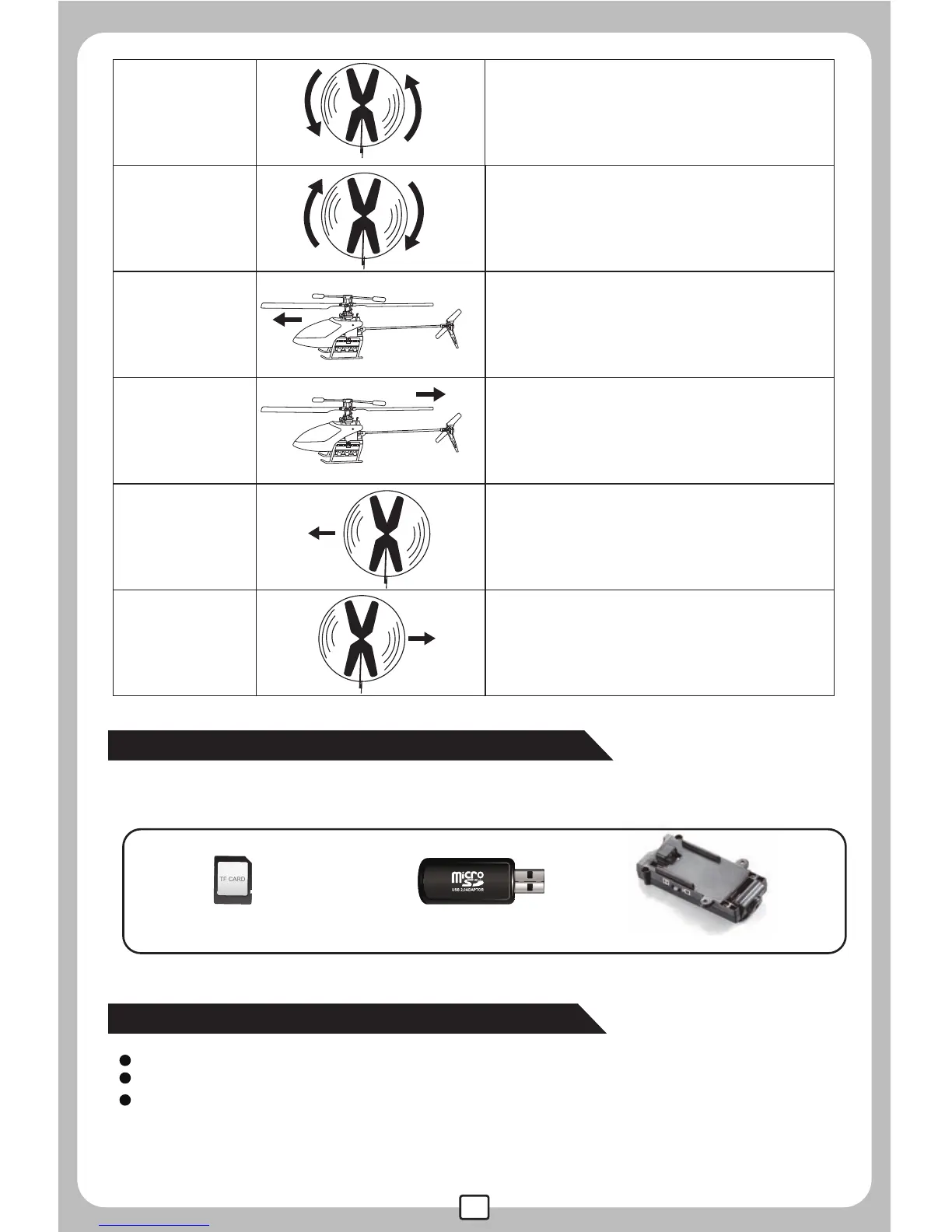
Turn left
Turn right
Forward
Turn the left/right turning control stick
to the left,the helicopter will left.
Turn the left/right turning control stick
to the right,the helicopter will right.
When the helicopter is flying, push up
the forward/backward control stick, the
helicopter will move forward.
Backward
When the helicopter is flying, push
down the forward/backward control
stick, the helicopter will move backward.
Leftward flight
Turn the sideward flight control stick to
the left side,the helicopter will fly
leftward.
Rightward flight
Turn the sideward flight control stick to
the right side,the helicopter will fly
rightward.
Insert the TF memory card into the videography module.(Pic14)
Fix the videography module onto the bottom of the helicopter by screws.(Pic15)
Open the helicopter nose and insert the plug of the videography module
into the video control socket, then, reinstall the helicopter nose.(Pic16)
How to install the videography device
Video function and videography device
TF memory card card reader
Videography device
If installed the C4002 videography device(should be ordered separately from MJX),
the helicopter has the videography function.
videography module


 To Previous Page