Rev: Version 1.2 June 16th, 2022 Page 9 of 26
Camera Connection
Each Lightning Bug Plus™ purchased includes one cable for connection to your
camera. Additional and/or replacement cables are available from MK Controls,
Inc.
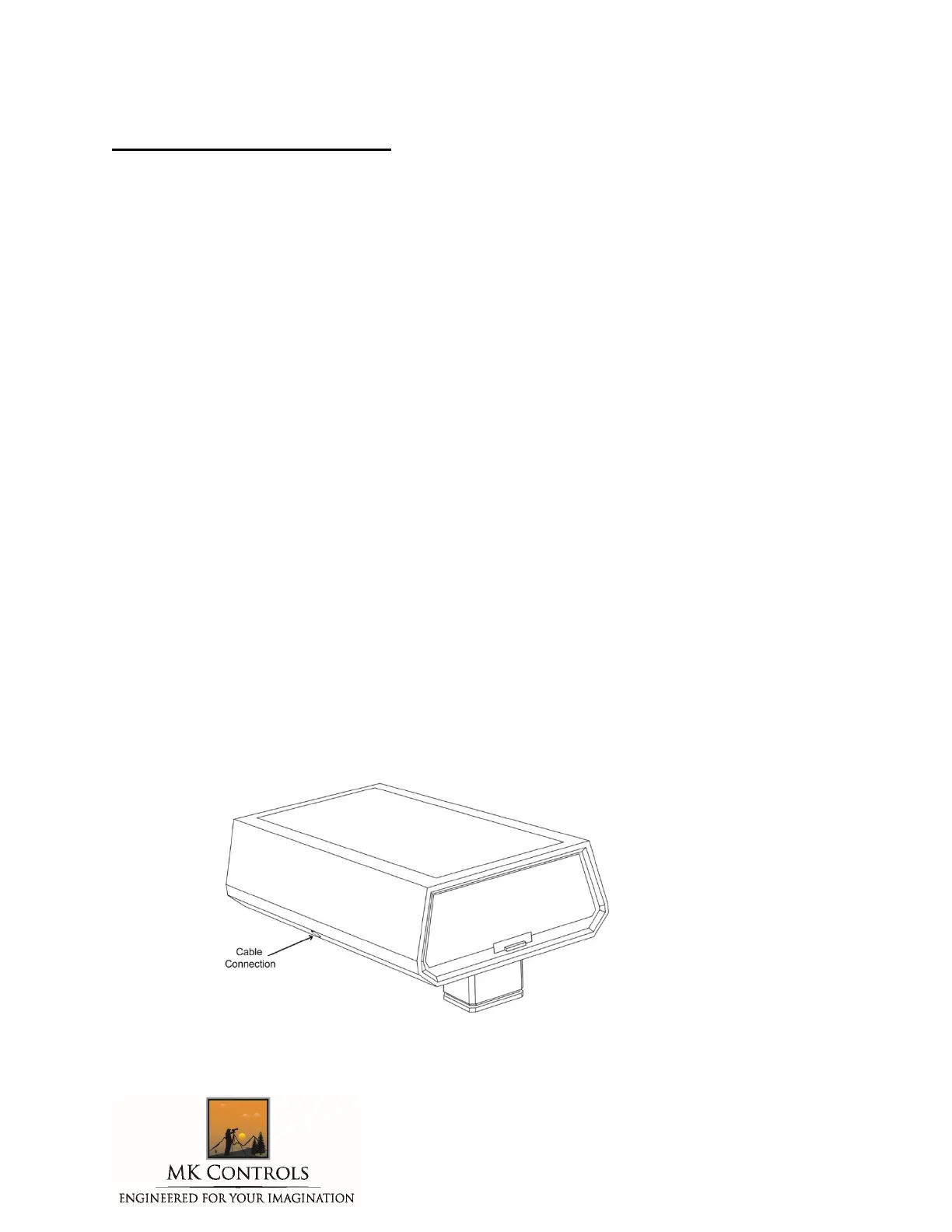
The camera connector has a 2.5mm stereo male plug on one end, and the
appropriate connector for your camera on the other. The 2.5mm female socket is
located at the lower right on the unit. When inserting the cable, please make
sure it is fully seated for proper operation.
The camera connector is specific for the model camera you’re using – please
follow manufacturer’s recommendations for insertion of this connector.
When the Lightning Bug Plus™ is powered on, it will automatically activate your
camera’s meter (on cameras that support this feature). Turning the unit ‘off’
automatically will release the meter. There is also a feature that allows your
meter to always remain deactivated until the shutter is tripped – please see the
‘Additional Features’ section for more information.
The Lightning Bug Plus™ is designed to fit an industry standard shoe mount, and is
self-explanatory. For some older SONY cameras, a hotshoe adapter may be
required.
WARNING – Do NOT leave the cable inserted in the Lightning Bug Plus™ during storage – this
may damage to the connector. The Lightning Bug Plus™ Warranty does not cover this type of
damage.



 To Next Page