OPERATOR MANUAL EXLRT
Ref: XLR-104 © 2020 MK Test Systems Ltd Page 13 of 28
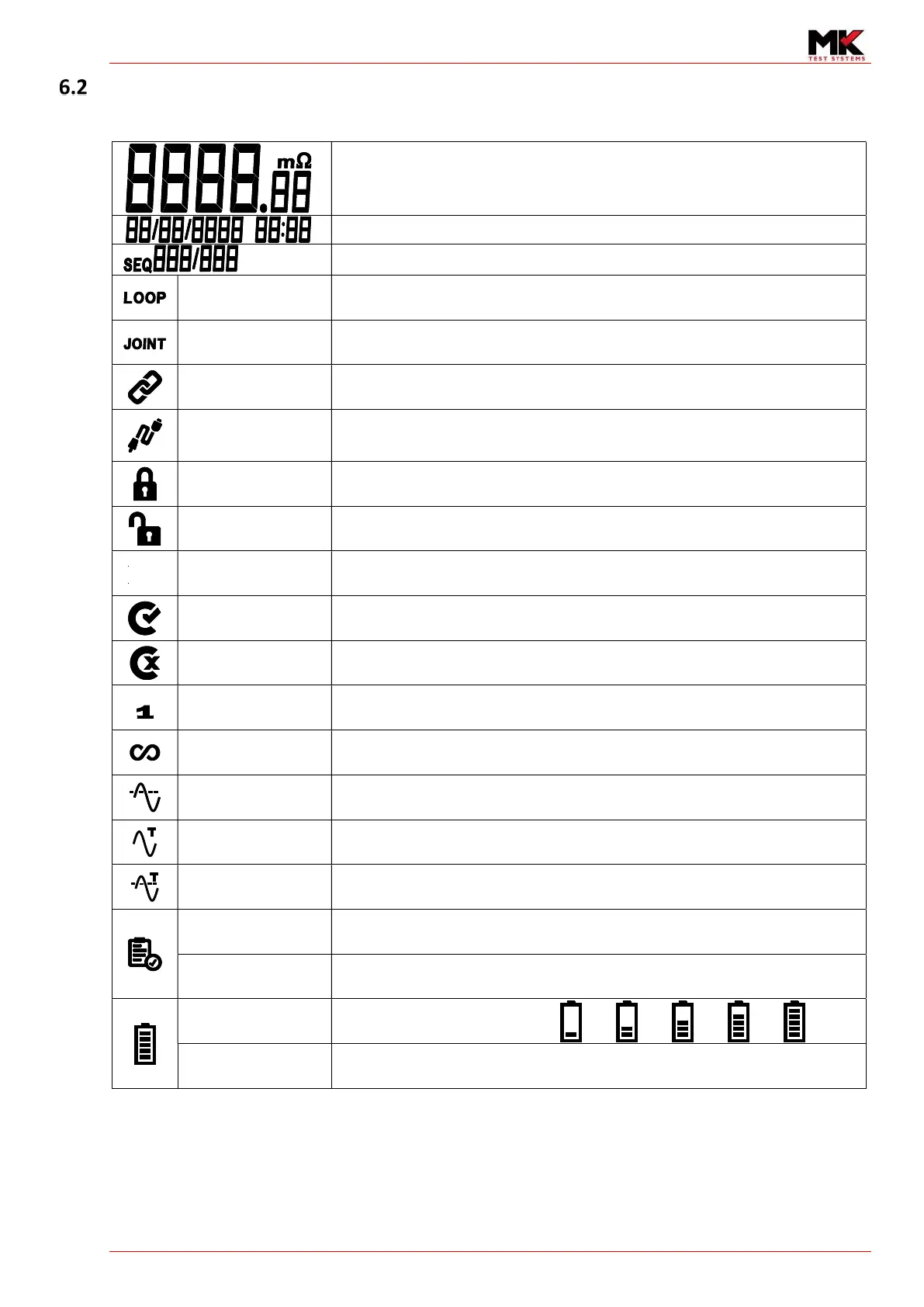
7-Segment Display and Icons description
Loop or Joint measurement
Date and Time
Sequence number (Maximum of 999 subtests per test program)
Loop Cable Connect Appears when the loop cable is connected to the ExLRT
Joint Cable Connect Appears when the joint cable is connected to the ExLRT
Link
Displayed if software has established a handshaking to the PC software either via
USB or Bluetooth
Cable Displayed if the ExLRT has detected a cable
Locked
Displayed if the ExLRT has expired its calibration. The icon is used to indicate to
the user that ExLRT is not able perform measurements
Unlocked
Displayed if the user type is super user or has permissions to perform
measurement if the ExLRT is not calibrated
Configuration Level of configuration is displayed depending on user permissions
Calibrated
Displayed when the has been Calibrated and has its associated verified cables are
connected
Not Calibrated
Displayed when the ExLRT is within calibration expiry but has at least one wrong
cable plugged in
Single shot Displayed when the ExLRT is taking a single shot measurement
Continuous Displayed when the ExLRT is taking a continuous measurement
Averaging Displayed when averaging mode is enabled (Available in continuous mode)
Trigger Displayed when triggering is enabled (Available in continuous mode)
Averaging and
Trigger
Displayed when both averaging and triggering is enabled
Self-Test Displayed if internal self-test has passed
Flashing Flashing if internal self-test has failed
Battery life Shows battery charge level
Charging
While charging, the battery container and bars will flash. The bars will also
‘increment’ as the battery is charging


 To Next Page