OPERATOR MANUAL EXLRT
Ref: XLR-104 © 2020 MK Test Systems Ltd Page 8 of 28
Buttons
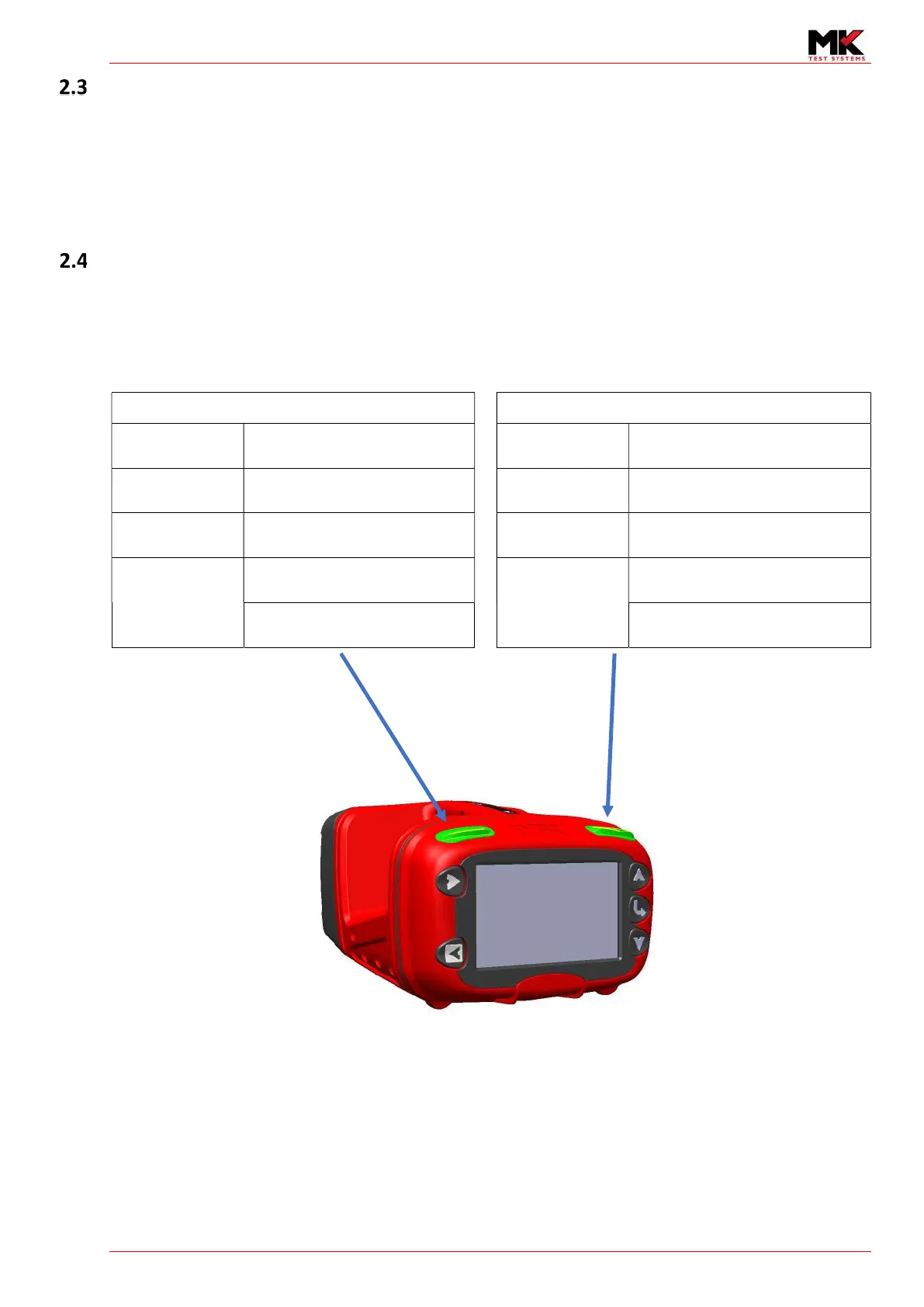
Five buttons serve the following main functions
1) Start and Stop measurements in manual mode
2) Browse menus
3) Change/Set parameters
Indicators
Two indicators are situated on the top of the ExLRT. The left indicator shows the status of the loop
measurement and the right indicator shows the status of the joint measurements. The indicators act
as repeaters to the LEDs situated on the Loop and Joint cables.
The indicator colours identify the following test status.
Loop status indication
Joint status indication
Green Flashing
Waiting for loop test to
commence
Green Flashing
Waiting for user to connect joint
probes to UUT
Amber ON Loop test measuring Amber ON Joint test measuring
Amber Flashing
Paused State
(Continuous mode only)
Amber Flashing
Paused State
(Continuous mode only)
Red flashing
Loop test error
Red flashing
Joint test error
Drive/Sense Coupler open Joint test intermittent


 To Next Page