5.5 Breakpoints recovery
When you spend most of your time printing a model, the careless error operation
causes the print to stop, but does not want to waste the printed model. Then you can
use the breakpoint to continue to play the function, save your beloved model. The
following illustration requires that you follow these steps
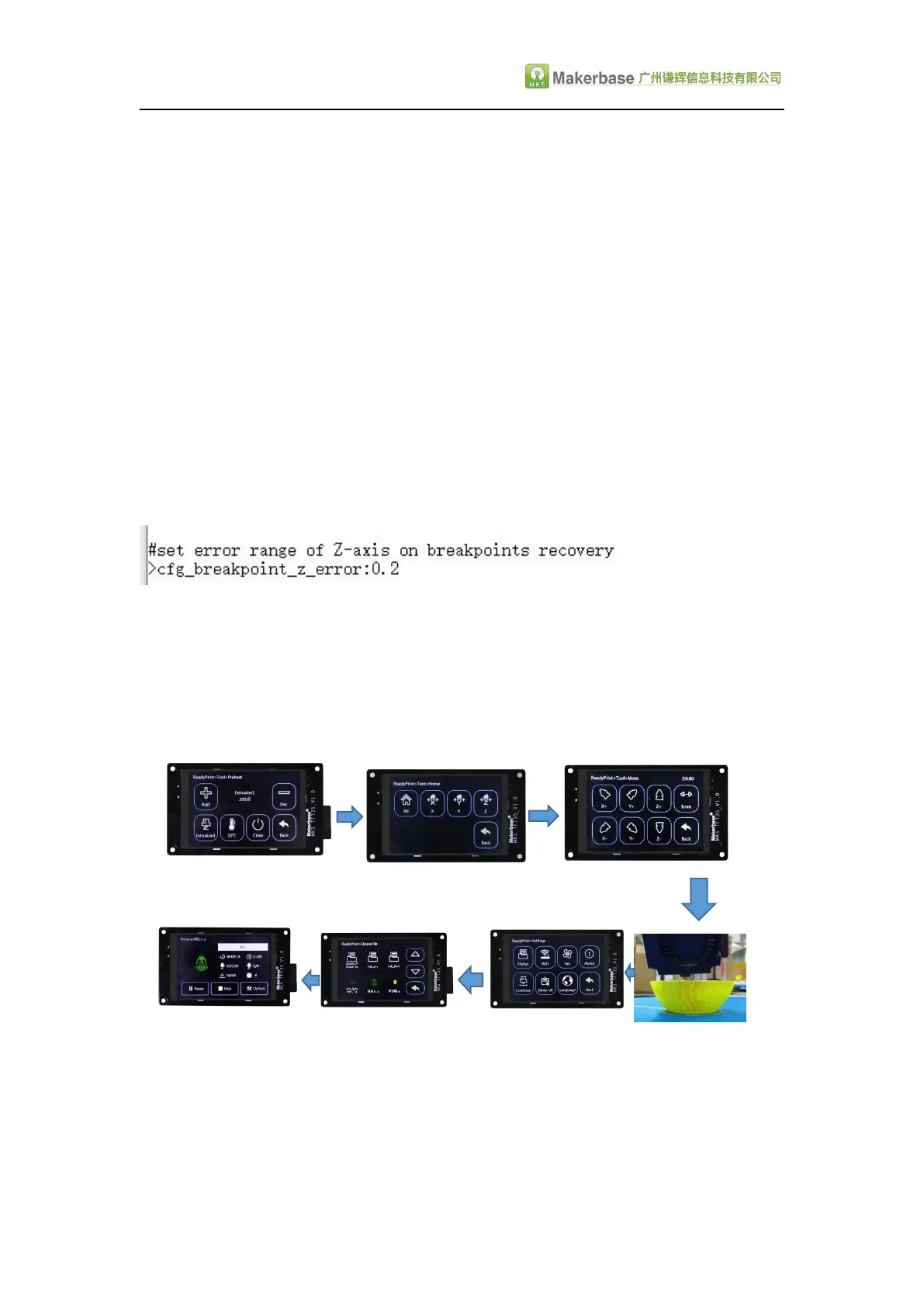
1.First click “Preheat”, the extrusion head and hot bed target temperature set (no hot
bed can ignore the hot bed target temperature).as Figure 1
2.When the temperature reaches the target temperature, click “homing”, choose to
homing, so that the axes are back to home point.(Attention:Model printing failure to
select Breakpoints recovery the operation between the Midway, if there is a power
outage must be homing operation, such as continuous electricity can not return to
home point operation).as Figure 2
3.After the axis back to home points, move the z axis will touch the mouth to stop
printing of the layer, such as Figure 3, Figure 4, the time to test eyesight (can be
selected in the configuration file to allow error, the following figure
4.Point setting, click on the breakpoint recovery and select the file to be printed on
the breakpoint recovery, as shown in Figure 5, figure 6.
5.After you select the file, wait for it to print.as Figure 7.
(After selecting the model, the larger the model, the more complex it is, the longer it
waits here.)
The steps of breakpoints recovery:
1 2 3
7 6 5 4
5.6 Save the gcode data with power off
In the printing process into a paused state,when without anyone watching you can
directly shut down, the next time you can start from the pause to continue printing.


 To Next Page