Attention:Do not modify file names.
No need to copy mkswifi.bin without WiFi module.
4.2.2 Plug the SD card into the motherboard and power on,hear drops ~ ~ A short
sound, touch screen display update process, and so about 30S after the completion
of the update.
4.2.3 You can click” Settings--about” on the touch screen , to view current firmware
information.
4.2.4 Advice: After the update is complete, delete the pictures and Fonts folder,
avoid the next time to update the pictures and fonts.
Ⅴ.Function parameter Configuration
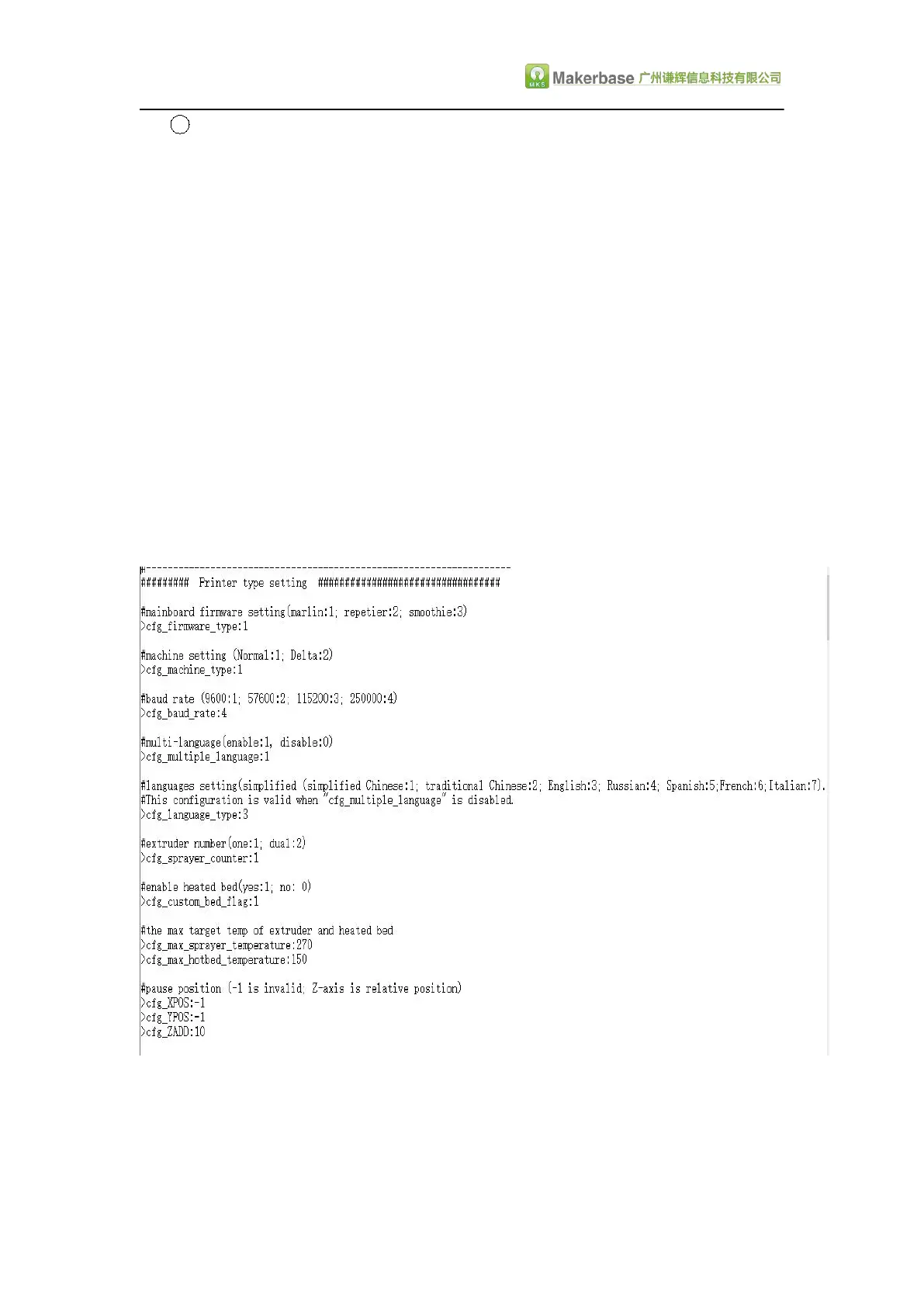
5.1 Pwer-on settings(Important, must be set)
Attention : 1.The baud rate in the configuration file must be the same as the
motherboard baud rate, so that you can communicate.
2.Because the touch screen is the use of serial communication, to avoid
conflicts with the USB .When connecting to the touchscreen, it is best not to connect
the USB port on the motherboard.Similarly, when burning the firmware to the


 To Next Page