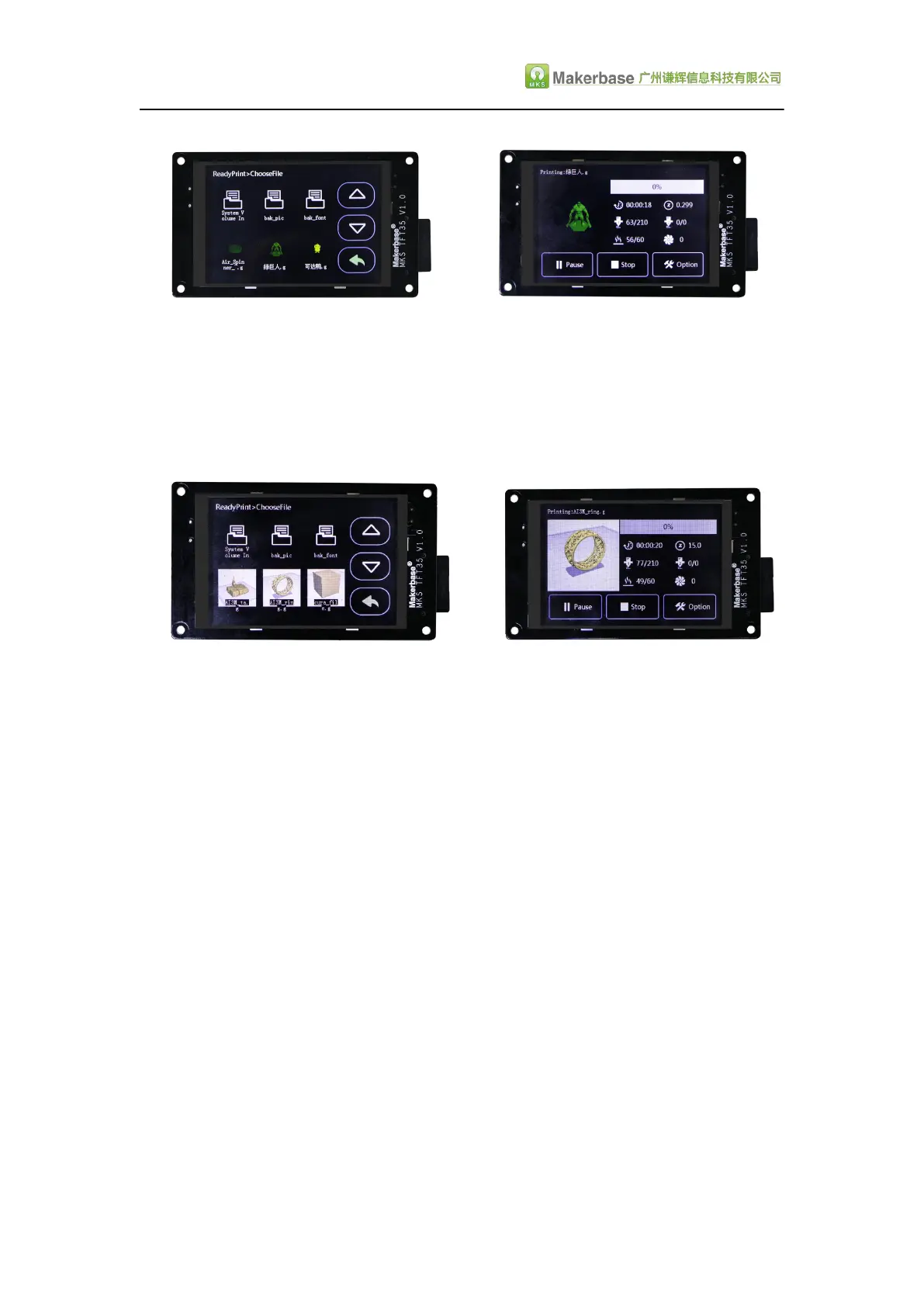
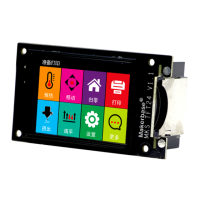
NO.2. The cura slicing software installs the MKS Plugin (plug-in) developed by the
makerbase, its sliced model also has the preview function, the preview effect is
shown in the following figure.(MKS plugin installation Information and instructions
can be consulted customer service, technical support to obtain, or download in the
makerbase group.)
Ⅵ. The network printing function
MKS TFT35 with MKS TFT-wifi can realize the network printing function.The
operation steps of the network printing function please refer to MKS Cloud app
manual. Information can be consulted customer service, technical support to obtain,
or download in the makerbase group.
Ⅶ . TFT touch Screen User interface
configuration
Conventions:
If the customer needs to customize the display picture of the touch screen, the first
should follow the following conventions:
1. Scope of customization:
A. Power-on interface logo;
B. Screen background color (see figure "1" below);


 To Next Page