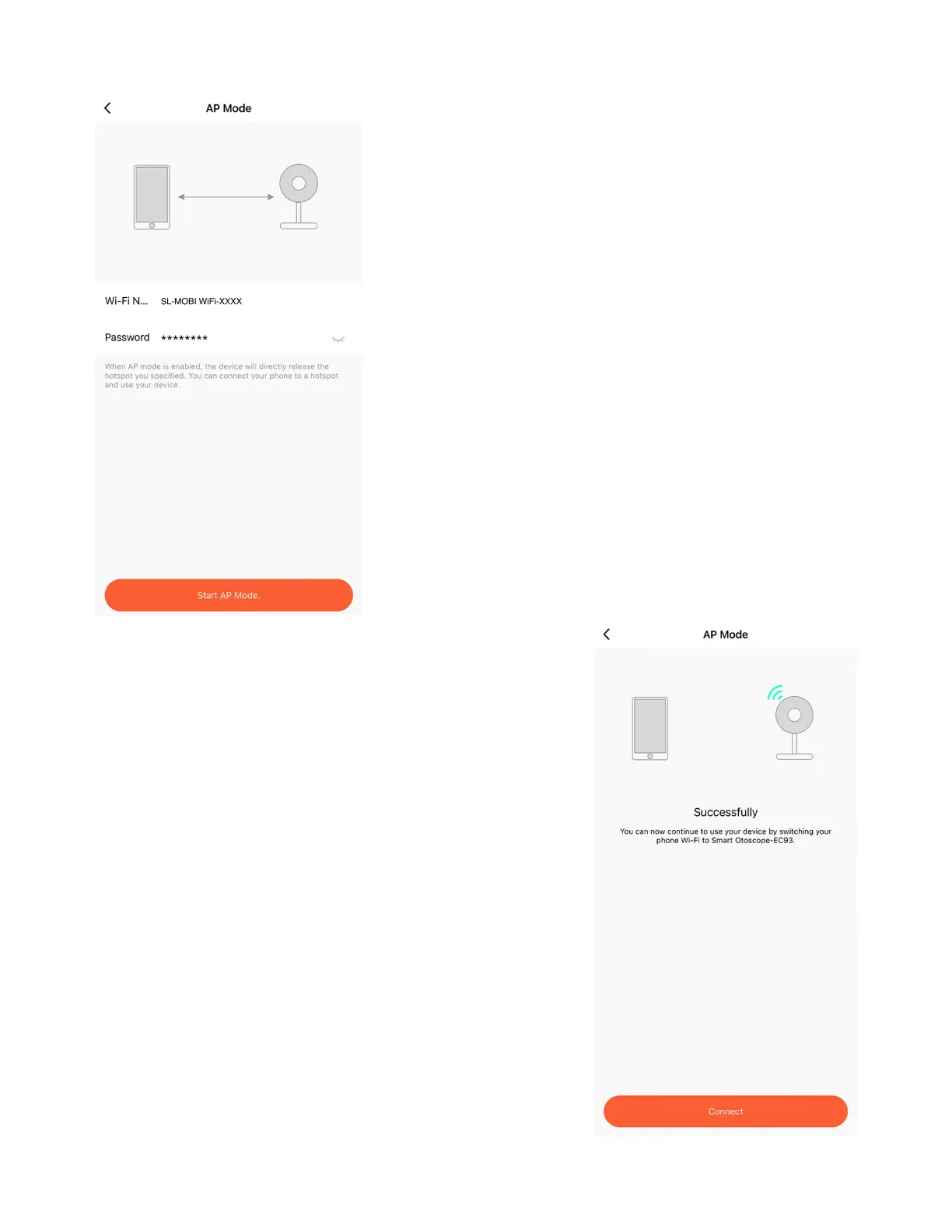
Display your AP Hotspot signal
name
Prompt you to create a custom,
8-digit password for the signal.
After selecting "AP Mode," you'll be
redirected to a screen that will:
1.
2.
After creating a password, your
Otoscope will create a hotspot
signal. Your smartphone will
connect to this signal as if
connecting to a standard Wi-Fi
network signal.
11 - Set a Password
After creating a password, you'll
receive a screen confirmation that
your AP Hotspot signal has been
properly generated.
Tap on "Connect" to be redirected to
your smartphone's Wi-Fi settings.
Note: When connecting to the AP
Hotspot with an iOS device, your
smartphone may display "Not
Connected to the Internet." Ignore
this prompt.
12 - Settings
www.getmobi.com +1(877) 662-4462
11


 To Next Page