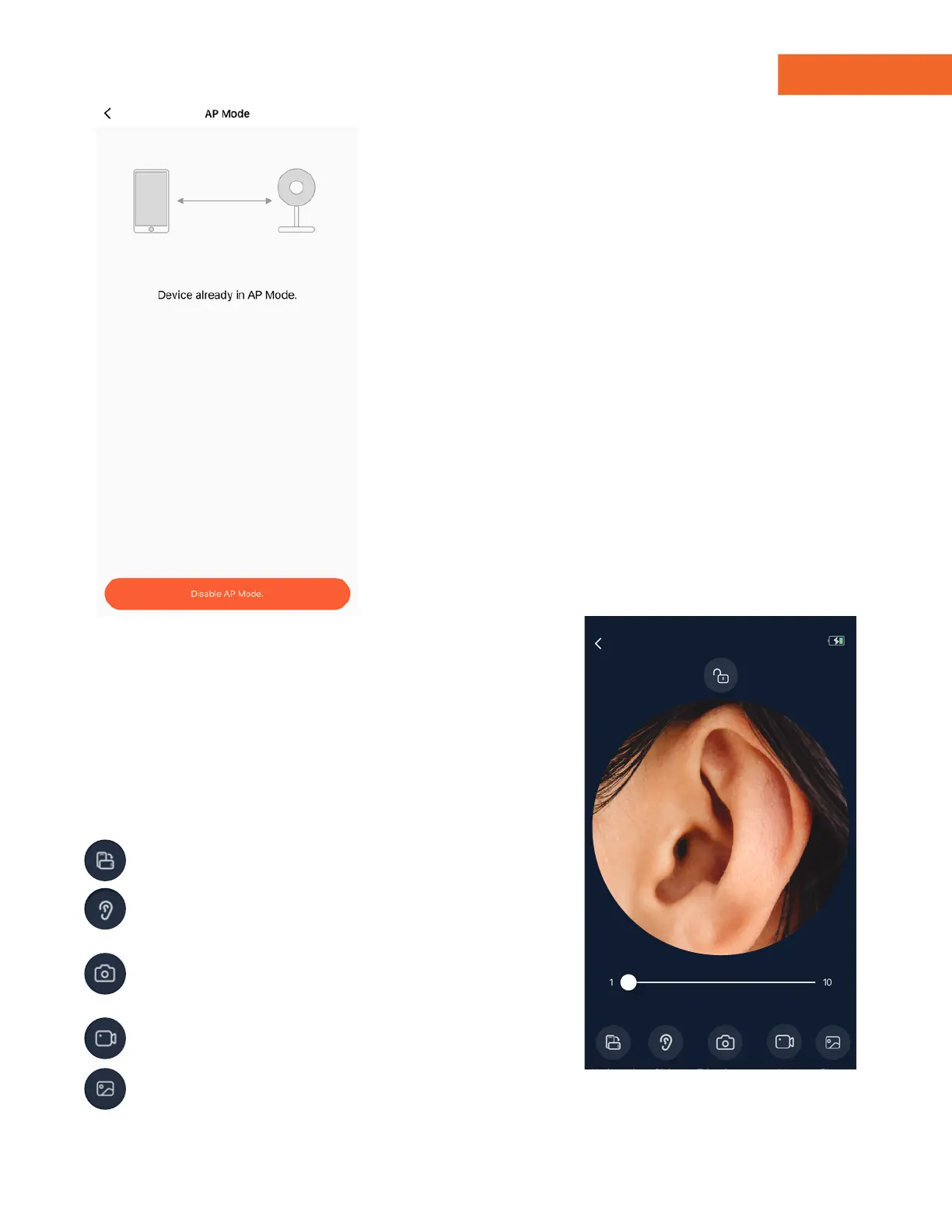
To disable AP Mode and set the
MOBI E.N.T. Otoscope back to EZ
Mode, return to Step 10 and tap "AP
Mode" under Advanced Settings.
Then tap "Disable AP Mode."
Note: If you don't disable AP mode,
you must connect your smartphone
device to the MOBI E.N.T. Otoscope
AP Hotspot signal before each use.
Horizontal/Vertical - Flip screen view
Right/Left - Flip vertical camera lenses
for viewing
Photo - Screenshots of MOBI E.N.T.
Otoscope's camera feed.
Video - Records MOBI E.N.T.
Otoscope's camera feed
Gallery - View all screenshots &
recordings
Once you've set up your MOBI E.N.T.
Otoscope Camera in either AP/EZ mode,
return to the device's main interface and
tap the blue "VIEW" button.
Zoom - Zoom in or out
15 - Viewing the Camera
14 - Disabling AP Mode
www.getmobi.com +1(877) 662-4462
13
Viewing Camera
Zoom


 To Next Page