Otoscope Setup (AP Mode)
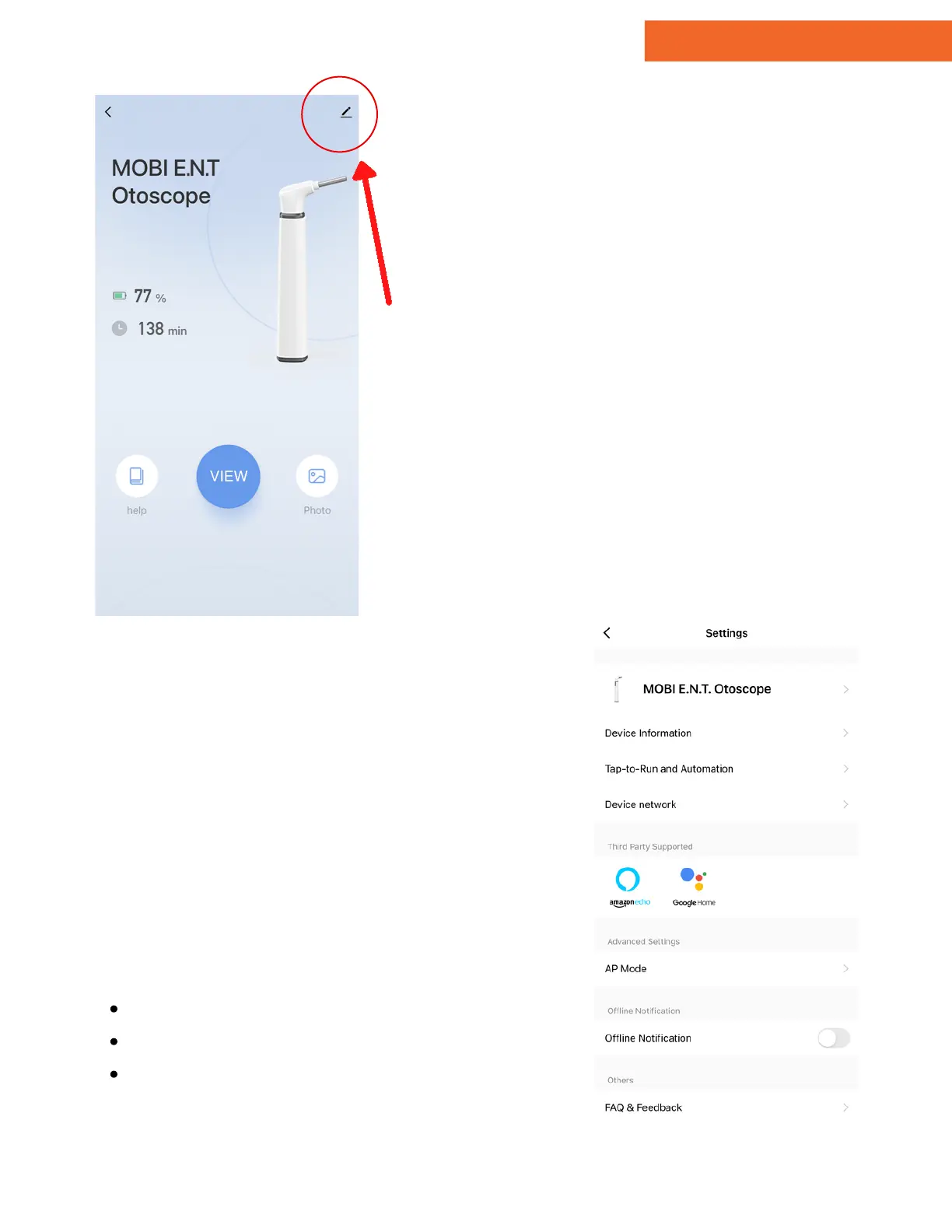
To switch to AP mode, tap the
settings icon in the top right-
hand corner.
The otoscope includes an additional
operation method called AP Mode.
It generates a direct hotspot signal
that provides higher picture quality
and allows users to utilize the
otoscope outside their home
network.
1.
9 - Add Device - AP Mode
Device Name
Shared Users
Notifications
After entering the settings page, tap
"AP Mode" under Advanced
Settings.
Note: The settings page is also
where users can customize aspects
of the MOBI E.N.T. Otoscope, such
as:
10 - Settings
www.getmobi.com +1(877) 662-4462
10


 To Next Page