Otoscope Setup (EZ Mode)
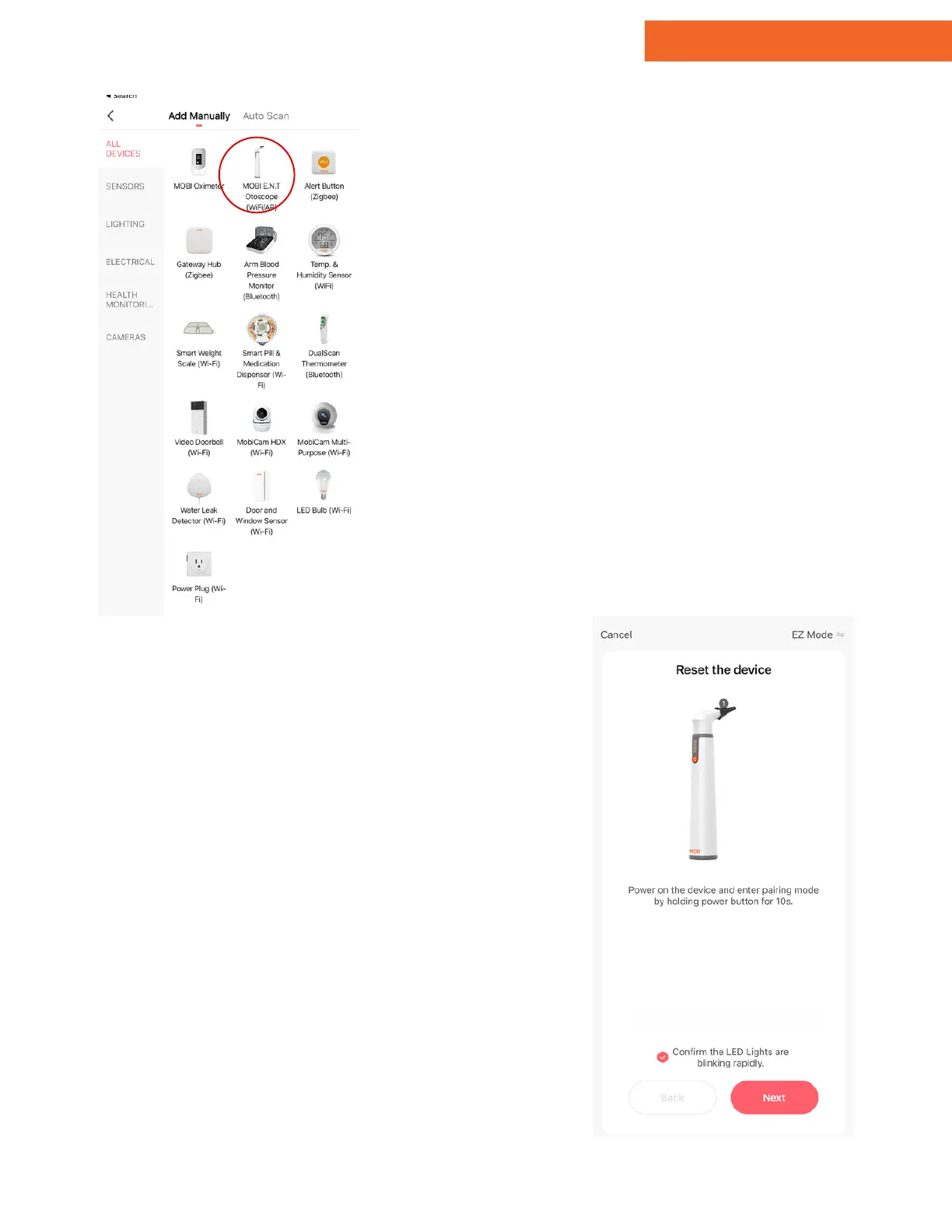
Tap "Add Device" or the "+" icon
in the top right-hand corner.
Tap on "MOBI E.N.T. Otoscope."
1.
2.
Note: For adding additional devices,
tap the "+" icon in the top right-
hand corner, and find your device.
3 - Add Device - EZ Mode
After selecting "MOBI E.N.T
Otoscope," you'll be prompted to
reset your device.
Press & hold the power button for 10
seconds until the battery indicator
blinks, then release.
Tap "Next" to confirm.
4 - Reset Device
www.getmobi.com +1(877) 662-44626


 To Next Page