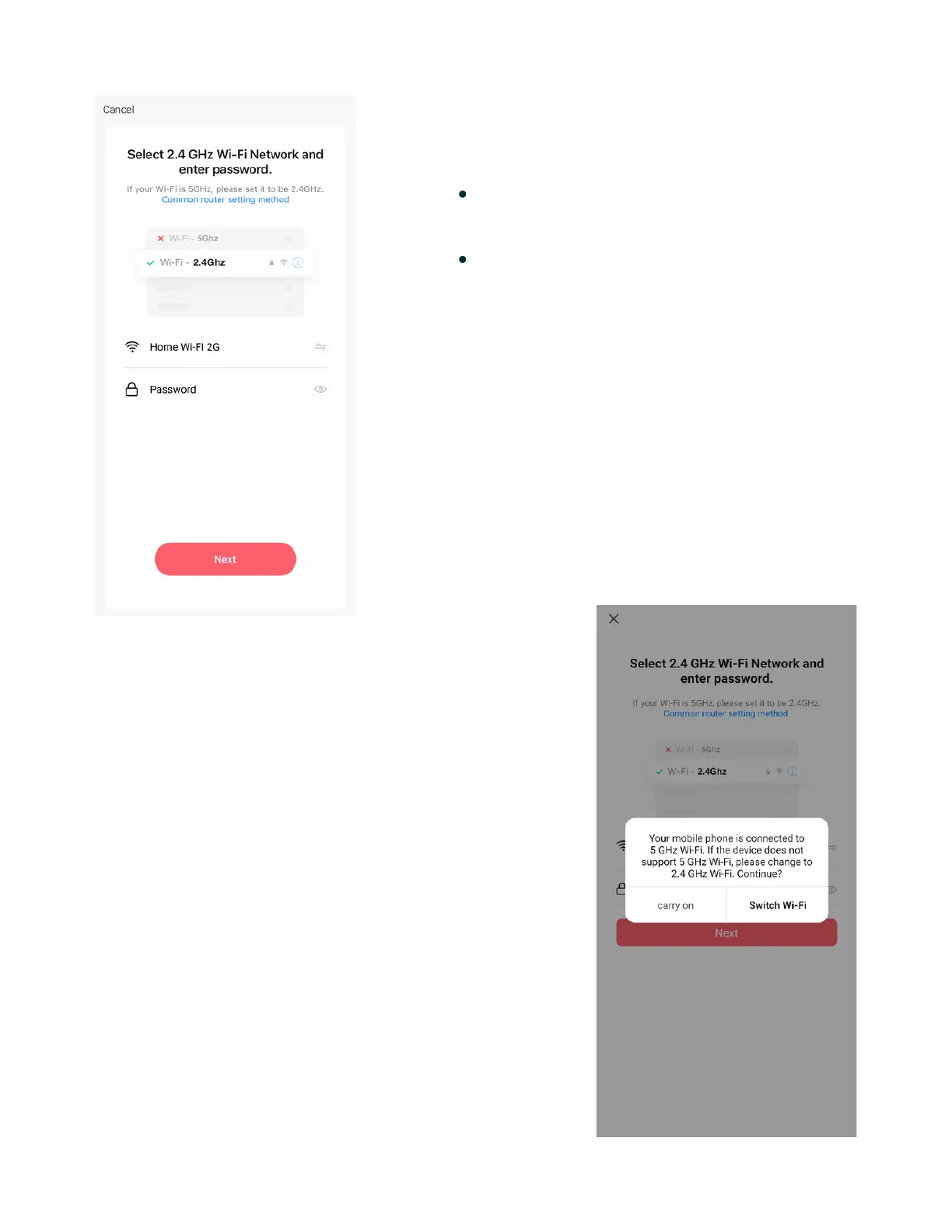
5 - Setup Wi-Fi
Enter your 2.4 GHz Wi-Fi name &
password.
Tap "Next" to confirm.
Note: This product only connects to a
2.4 GHz Wi-Fi signal.
Note: Please get in touch with your
Internet Service Provider if you
cannot identify your 2.4 GHz Wi-Fi
Network. (Many modern routers
include an automatic 5GWi-Fi signal
connection.)
Note: If you are using the MOBI
Smart App on an Android device,
your smartphone may display this
message during the Wi-Fi setup.
Ignore this prompt and tap "Carry
on" to continue with the connection
process.
www.getmobi.com +1(877) 662-44627


 To Next Page