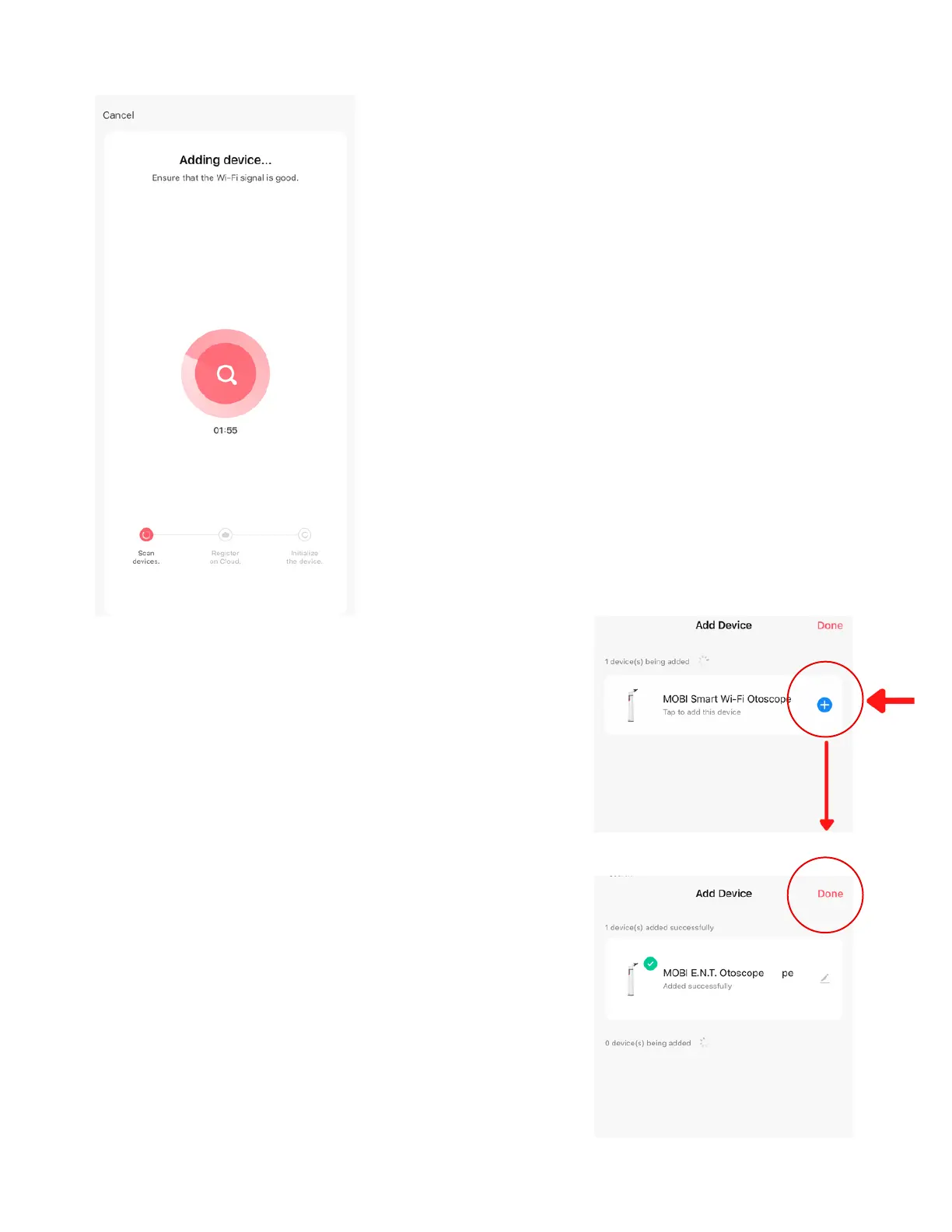
After tapping "Next," the MOBI Smart
App will display your connection
status.
Note: If your connection times out,
your smartphone may be connected
to a 5GHz Wi-Fi network.
Please check your Wi-Fi name &
password, and try again.
6 - Connecting
7 - Success
Once connected successfully, your
MOBI Smart App will prompt you
to tap the blue "+" icon to
complete the setup process.
After completion, you can rename
your device for easier
management or leave it as is and
edit it at a later time.
Tap "Done" to go to the MOBI
E.N.T. main screen.
www.getmobi.com +1(877) 662-4462
8


 To Next Page