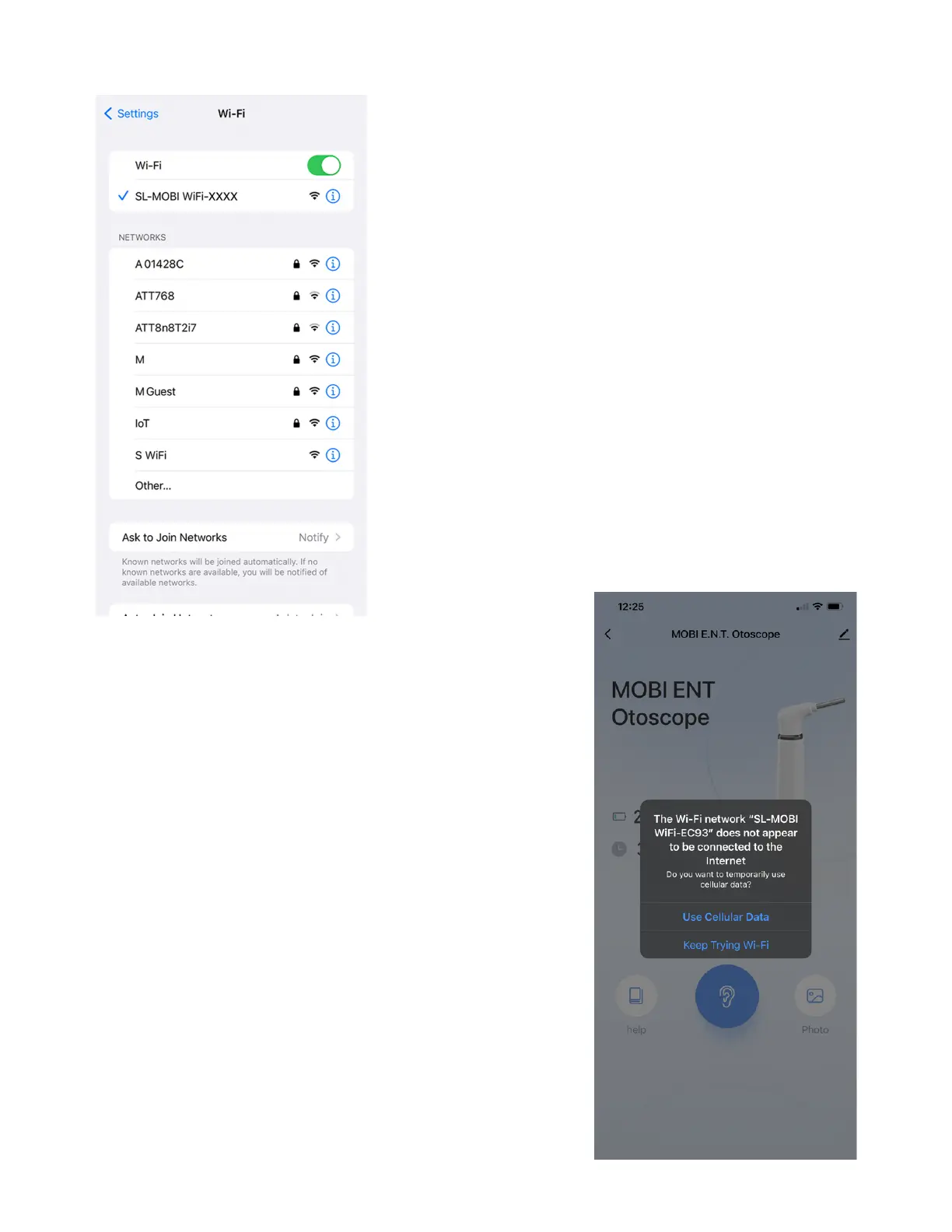
In your smartphone's Wi-Fi settings,
select the Network signal that
reads: SL-MOBI WiFi-XXXX.
Once connected, return to the app
and the MOBI E.N.T. Otsocpe's main
interface to view the Otoscope
Camera.
13 - Select AP Hotspot
Once in the MOBI E.N.T. Otoscope's main
interface, iOS users may see the following
prompt:
"The Wi-Fi Network 'SL-MOBI WiFi-XXXX'
does not appear to be connected to the
Internet."
This prompt appears because your
mobile device is connected to an AP
Hotspot that exclusively connects the
smartphone to the MOBI E.N.T. Otoscope.
Ignore this and tap "Keep Trying Wi-Fi."
www.getmobi.com +1(877) 662-4462
12


 To Next Page