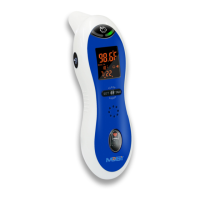
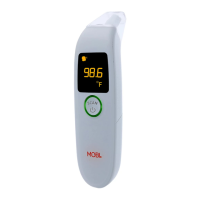
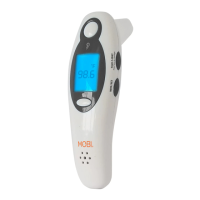
Mobi DualScan Prime 3 Thermometer
Thank you for choosing our DualScan Prime 3 Thermometer from Mobi. This high-
tech instrument measures body temperature via reflected infrared waves from
within the ear canal or o the forehead, allowing you to determine this important
health stat very quickly, easy, and accurately. The DualScan ™ Prime 3 will also scan
and read temperature of food, baby bottles, or bath water. It even takes ambient
room temperature. Knowing whether or not a patient or a loved one is running
a fever can be critical, so to ensure proper use of this unit, please read the user’s
manual carefully and keep it handy for future reference.
Package Contents
Quantity Component
1pc DualScan Prime 3 Thermometer
2pcs AAA batteries
1pc User’s Manual
Install Batteries
1.
Open battery compartment
2.
Place new batteries in compartment facing the right direction as stated
3.
Replace cover and its ready to use
Note: Do not mix new batteries with old batteries.
Health Check Reminder Mode
1.
Press “B” button to set a health check reminder mode
2.
1
st
press: activates function, 2
nd
press: 30 minutes, 3
rd
press: 45 minutes, 4
th
press: 60 minutes, 5
th
press: OFF.
3.
After selecting a time for health check, it will begin to countdown .
4.
When time is up, the thermometer will start to beep: indicating that it is
time to check temperature again.
Flashlight operation
Press and hold “D” button for 2 seconds to turn on/o ashlight operation. The
light will turn o after 30 seconds if not being used.
To check previous 19 temperature reading:
1.
Press “D” button and release. With each additional press, unit will display
previous stored temperature readings.
For best results:
•
Do not touch or breath into sensor: it may cause inaccurate measurement
•
When the ambient temperature varies, thermometer should be placed in
the area for 30 minutes before using
•
Do not use this thermometer for purposes other than intended
•
Do not expose the thermometer to any chemical solvent, direct sunlight,
or re/heat.
•
Avoid using a mobile phone nearby when using the thermometer to mea-
sure temperature.
•
Only clean the tip with a lightly dampened lint free cloth.
•
Avoid measuring temperature when the skin or ear canal is wet such as
after swimming or bathing.
•
Avoid measuring sites of scarred tissue or skin disorders.
Temperature measurement modes
1.
Ear mode
2.
Forehead mode
3.
Object –measures room temperature or surface temperatures of objects
via reected IR waves from within a few inches away
Normal Temperature Range based on Age
Age Range Normal temperature (°C) Normal temperature (°F)
Note:
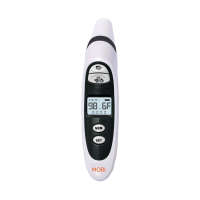
A: Body temperatures scan button C: Object temperature scan button
B: Health check reminder mode button
D: Flashlight control & memory query button E: C/F switch button
Forehead Temperature
1.
Press “A” button to turn unit on
2.
Make sure probe cover is attached.
3.
Gently place thermometer probe in the middle of forehead or side temples
4.
Press and hold “A” button for 1 second then release
5.
Temperature reading will be displayed on screen
6.
Press “A” button to go back to home screen
Ear Temperature
1.
Press “A” button to turn unit on
2.
Remove probe cover before taking ear temperature
3.
The ear icon will be displayed on screen automatically
4.
Place thermometer probe inside ear
5.
Press and hold “A” button for 1 second and release
6.
The temperature will be displayed on screen
7.
Press “A” button to go back to home screen
Object Temperature
1.
Press “A” button to turn the unit on
2.
Select icon for object temperature
3.
Hold thermometer probe 1-2inches away from object
4.
Press and release “B” button after 1 second
5.
Temperature reading will be displayed on screen
6.
Press “A” button to go back to home screen
°C/°F Switch Mode
*** Open battery compartment and press “E” button to change from °C to °F.
0-2 years old 36.4-38.0 97.5-100.4
3-10 years old 36.1-37.8 97.0-100.0
11-65 years old 35.9-37.6 96.6-99.7
>
65 years old 35.8-37.5 96.4-99.5
TROUBLESHOOTING
Trouble/Error Message Check Situation Resolution
No response/automatically resets
Battery depleted?
Battery in wrong polarity?
Battery is wrong type?
Poor battery contact?
Replace with new battery
or take out the battery and
reinsert in correct (+up)
orientation and with good
contact
“Hi” symbol showing
Is measurement aected by warm air ow?
--in forehead and ear measurement mode-
- indicates measurement is greater than
109.0°F (42.9°C)
--in surface measurement mode—indi-
cates measurement is greater than 212.0°F
(100.0°C)
Wait for 30 minutes with
no use of the unit, then
measure again according
to the instruction in this
manual
“Lo’ symbol showing
Is hair, sweat, or other moisture
on the boy or on the sensor af-
fecting the temperature reading?
--in forehead and ear measure-
ment mode – indicates measure-
ment is less than 89.6°F (32.0°C)
--in the surface measurement
mode—indicates that measure-
ment mode is less than 32°F (0°C)
Wait for 30 minutes
with no use of the
unit, then measure
again according to
the instruction in
this manual
“Err” symbol showing
When the ambient temperature
is beyond the range of measure-
ment –between 50°F and 104°F
(10°C and 40°C)
Keep the thermom-
eter in the room
with a temperature
between 50°F and
104°F (10°C and
40°C) for 30 minutes
Has the sensor or hardware been
damaged?
1
3
2
4
6004116A306-01A 说明书.indd 1 2015-2-27 10:39:38

 Need help?
 General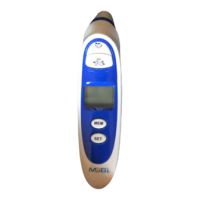


 To Next Page