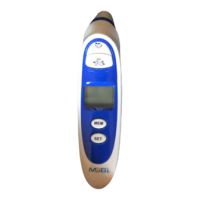
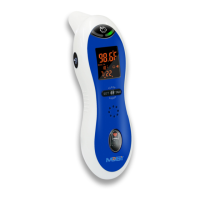
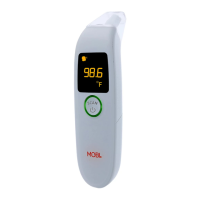
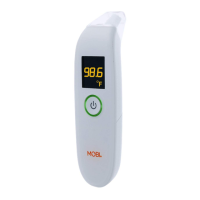
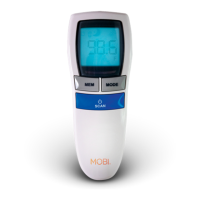
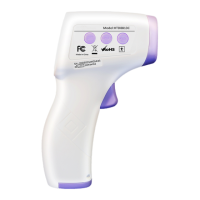
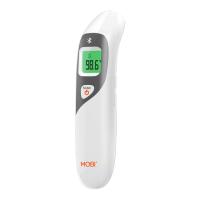
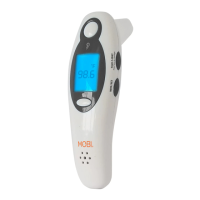
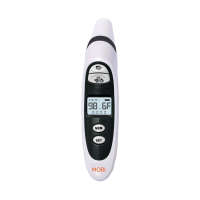
The MOBI PRIME Ear and Forehead Thermometer, Model No: 70121, is a versatile device designed for measuring body temperature, as well as the temperature of objects and liquids. It offers multiple measurement modes and user-friendly features to ensure accurate readings and convenient operation.
Function Description
The primary function of this thermometer is to provide temperature readings for various applications. It can measure body temperature via both the ear and forehead, making it suitable for different age groups and preferences. Additionally, it features a "FOOD" mode for measuring the temperature of liquids and food, expanding its utility beyond just medical use. The device is equipped with an infrared sensor for non-contact measurements, ensuring hygiene and ease of use. It also displays the current room temperature when not actively measuring, providing additional environmental information.
Usage Features
The thermometer is designed for straightforward operation with dedicated buttons for different functions. To turn on the device, users typically press either the 'HEAD' or 'EAR' button.
For Ear Temperature Measurement:
- Turn on the thermometer by pressing the 'HEAD' button.
- Remove the probe cover.
- Gently insert the ear probe slightly inside the ear canal.
- Press and release the 'EAR' button to initiate the measurement.
- A short beep indicates the completion of the measurement, and the temperature will be displayed.
It's important to allow 6 seconds between readings for accuracy. The device will display "HI" for readings above 109.3°F (42.9°C) and "LO" for readings below 89.6°F (32.0°C).
For Forehead Temperature Measurement:
- Turn on the thermometer by pressing the 'HEAD' button.
- Ensure the forehead probe cover is attached.
- Gently touch the tip of the probe to the center of the forehead, midway between the eyebrows and the hairline, ensuring no hair obstructs the probe.
- Press and release the 'HEAD' button to take the measurement.
- A short beep will sound, and the temperature will be displayed.
A "Fever Alert Feature" is included: if the body temperature exceeds 100.4°F, "FE" will flash on the screen to indicate a fever.
For Liquid/Food Temperature Measurement:
- Turn on the thermometer by pressing the 'HEAD' button.
- Ensure the thermometer is in "FOOD" mode by pressing both the 'HEAD' and 'EAR' buttons simultaneously. "Food" will appear on the display.
- Hold the thermometer approximately 1 inch away from the object's surface.
- Press and release the 'EAR' button, aiming the measurement sensor at the food or liquid.
- A short beep will confirm the measurement, and the temperature will be displayed.
If the display shows "HI/LOW" in this mode, it suggests the thermometer might not be in "FOOD" mode.
The device also includes Time and Date Settings:
To access these settings, press and hold the 'SET' button. Users can choose between 12-hour and 24-hour clock formats, and set the Hour, Minute, Year, Month, and Day using the 'MEM' button to change values and the 'SET' button to save and move to the next setting. A "Sleep Mode" can be activated or deactivated; when active, the thermometer automatically turns off after 3 minutes of inactivity to save battery power.
Celsius and Fahrenheit Settings:
The measurement unit can be switched between °F and °C. To do this, enter 'memory mode' by pressing the 'MEM' button once, then press and hold the 'SET' button.
Backlight Function:
Pressing any button activates the blue backlight, which remains on for 5 seconds during temperature measurement modes before automatically turning off.
Memory Function:
The thermometer can store up to 9 previous measurements. To recall them, turn on the device, press the 'MEM' button once, then press it again to view the last measurement. Subsequent presses of the 'MEM' button will cycle through the stored readings, with symbols indicating whether the measurement was for ear, forehead, or food.
Measurement Preparation For Best Results:
For optimal accuracy, it is recommended to store the device in the same environment where it will be used for at least 30 minutes prior to measurement. External factors like lying on the ear, exposure to extreme temperatures, swimming, bathing, or recent physical exertion can affect readings. Users should avoid talking or moving during measurement. The forehead should be dry, and the ear canal clean. The infrared sensor must be kept clean, dry, and undamaged. If using hearing aids or earplugs, remove them and wait 30 minutes before taking an ear temperature.
Maintenance Features
Lens / Measurement Sensor:
The lens and measurement sensor should be gently cleaned with an alcohol swab. Do not use water to wash the thermometer lens directly.
Thermometer Body:
The device body should be cleaned with a soft, dry cloth. Do not rinse the device with water.
The thermometer is programmed to remind the user to clean the device; "CL" will flash on the screen. Press 'SET' to exit this notification, and then clean the unit.
Battery Installation/Replacement:
To install or replace batteries, slide the battery cover toward the bottom of the thermometer. Insert 2 x AAA batteries, ensuring correct polarity. Always use new, unused batteries. Slide the battery cover back into place until it snaps closed. The battery indicator will display constantly when the battery level is low, prompting replacement.
Troubleshooting:
The manual provides a troubleshooting guide for common issues such as no response/automatic reset (check batteries, polarity, contact), measured temperature outside the expected range (follow user manual steps, check operating mode), error messages (contact Mobi Technologies), inaccurate measurements (clean sensor, verify method, allow stabilization, measure indoors, avoid holding too long), and low battery (replace batteries).


 To Next Page
 General