EasyManua.ls Logo

Mobi Technologies PRIME - Product Operation and Settings; Product Specification; Installing;Replacing Battery

Mobi Technologies PRIME
8 pages
Print Icon
To Next Page IconTo Next Page
To Previous Page IconTo Previous Page
Loading...
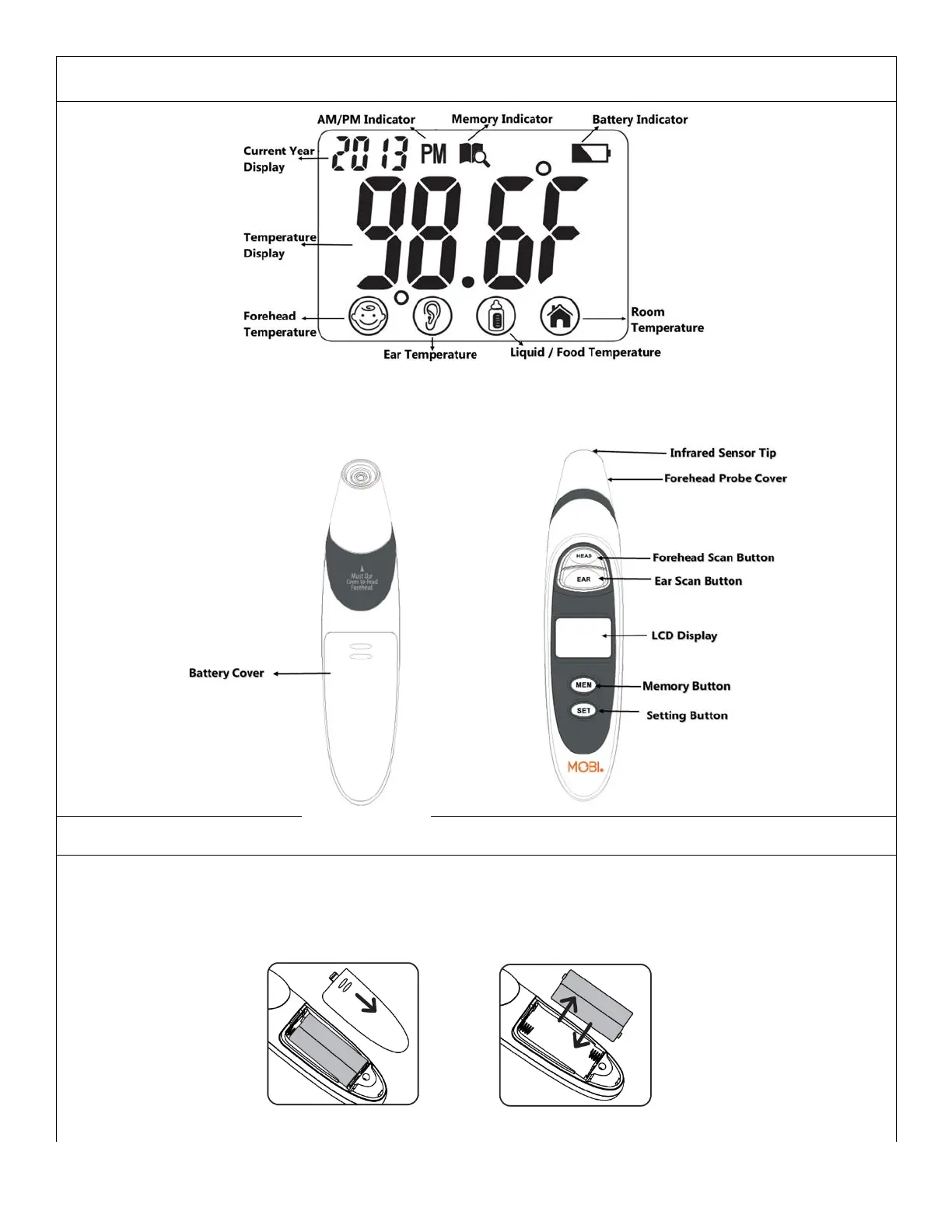
Product Specification
Note: When the device is powered on all icons are temporarily displayed on screen, this is not an
indicator of battery power. Battery indicator will display constantly when battery level is low.
Installing/Replacing Battery
Remove the battery cover by sliding it toward the bottom of the thermometer
Insert or replace 2 x AAA batteries into the battery compartment, ensuring to match the indicating
polarity symbols. (Always replace batteries with new, unused batteries)
Place the battery cover on the thermometer and slide back in place so it snaps closed.

Related product manuals