EasyManua.ls Logo

Mobi Technologies FEVERTRACK - User Manual

Mobi Technologies FEVERTRACK
8 pages
Print Icon
To Next Page IconTo Next Page
Loading...
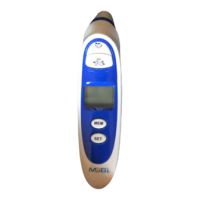
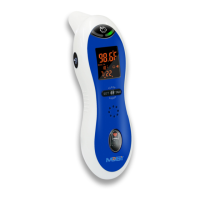
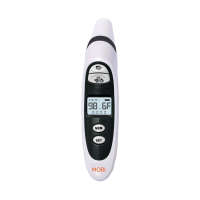
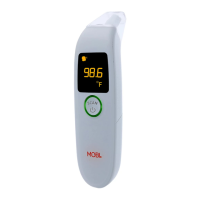
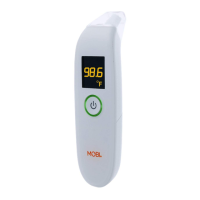
FEVERTRACK - Ear and Forehead
Thermometer
Model No.: 70116
Instruction Manual
Please read this instruction manual completely before operating.
Package Contents
Quantity
1pc
2pc
1pc
Parts
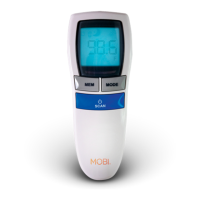
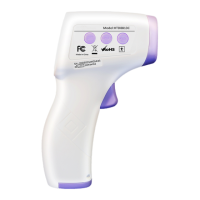
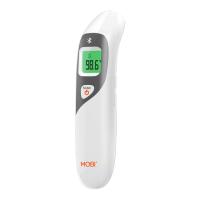
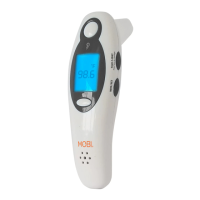
FEVERTRACK Thermometer
1.5V (AAA) batteries
User Manual
Thermometer Specification
Power Supply:
Body Measuring Range:
Ear and Forehead Measure Accuracy:
Object Measuring Range:
Object Measure Accuracy:
Dimention:
Weight:
Forehead operating Condition:
Ear and Object operating Condition:
Atmosphere pressure:
Service life:
Service life of the battery:
DC 3V (2 x AAA)
89.6°F 109.3°F (32.0°C 42.9°C)
Within range of 95.0°F 107.6°F (35.0°C- 42.0°C):
Accuracy = ±0.4°F (±0.2°C)
Outside of stated range:
Accuracy = ±0.5°F (±0.3°C)
41.0°F 139.8°F (5.0°C - 59.9°C)
±2.0°F (1.0°C)
150.0(L)x40.5(W)x 50.0(H)mm(±2mm)
61.0g (without batteries)
59.0°F 104.0°F (15.0°C 40.0°C)
With a relative humidity of 20% 85%
50.0°F 104.0°F (10.0°C 40.0°C)
With a relative humidity of 20% 85%
700hPa 1060hPa
2 years
6 months based on the use frequency at 5 times/day

Questions and Answers

  • C
    cmayerJul 28, 2025
    Why is my Mobi Technologies FEVERTRACK Thermometer reading inaccurate?
    • A
      Alexa BakerJul 28, 2025
      If you find the temperature reading from your Mobi Technologies Thermometer to be inaccurate, consider these factors: Ensure the infrared sensor is clean; use a cotton swab to clean it if necessary. Verify that you are using the thermometer correctly by reviewing the user manual. Allow both the thermometer and the patient to stabilize in the room for 30 minutes before taking a measurement. Always take measurements indoors. Avoid holding the thermometer in your hand for extended periods before use. If the low battery icon is displayed, replace the batteries immediately.
  • D
    david38Aug 6, 2025
    What to do if my Mobi Technologies FEVERTRACK Thermometer doesn't turn on after removing the plastic insulator tab?
    • P
      phamiltonAug 7, 2025
      If your Mobi Technologies Thermometer doesn't respond or resets automatically after removing the plastic insulator tab, it could be due to several reasons. First, the batteries might be low or dead, so try replacing them with new ones. Another possibility is that the batteries are not installed with the correct polarity; remove and reinsert them properly. Lastly, there might be poor contact with the batteries; try removing and reinserting them to ensure a secure connection.
  • T
    Tonya ChandlerAug 16, 2025
    How to fix a Mobi Technologies Thermometer when the measured temperature is out of range?
    • L
      Logan KaneAug 17, 2025
      If your Mobi Technologies Thermometer displays a temperature lower than 89.6°F/32.0°C or higher than 109°F/42.9°C, consult the user manual for correct measurement techniques and ensure the device is in the appropriate operating mode.

Summary

Package Contents

Thermometer Specification

Product Specification

Installing;Replacing Battery

Instructions for removing and inserting batteries into the thermometer compartment.

Temperature Indicators

Temperature Trend Indication Arrows

Explains the arrow indicator for tracking temperature changes over time.

Temperature LED Indication

Details the two-color LED indicators for temperature readings.

Celsius and Fahrenheit Setting

Measurement Preparation For Best Results

Thermometer Operating Guide

Ear temperature measurement

Step-by-step instructions for taking temperature measurements using the ear mode.

Forehead temperature measurement

Step-by-step instructions for taking temperature measurements using the forehead mode.

Object temperature measurement

Instructions for measuring the temperature of objects using the thermometer.

Care and Maintenance

Lens; Measurement Sensor Cleaning

Guidelines for cleaning the thermometer's sensor and lens using alcohol swabs.

Health Check

Memory Function

Troubleshooting

Product Safety & Warnings

Equipment Symbols

Limited Product Warranty

Mobi Technologies FEVERTRACK Specifications

General IconGeneral
ConnectivityBluetooth
Smartphone CompatibilityYes
Measurement Time1 second
DisplayLCD
Auto Power OffYes
Fever AlarmYes
Temperature Range32°C to 42.9°C (89.6°F to 109.2°F)
Accuracy±0.2°C (±0.4°F)
MemoryUp to 30 readings
Battery2 AAA batteries

Related product manuals