10
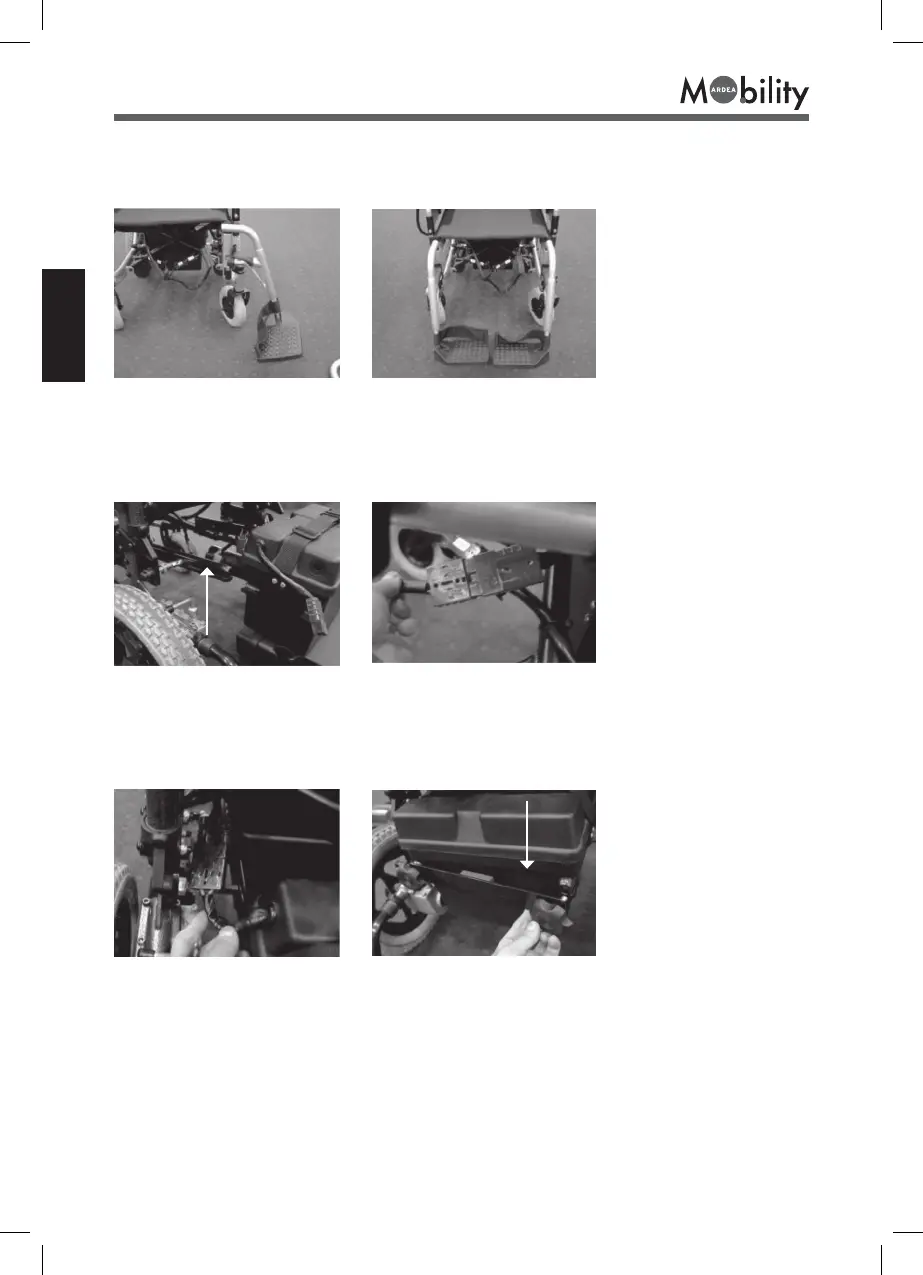
11.2 Installing the footplates
Insert the footplates (left # 5 and right # 6) into the structure, by rotating from the outside
inwards (fig.7) (fig.8).
(fig.7) (fig.8)
11.3 Installing the batteries and connecting the cables
Slide the grooves of the battery box into the support bar. (fig.9) Connect the black plug
of the cable (ref.8) to the control unit and the red plug to the red connector of the first
battery (fig.10). Check that the connections are secure.
(fig.9) Support bar (fig.10)
Repeat the same operation with the second battery, connecting the two black connectors.
(fig.11) Attach the attachment bar (#7) to the outside of the battery container and tighten
the knob. (fig.12)
(#7)
(fig.11) (fig.12)
Attachment bar



 To Next Page