User Manual Mobius Maxi 4K Camera Version: V2.0
15
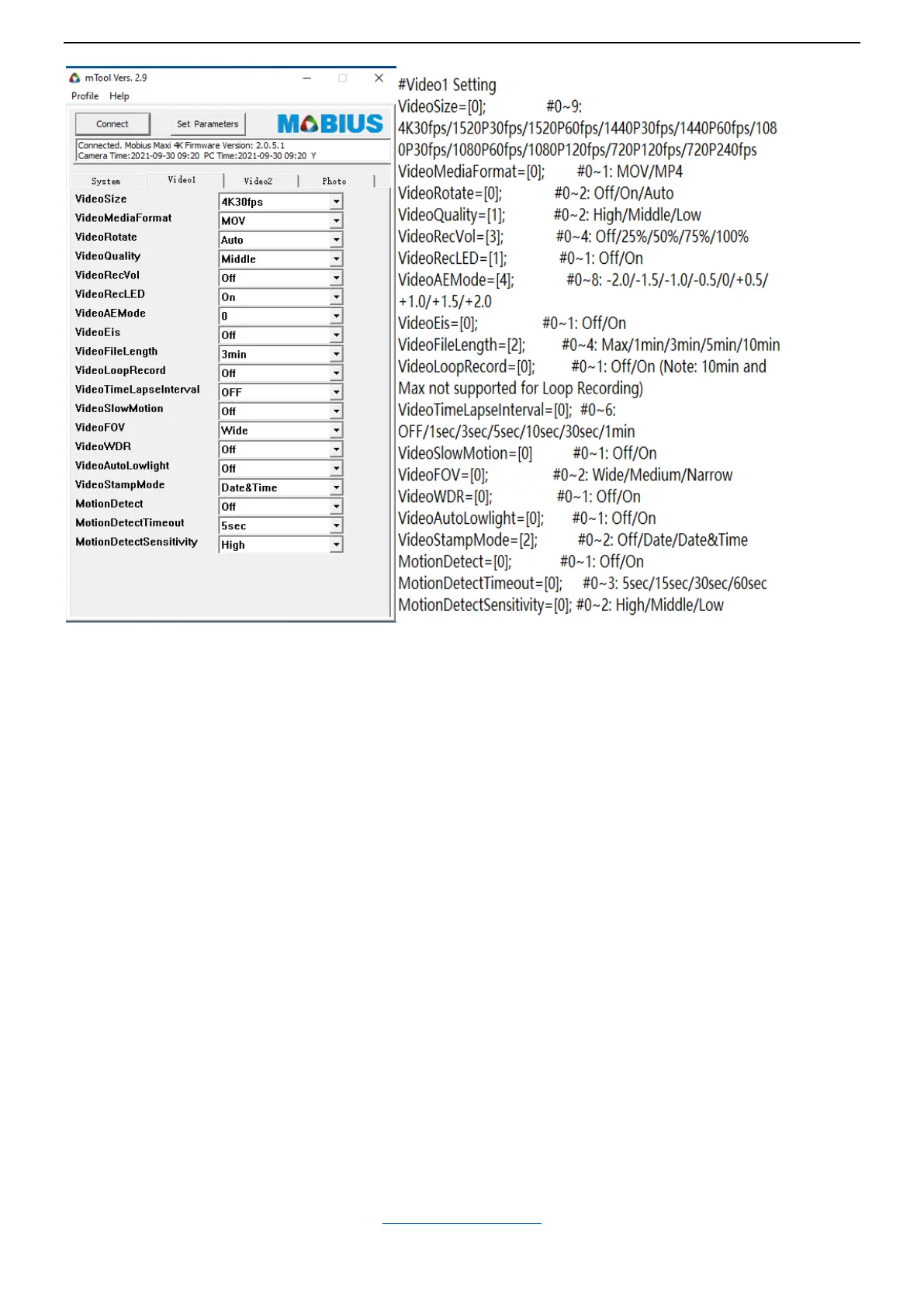
-Video Size (Video Resolution and Frame Rate)
To set video resolution and frame rate.
Camera supports 3840x2160 (4K) 30fps; 2704x1520 (2.7K) 30fps; 2704x1520 (2.7K) 60fps; 2560x1440 (1440P) 30fps;
2560x1440 (1440P) 60fps; 1920x1080 (1080P) 30fps; 1920x1080 (1080P) 60fps; 1920x1080 (1080P) 120fps;
1280x720 (720P) 120fps; 1280x720 (720P) 240fps
-Video Media Format (Video File Type)
To set video file format. It supports .MOV and .MP4.
-Video Rotate (Rotate Image)
Default is Off
On (Inverted): to rotate the video image 180°, so the camera can be held upside-down while recording.
Auto: camera will detect camera position (if it’s upside-down or not) before starting video recording, to make the
video to be recorded in upright position. Note: the video will not be inverted if the camera is rotated once the
recording has started.
-Video Quality (Bitrate) (Video Data Rate)
To set the average highest video data rate the camera uses when capturing and processing videos.
Higher data rate means larger file and requires faster memory card.
High / Middle /Low
64GB memory card can record approx. 130 minutes of 4K 30fps at High bitrate, 160 minutes at Middle bitrate,
200 minutes at Low bitrate
-Video Rec Volume (Audio Recording Volume)
To set the volume of audio track. You can mute the audio by setting it to Off
-Video Rec LED (Recording Indicator)
To turn on/off video recording LED Indicator light. Default is On, you can turn it off when needed.
(Back to Table of Contents)


 To Next Page