User Manual Mobius Maxi 4K Camera Version: V2.0
4
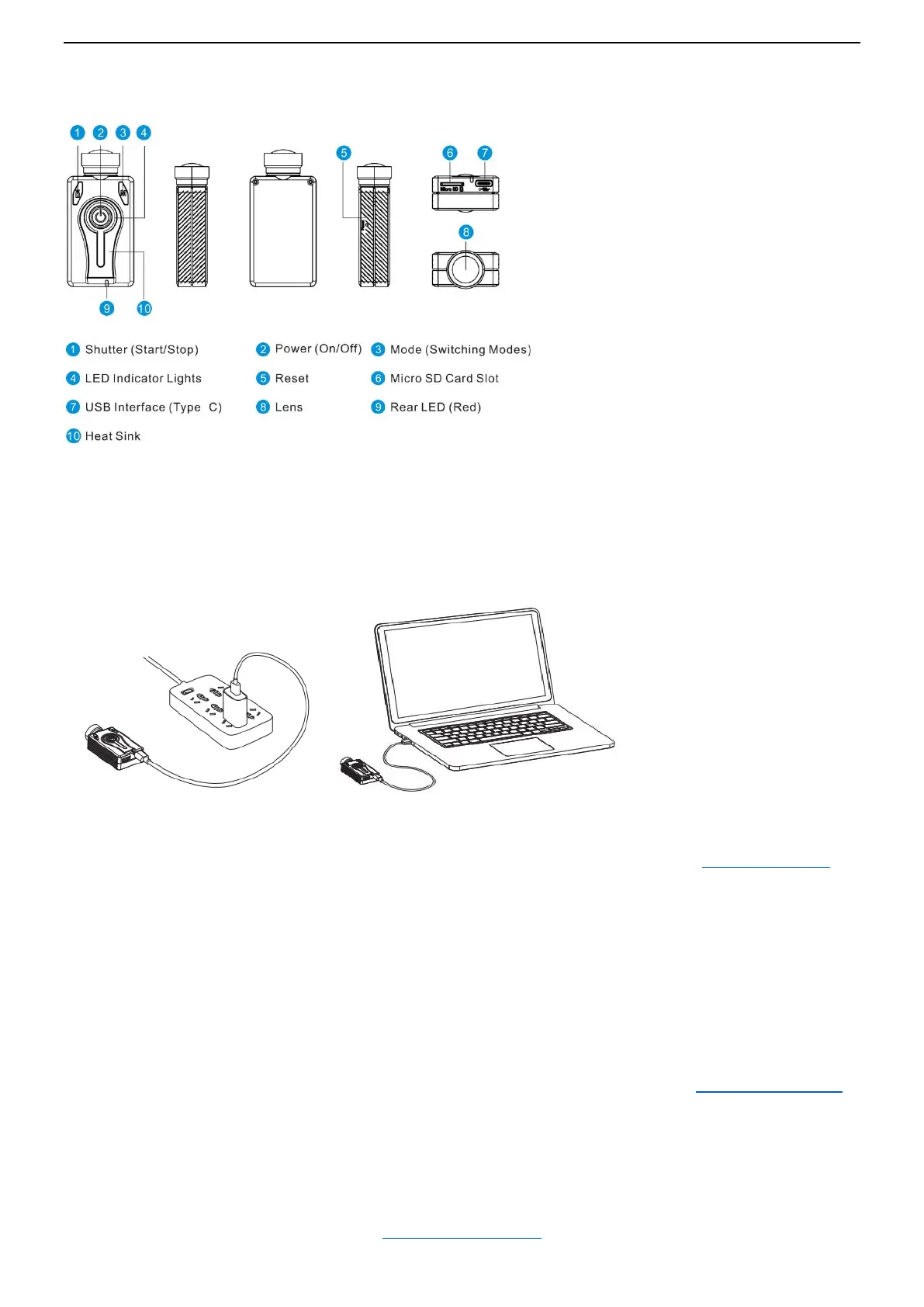
Product Diagram
Preparation
Before you start
Before using the camera for the first time, ensure the internal battery is fully charged.
Charging
Connecting the camera to a USB port or a USB charging adapter (DC5V) using the provided USB cable.
Green LED will be on when charging, off when the battery is fully charged.
It normally takes about 2 – 3 hours to charge the battery while the camera is turned off. (Power off camera)
Only use quality chargers capable of supplying at least 1000mA (1A) and a stable voltage of 5V. Low quality
chargers may not be able to supply enough current and can lead to premature battery failure.
Most USB 5V wall chargers for smart phones should work great.
A new and fully charged battery will record up to 110 minutes of 4K 30fps videos and 155 minutes of 1080p
60fps videos.
Charging and continuous recording
The camera can be used with external USB power to record even longer videos (like as a dashcam). It’s
highly recommended that the chargers or power banks can supply 2A or above and stable 5V.
Note: additional heat sink will be needed to help to release the accumulated heat. (See Additional Heat Sink)
Battery
Camera comes with a Lipo Battery, 950mAh, 3.7V, Rechargeable
It has battery connector, and you can replace a battery when it’s depleting.
Extreme cold temperatures can decrease battery life. To maximize battery life in cold conditions, keep the
camera in a warm place prior to use.
(Back to Table of Contents)


 To Next Page