Phase / Off
12
Applying The Sticker
Note: Do not apply the sticker until directed to do so at Step
73 in the instructions.
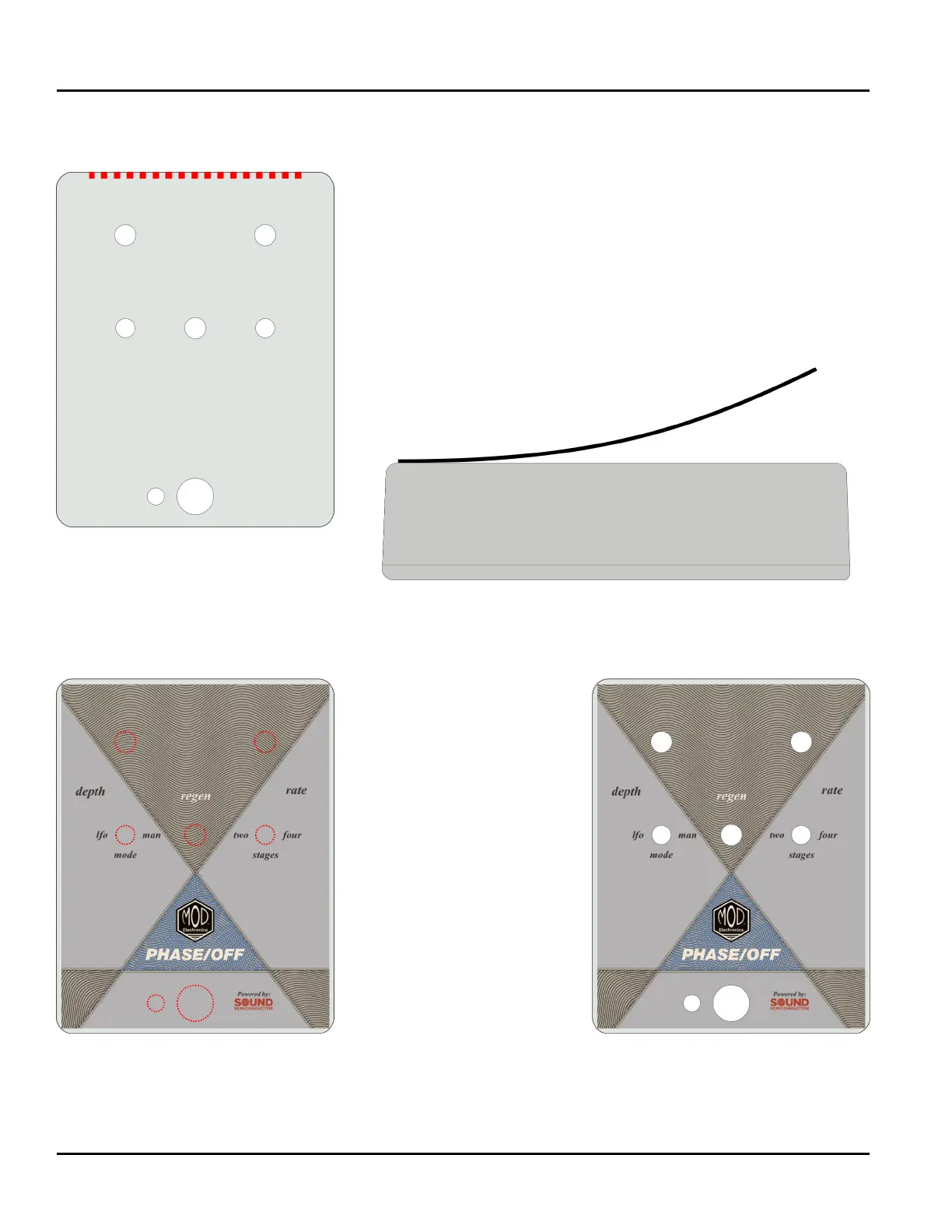
Locate the top of the pedal as well as the top of the sticker.
The cover of the instructions for your kit will have an image of
the pedal that can be used for reference.
Peel the backing from the sticker. Carefully line up the top
edge of the sticker with the top of the pedal. Press down to
apply the sticker only to the edge. Run a nger across the
edge to push any air out from beneath the sticker. Continue
this motion as you work your way down the pedal until the
sticker is fully attached.
Locate the holes beneath
the sticker and depress
them using a ngertip. Be
sure that the area of the
sticker surrounding the
holes is fully adhered to
the surface.
With an Xacto knife or
similar tool, carefully
pierce the sticker in the
center of each hole.
Carefully work the knife
from the center of the
hole to the edge and begin
cutting fully around the
edge until the sticker has
been fully cleared from
the hole.


 To Next Page