Phase / Off
18
Main PCB Construction
64: Remove all of the mounting hardware and insert
the DPDT mini toggle switch at SW2 on side 2 of the
PCB. Don't solder these switches yet but make sure
they are both fully inserted through the PCB.
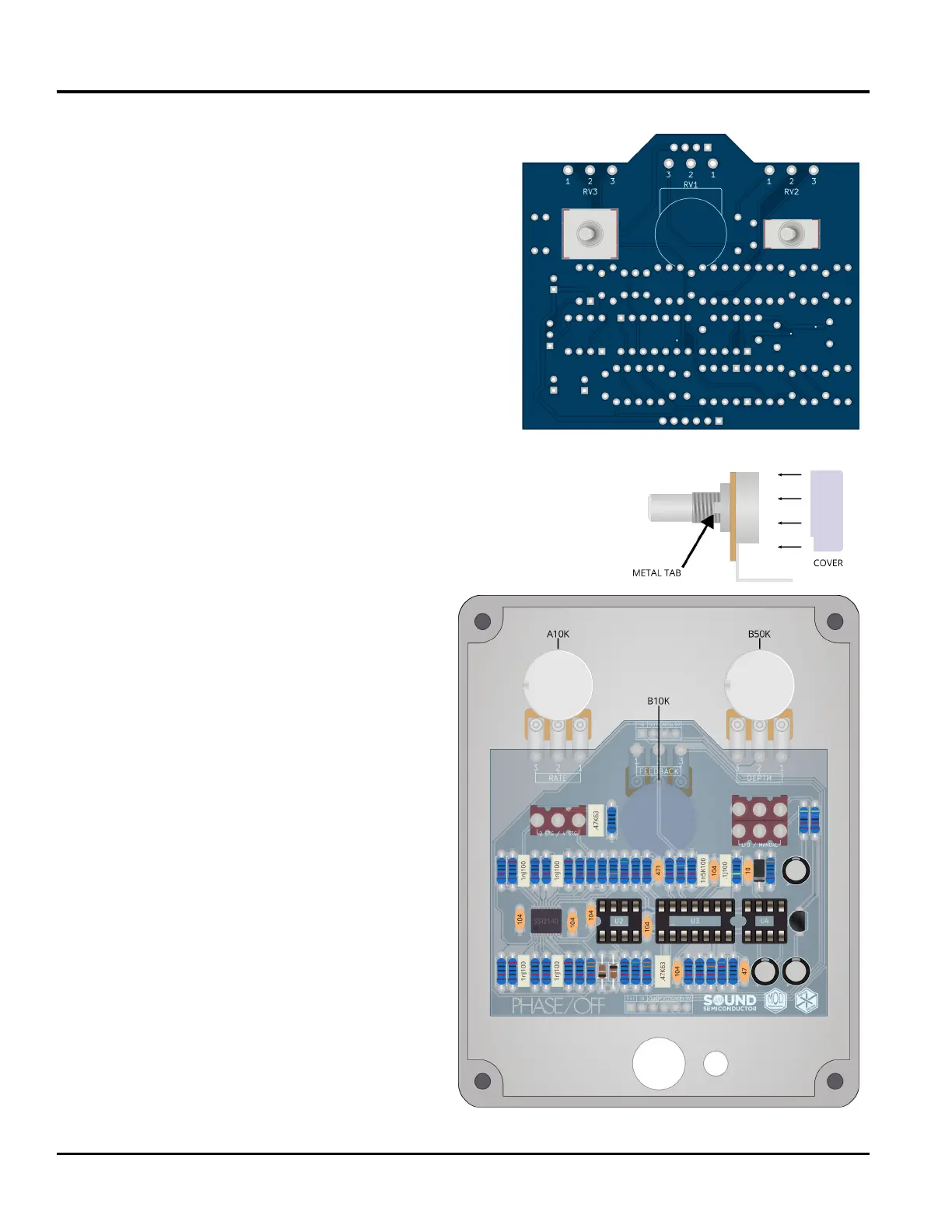
65: Locate the 3 potentiometers and remove all mounting hardware.
Grip the small metal tab on each pot with a pair of pliers and gently
rock the tab until it snaps o.
66: Slide the plastic cover onto the B10K
potentiometer.
69: Attach and tighten the mounting hardware
for both the switches and pots now. Use a single
nut for the switches. Make sure the pots remain
aligned and don't twist as you tighten the nut.
This hardware only needs to be nger tight for
now.
63: Remove all of the mounting hardware and insert
the SPDT mini toggle switch at SW1 on side 2 of the
PCB.
Part 5: Switches and Potentiometers
67: Locate the enclosure and mount the 3 pots
as shown. Use the mounting hardware to hold
each pot onto the enclosure but keep them
loose enough to rotate.
68: Take the main PCB and delicately mount it
to the enclosure by gently sliding the toggle
switches through the two holes to the left and
right of the B10K pot. As the toggles' bushings
slide through the holes carefully guide the pots'
pins into their mounting holes.
70: Make sure that the PCB is still ush to the
switches. Solder both switches and all three
pots now. Remove the mounting hardware and
carefully remove the PCB from the enclosure.



 To Next Page