OPERATING MANUAL STEAM SYSTEM
www.modbar.com Document 003-0042-1.1| Software Version 2.0
home -> main settings -> file operations -> update software
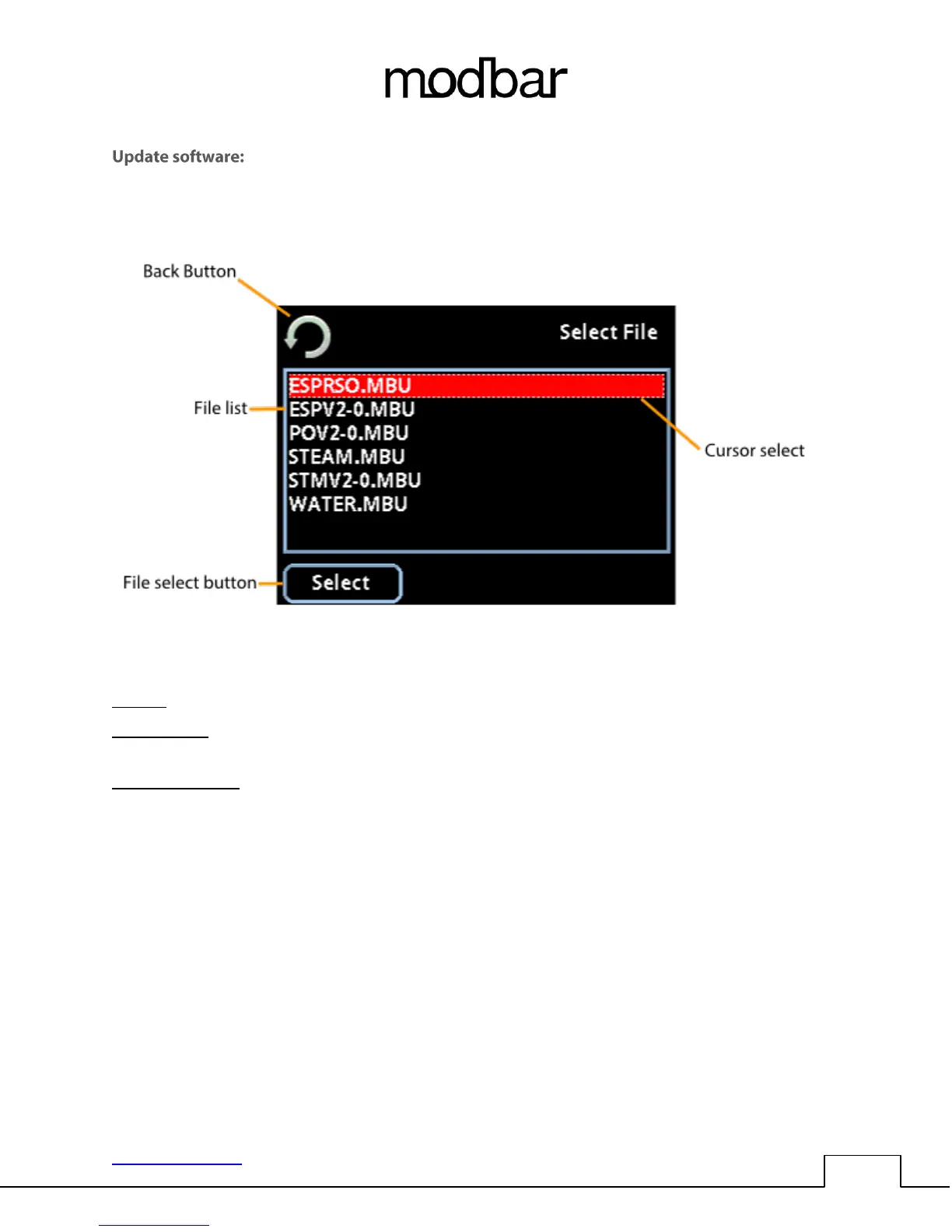
File list: This area displays all of the software update files that are currently saved to the USB drive.
Cursor select: The dotted outline cursor select indicates which file is selected on screen. You may use
the rotary encoder or up/down function of the joystick to navigate the file list.
File select button: Pressing select will install the selected software update on the system. The software
update process is complete when the machine reboots, displaying the Modbar logo on the module
touch screen.



 To Next Page