OPERATING MANUAL STEAM SYSTEM
www.modbar.com Document 003-0042-1.1| Software Version 2.0
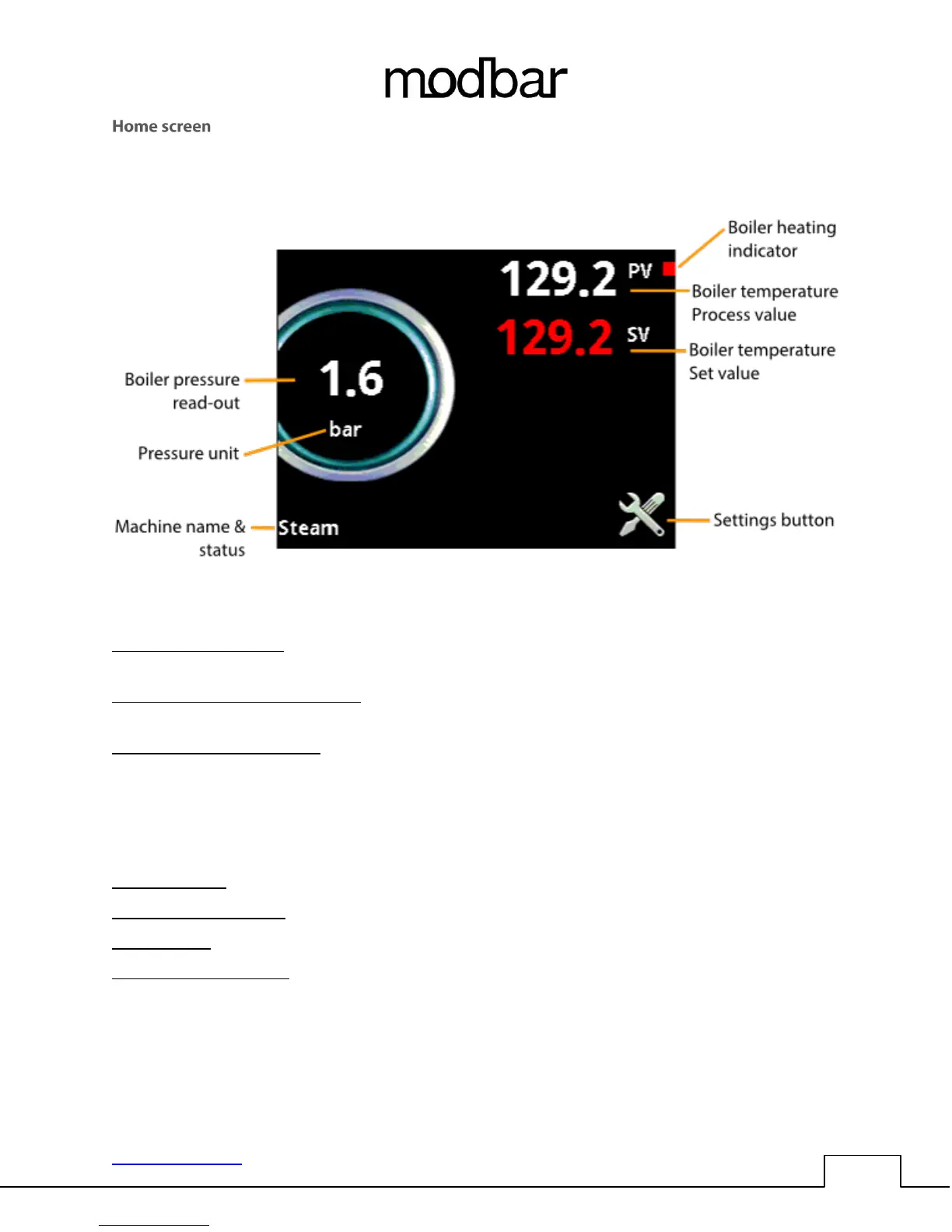
Boiler heating indicator: The red square indicates that the boiler is being commanded to heat. It is
normal for this to flash on and off during regular operation.
Boiler temperature process value: This is the current value in degrees of the active heat zone (selected
by the heat zone button).
Boiler temperature set value: This is the current set-point value in degrees for the active heat zone. To
change the set temperature, simply touch the red value on the screen and the value will be highlighted.
Rotate the encoder left or right to change the value in 1-degree increments. Press the joystick up or
down to change the temperature in 1/10 degree increments. Press the center button on the joystick to
save the change. The units for temperature are selected in the preferences/temperature unit’s
dialogue.
Settings button: This button navigates to the main settings screen.
Machine name & status: Displays the machine name and current status of the steam module.
Pressure unit: Displays the pressure units type (preferences/pressure units)
Boiler pressure read-out: Displays current pressure of the steam boiler, this pressure is relative and
calculated by the boiler process temperature value. No boiler pressure will be present until the process
temperature is above the boiler point of water (212°F / 100°C).



 To Next Page